
Table of Contents
Quick Summary
- Debian 13.4 is the fourth maintenance update for the stable "trixie" distribution, released on March 14, 2026.
- This point release includes critical security patches and fixes for serious bugs into one convenient update.
- Users can upgrade their existing systems through default package management tools to receive the latest Linux kernel (6.12.73) and essential security fixes for core components like glibc, OpenSSH, and PostgreSQL.
Introduction
The Debian Project has officially released Debian 13.4! This update arrived on March 14, 2026, which is the "Pi Day". This is the fourth point release for the stable Debian Linux 13 distribution, also known as "trixie".
Please note that this is not a brand-new version of Debian. This update is mainly released to fix security vulnerabilities and solve serious technical bugs.
Why You Should Update to Debian 13.4
Security is the biggest reason to install this update. Debian Linux 13.4 release includes several critical patches for software you likely use every day.
For instance, the core GNU C Library (glibc) received fixes for heap corruption and memory leaks. These updates prevent attackers from crashing your system or stealing information.
Additionally, OpenSSH received fixes for potential code execution issues, which keeps your remote connections safe.
Key security highlights include:
- Wget2: Fixed a file overwrite issue and a remote buffer overflow.
- MariaDB: Patched an arbitrary code execution bug and updated to a new stable version.
- PostgreSQL 17: Fixed a buffer overrun issue.
- Wireshark: Solved memory exhaustion problems.
Major Software Improvements
Beyond security, the Debian 13.4 release brings many "quality of life" improvements. The project updated several major software packages to their latest stable versions.
First, the Linux kernel now uses the 6.12.73+deb13 ABI. This update ensures your hardware runs smoothly and stays compatible with the latest drivers.
Second, users of KMail will notice that the system now shows all folders correctly thanks to a fix in the Akonadi package.
Furthermore, other essential tools received significant updates:
- Apache2: The team fixed a regression in HTTP/2 performance.
- GNOME Shell: The developers reverted a change that caused the user interface to disappear on some systems.
- Samba and OpenSSL: Both packages moved to newer, more reliable upstream versions.
- Xen: This virtualization tool received a new stable release with isolation fixes.
How to Upgrade to Debian 13.4
If you already run Debian 13 "trixie", you do not need to perform a fresh installation. You can simply update your current system.
Follow these easy steps to upgrade:
Run your typical update and upgrade commands:
sudo apt update
sudo apt full-upgrade -y
Restart your computer to apply the updates.
If you often download updates from security.debian.org, you may already have most of these fix system systemes. However, running the full upgrade ensures you have the latest stable versions of every package.
Check the Debian version using commands:
$ cat /etc/debian_version
13.4
You can also use this command if you want to get a detailed output:
$ cat /etc/os-release
Sample Output:
PRETTY_NAME="Debian GNU/Linux 13 (trixie)"
NAME="Debian GNU/Linux"
VERSION_ID="13"
VERSION="13 (trixie)"
VERSION_CODENAME=trixie
DEBIAN_VERSION_FULL=13.4
ID=debian
HOME_URL="https://www.debian.org/"
SUPPORT_URL="https://www.debian.org/support"
BUG_REPORT_URL="https://bugs.debian.org/"
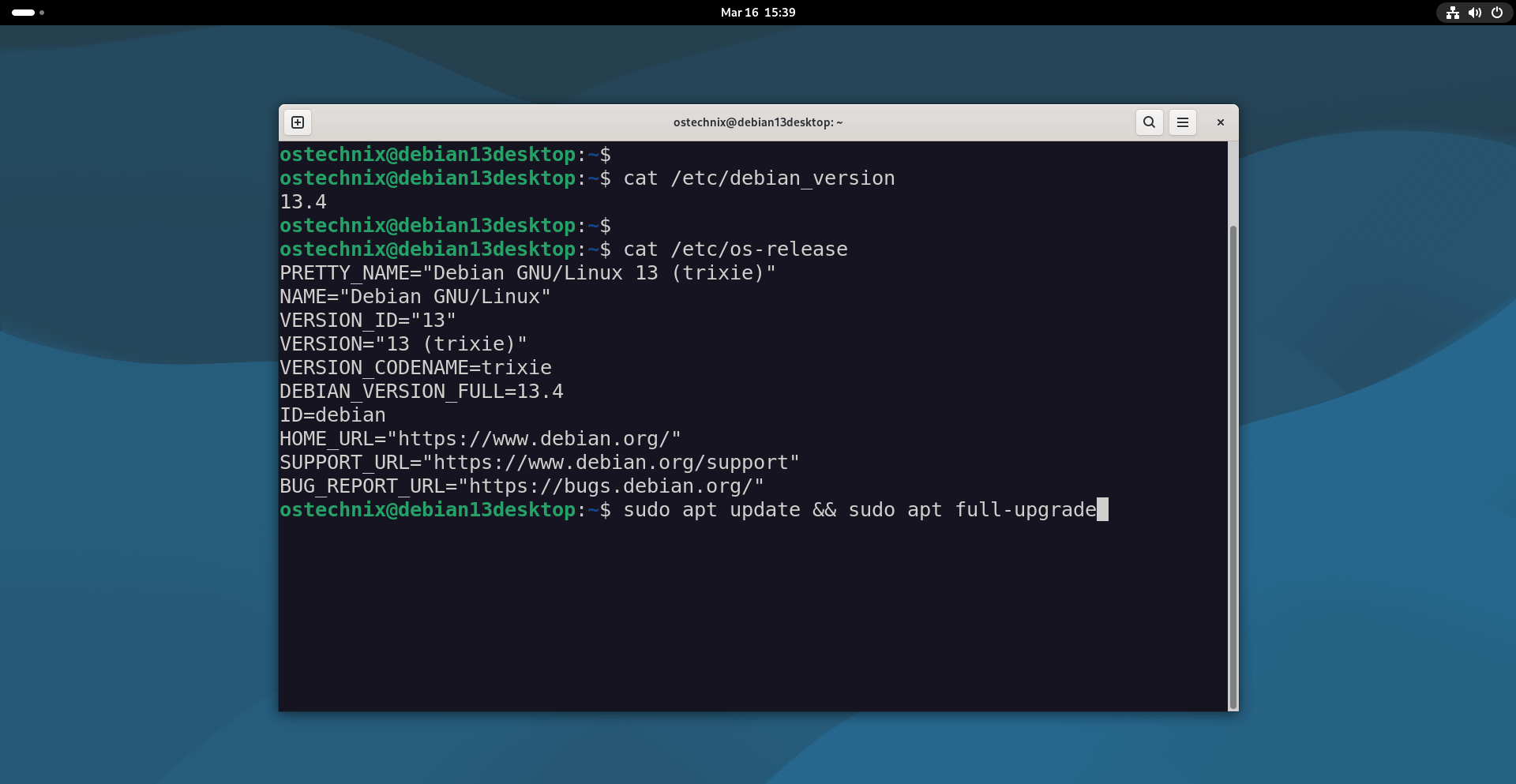
As you can see, I am running the latest Debian 13.4 version.
Troubleshooting
If you don't see the new version after running the upgrade steps above, remove the old metadata and download fresh repository indexes using command:
sudo rm -rf /var/lib/apt/lists/*
This command is safe. It removes the local package index cache used by APT on Debian systems. APT will automatically recreate the directory and repopulate it.
It does not remove installed packages and does not modify the system itself. It only deletes the downloaded metadata files that apt update normally refreshes.
Now run the upgrade command again:
sudo apt update && sudo apt full-upgrade -y
Useful Tip:
If you ever suspect repository index problems again, this command is a quick diagnostic:
sudo apt update -o Acquire::CompressionTypes::Order::=gz
It forces a fresh download of the index files and sometimes reveals mirror issues.
Note: You do not need to throw away old Debian 13 installation media. The installer now includes these new fixes automatically during the setup process.
Upgrade Debian 12 to Debian 13
If you're running older Debian 12 system, you can safely upgrade to the latest Debian 13.4 version as described in the link below:
Long-Term Support and Reliability
Debian remains "The Universal Operating System" because of its long-term promise. The project commits to a five-year lifecycle for Debian 13.
- Full Support: This phase lasts until August 9, 2028.
- Long Term Support (LTS): This phase continues until June 30, 2030.
This long support window makes Debian a perfect choice for servers and home computers alike.
Whether you are a developer or a casual user, Debian 13.4 provides the stability you need to get your work done without worry.
Update your Debian system today to ensure your system stays fast, functional, and most importantly, secure.
Good luck.
Resource:
