
Table of Contents
Quick Summary
- Google is replacing the legacy Gemini CLI and Gemini Code Assist IDE extensions with its new Antigravity platform.
- The Google Antigravity ecosystem consists of a standalone desktop application (Antigravity 2.0) and a high-performance, Go-based terminal interface (Antigravity CLI), both powered by a unified shared agent harness designed for complex, multi-agent orchestration.
- Gemini CLI and Gemini Code Assist IDE extensions will stop serving consumer requests on June 18, 2026. You must move to Antigravity before then to avoid losing your workflow.
Introduction
Big changes are coming for developers who rely on Gemini CLI and code assist extensions.
Google is moving away from the Gemini CLI and shifting its focus to a new, unified platform called Google Antigravity. This change is more than a simple rebrand. It represents a jump from single AI chatbots to powerful, multi-agent teams.
If you use Gemini tools today, you need to prepare for a deadline. On June 18, 2026, the legacy Gemini CLI and Gemini Code Assist IDE extensions will stop working for individual users. To keep your projects moving, you must transition to the Antigravity platform.
What is Google Antigravity?
Google Antigravity is a unified, "agent-first" development platform. It consists of a desktop application and a command-line tool that share a single "brain" called the Shared Agent Harness.
This unified backend ensures that any update to the AI's reasoning automatically improves every tool in the ecosystem.
The platform consists of two main interaction surfaces:
- Antigravity 2.0
- Antigravity CLI
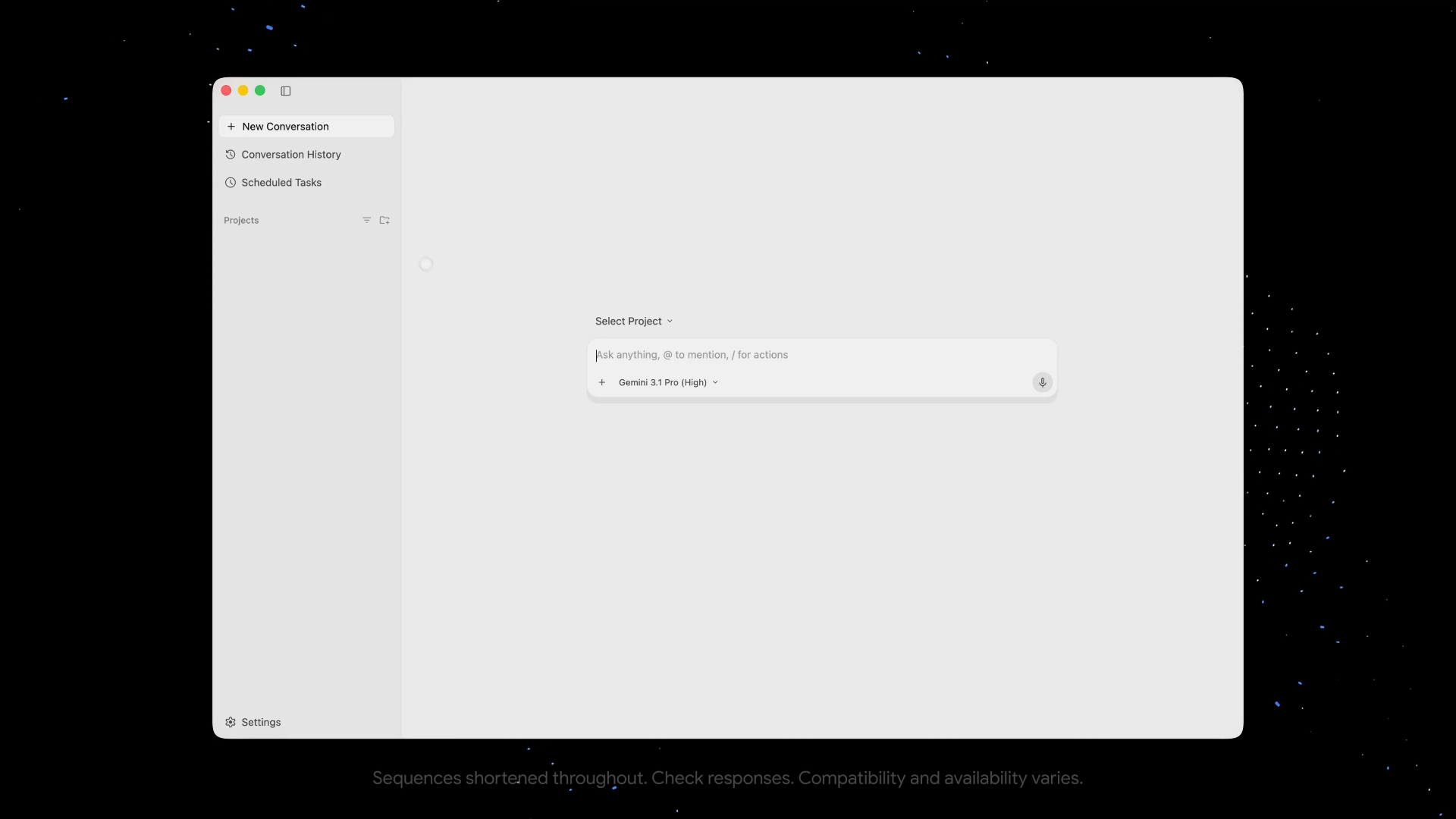
Antigravity 2.0: is a standalone desktop application designed for visual orchestration and managing complex knowledge tasks without being tied to an IDE.
Antigravity CLI: is a high-performance, Go-based terminal interface (TUI) optimized for speed and remote SSH workflows.
Both are powered by a Shared Agent Harness, meaning updates to the core agentic reasoning or tool use automatically apply to both the desktop and CLI versions.
Faster Performance with Gemini 3.5 Flash
Google co-optimized the Antigravity harness specifically for the Gemini 3.5 Flash model. While Flash is already fast, it runs up to 12 times faster inside Antigravity thanks to specialized "inference tricks".
This high speed allows the users to handle long work sessions without the AI slowing down or hitting limits quickly.
From Solo AI to "Agent Teams"
The most notable feature is the move toward Subagents. Instead of one AI doing everything, your main agent can now spawn specialized "helpers" to work in parallel.
Google recently proved how powerful this is by tasking an agent team to build a functional Operating System from a single prompt. The team used different roles to get the job done:
- The Sentinel: Manages the project and structures your intent.
- The Worker: Writes the actual code and runs builds.
- The Auditor: Specifically checks for "AI laziness" to ensure the code actually works and isn't just a mock implementation.
A Better Way to Manage Projects
Antigravity moves away from the old repository-centric view. It introduces a new Project concept. A single Project can now access multiple folders and repositories at the same time. This gives the AI full context across your entire codebase while keeping your security settings and permissions isolated.
How to Migrate to Antigravity CLI from Gemini CLI
Moving from the Gemini CLI is straightforward. The new Antigravity CLI includes a migration path for your existing workflows.
- Plugins: You can import your old Gemini extensions as plugins by running the
agy plugin importcommand. - Skills: Global skills stay in the same place and work automatically. However, you must move workspace-specific skills to the new
.agents/skillsfolder. - MCP Servers: These are still supported, but you will now find their configuration in a dedicated
mcp_config.jsonfile instead of your main settings.
Read the official migration guide for more details:
Enterprise and Security
If you are an enterprise customer using Google Cloud, your access to legacy tools remains unchanged for now. However, you can start using Antigravity today with your GCP projects. This ensures your data stays within your private environments and follows the Google Cloud Terms of Service.
The platform also includes a sandbox option for macOS to help manage the risks of autonomous code execution. You should always verify the actions your agents take, especially when they have permission to run commands.
Getting Started
You can try Antigravity 2.0 and the new CLI by downloading them directly from the Antigravity website and start exploring the new Subagent and Project features today.
Make sure to complete your move before the June 18 deadline to avoid any breaks in your development cycle.
