
Have you ever wanted to quickly look up Nobel Prize winners without opening a web browser? If you're a Linux user who loves the terminal, then NobelCLI is exactly what you need. This simple Python script brings Nobel Prize information straight to your command line.
Table of Contents
What is NobelCLI?
NobelCLI is a lightweight Python script that fetches Nobel Prize winners directly from your Linux terminal.
NobelCLI fetches data from the official Nobel Prize API at api.nobelprize.org. This API provides comprehensive information about all laureates and prizes.
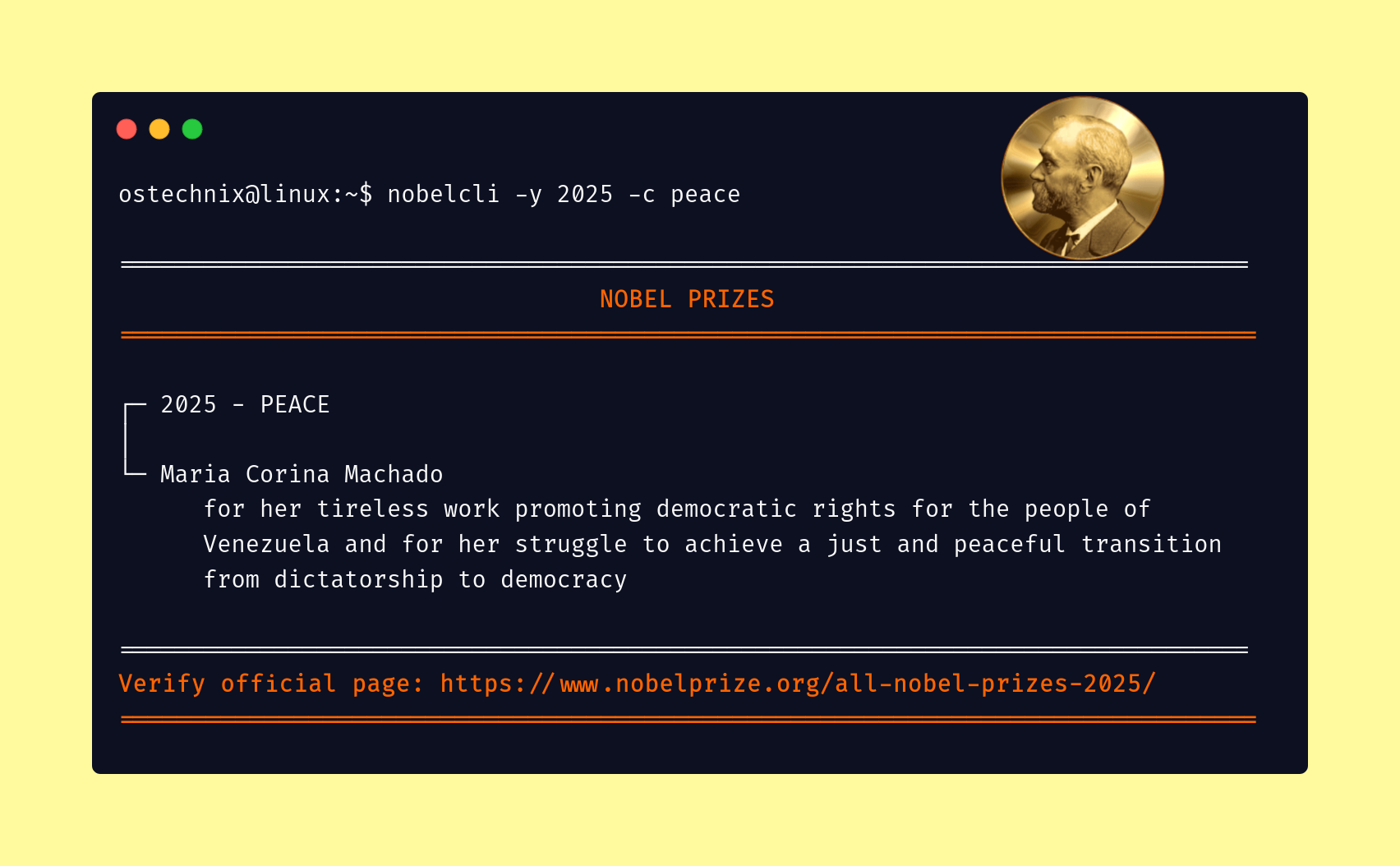
It allows you to filter results by year and category (Physics, Chemistry, Literature, Peace, Economics, Medicine, etc.) without leaving the command line.
Instead of browsing websites, you can now view prize winners, their achievements, and motivations right in your terminal window.
Moreover, the tool displays everything in a clean, easy-to-read format. You'll see the year, category, laureate names, and their contributions.
At the end of the result, it will provide you the official link to verify if the results are correct.
NobelCLI only uses Python's standard library. This script uses the following built-in Python modules:
jsonfor parsing API responsesurllibfor making HTTP requestsargparsefor command-line argumentsdatetimefor year validation
You don't need to install any extra packages. If you have Python 3, you're ready to go.
Key Features
Filter by Year
Want to see who won Noble prizes in 2025? Just specify the year. For example:
nobelcli --year 2025
This command shows all Nobel Prize winners from 2025 across every category.
Filter by Category
Similarly, you can search by specific categories. NobelCLI supports all six Nobel Prize categories:
- Physics
- Chemistry
- Medicine
- Literature
- Peace
- Economics
Combine Filters
Even better, you can combine year and category filters. Therefore, if you want to see only the Physics winners from 2020, you can do that easily.
Smart Error Handling
NobelCLI also includes helpful error messages. If you enter an invalid year or category, the tool tells you exactly what went wrong. Additionally, it suggests how to fix the problem.
Verification Links
After showing results, NobelCLI provides a link to the official Nobel Prize website. Consequently, you can always verify the information if needed.
How to Install NobelCLI on Linux
Installing NobelCLI is super easy. Here's what you need to do:
Step 1: Download the Script
NobelCLI is hosted in our OSTechNix GitHub Gist.
First, download and save the NobelCLI Python script.
Using curl:
curl -L -o ~/.local/bin/nobelcli https://gist.githubusercontent.com/ostechnix/c6e47366a41d1ef6f9d3e994412c4299/raw/2bf1c000eafbaa3d3c75b54b5198be5865eafabe/nobelcli.sh
And give executable permission to the script:
chmod +x ~/.local/bin/nobelcli
Or using wget:
wget -O ~/.local/bin/nobelcli https://gist.githubusercontent.com/ostechnix/c6e47366a41d1ef6f9d3e994412c4299/raw/2bf1c000eafbaa3d3c75b54b5198be5865eafabe/nobelcli.sh
Assign executable permission to the script:
chmod +x ~/.local/bin/nobelcli
Step 2: Add It to PATH (if needed)
Check if ~/.local/bin is in your PATH:
echo $PATH
If it’s missing, add it using command:
export PATH="$HOME/.local/bin:$PATH"
to your ~/.bashrc or ~/.zshrc, then reload:
source ~/.bashrc
Related Read: How To Add A Directory To PATH In Linux
Step 3: Start Using It
That's it! Now you can use NobelCLI from anywhere in your terminal:
nobelcli --year 2025 --category peace
Fetch Nobel Prize Winners using NobelCLI from Command line
Let me show you how to use NobelCLI effectively.
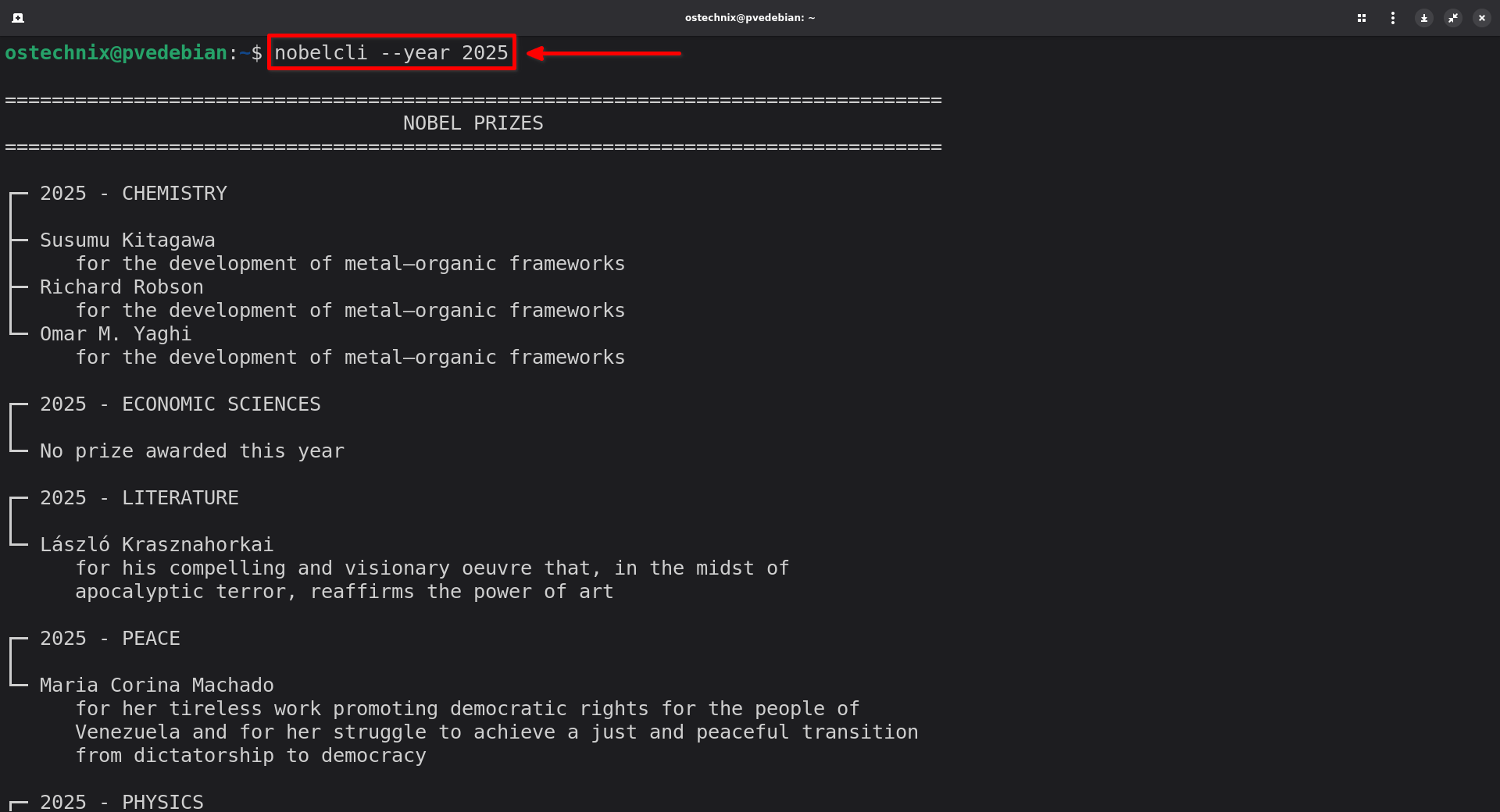
View All Nobel Prize Winners in 2025
To view all Nobel prize winners of the current year 2025, you can use:
nobelcli --year 2025
Sample Output:
================================================================================
                                  NOBEL PRIZES
================================================================================

┌─ 2025 - CHEMISTRY
│
├─ Susumu Kitagawa
│     for the development of metal–organic frameworks
├─ Richard Robson
│     for the development of metal–organic frameworks
└─ Omar M. Yaghi
      for the development of metal–organic frameworks

┌─ 2025 - ECONOMIC SCIENCES
│
└─ No prize awarded this year

┌─ 2025 - LITERATURE
│
└─ László Krasznahorkai
      for his compelling and visionary oeuvre that, in the midst of
      apocalyptic terror, reaffirms the power of art

┌─ 2025 - PEACE
│
└─ Maria Corina Machado
      for her tireless work promoting democratic rights for the people of
      Venezuela and for her struggle to achieve a just and peaceful transition
      from dictatorship to democracy

┌─ 2025 - PHYSICS
│
├─ John Clarke
│     for the discovery of macroscopic quantum mechanical tunnelling and
│     energy quantisation in an electric circuit
├─ Michel H. Devoret
│     for the discovery of macroscopic quantum mechanical tunnelling and
│     energy quantisation in an electric circuit
└─ John M. Martinis
      for the discovery of macroscopic quantum mechanical tunnelling and
      energy quantisation in an electric circuit

┌─ 2025 - PHYSIOLOGY OR MEDICINE
│
├─ Mary E. Brunkow
│     for their discoveries concerning peripheral immune tolerance
├─ Fred Ramsdell
│     for their discoveries concerning peripheral immune tolerance
└─ Shimon Sakaguchi
      for their discoveries concerning peripheral immune tolerance

================================================================================
Verify official page: https://www.nobelprize.org/all-nobel-prizes-2025/
================================================================================
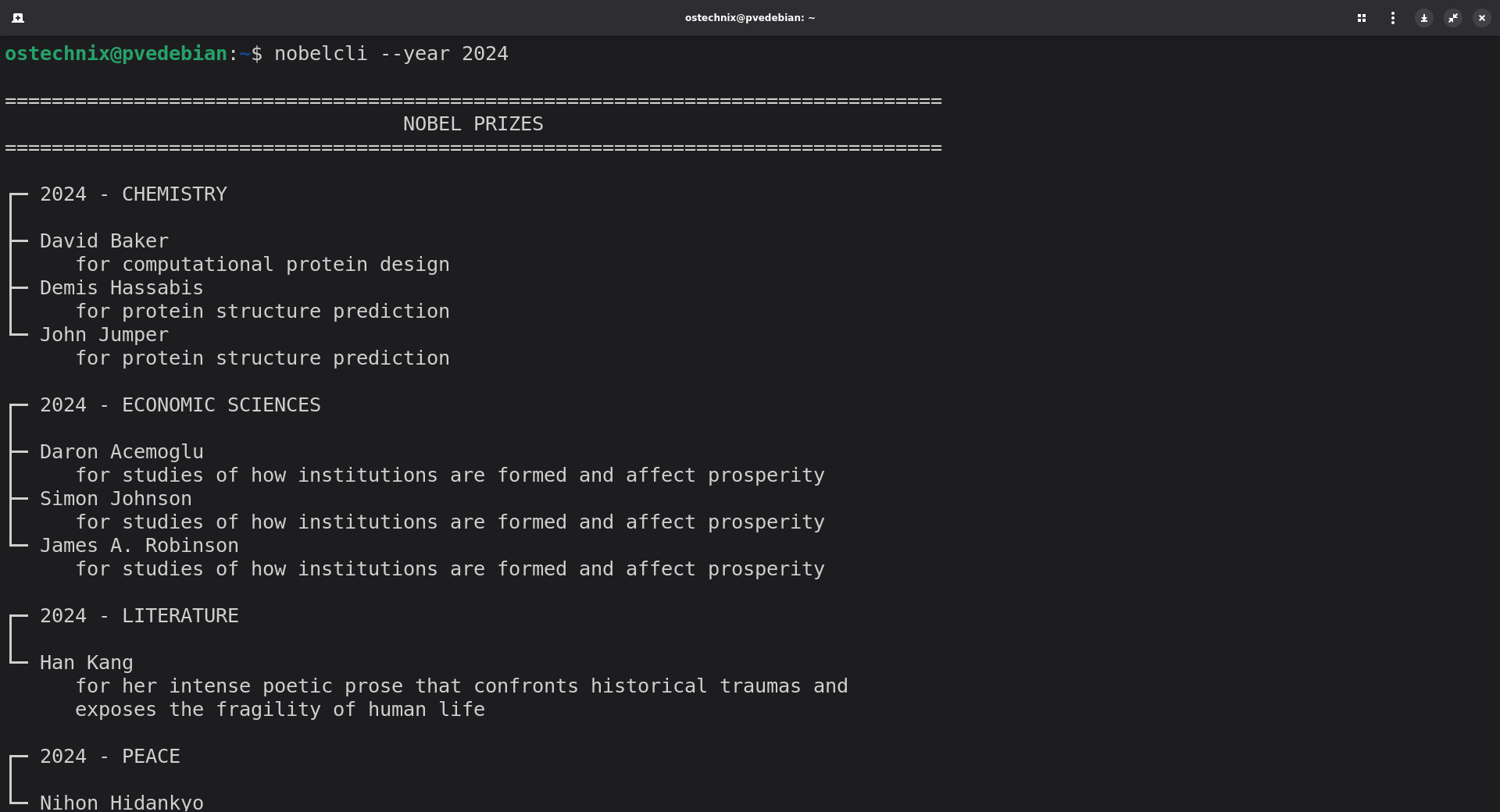
Similarly, you can see every Nobel Prize winner from 2024 with command:
nobelcli --year 2024
This displays all categories for the year 2024.
Here's the sample output from my Debian system:
Check Winners From a Specific Category and Year
Similarly, you can check Nobel laureates for a specific category and year. For example, we can check Physics Winners from 2020 using command:
nobelcli --year 2020 --category physics
You'll see Roger Penrose, Reinhard Genzel, and Andrea Ghez – the brilliant minds who won for their black hole research.
Sample Output:
================================================================================
                                  NOBEL PRIZES
================================================================================

┌─ 2020 - PHYSICS
│
├─ Roger Penrose
│     for the discovery that black hole formation is a robust prediction of
│     the general theory of relativity
├─ Reinhard Genzel
│     for the discovery of a supermassive compact object at the centre of our
│     galaxy
└─ Andrea Ghez
      for the discovery of a supermassive compact object at the centre of our
      galaxy

================================================================================
Verify official page: https://www.nobelprize.org/all-nobel-prizes-2020/
================================================================================
NobelCLI supports short flags. For example:
nobelcli -y 2024 -c physicsThis saves you some typing!
See All Nobel Prizes for a Specific Category
Want to browse all Chemistry Nobel Prizes? Use this:
nobelcli --category chemistry
However, be careful – this shows prizes from all years, so the output will be long!
Save Results to a File
You can also redirect the output to a file:
nobelcli --year 2024 > nobel_2024.txt
This saves all 2024 prizes to a text file for later reference.
Search for Specific Information
Furthermore, you can combine NobelCLI with grep to search for keywords:
nobelcli --year 2020 | grep -i "black hole"
This finds any mentions of "black hole" in the 2020 prizes.
View NobelCLI Help Section
If you need help, NobelCLI includes built-in documentation:
nobelcli --help
This shows all available options, examples, and usage information.
usage: nobelcli [-h] [-y YEAR] [-c {physics,chemistry,medicine,literature,peace,economics}]

View Nobel Prize winners in the terminal

options:
  -h, --help            show this help message and exit
  -y YEAR, --year YEAR  Filter by year (e.g., 2024)
  -c {physics,chemistry,medicine,literature,peace,economics}, --category {physics,chemistry,medicine,literature,peace,economics}
                        Filter by category

Examples:
  nobelcli --year 2024
  nobelcli --year 2023 --category physics
  nobelcli --category chemistry

Available categories:
  physics, chemistry, medicine, literature, peace, economics

Note: Nobel Prizes have been awarded since 1901.
Understanding NobelCLI's Output Format
When you run NobelCLI, you'll see a beautifully formatted display. Here's what each part means:
The Header
At the top, you'll see a banner that says "NOBEL PRIZES" centered between equal signs. This clearly marks the beginning of the results.
================================================================================
                                  NOBEL PRIZES
================================================================================
Prize Information
Next, each prize appears in a box-like structure. You'll see:
- The year and category at the top
- Each laureate's name below
- Their motivation or achievement (wrapped neatly to fit your screen)
┌─ 2004 - CHEMISTRY
│
├─ Aaron Ciechanover
│     for the discovery of ubiquitin-mediated protein degradation
├─ Avram Hershko
│     for the discovery of ubiquitin-mediated protein degradation
└─ Irwin Rose
      for the discovery of ubiquitin-mediated protein degradation
The Verification Link
Finally, at the bottom, NobelCLI shows a link to the official Nobel Prize website. Therefore, you can always double-check the information.
================================================================================
Verify official page: https://www.nobelprize.org/all-nobel-prizes-2004/
================================================================================
Error Messages You Might See
NobelCLI includes smart error handling.
Invalid Year (Too Early):
If you try a year before 1901, for example:
nobelcli -y 1894 -c chemistry
You'll see:
❌ Error: Nobel Prizes were first awarded in 1901.
   You specified: 1894
   Please use a year from 1901 to 2025.
This happens because Alfred Nobel's will established the prizes, and they started in 1901.
Future Years:
Similarly, if you enter a future year:
nobelcli -y 2030 -c chemistry
You will see:
❌ Error: The year 2030 is in the future.
   Current year is 2025.
   Please use a year from 1901 to 2025.
NobelCLI prevents you from searching for prizes that don't exist yet.
Invalid Category:
When you type a wrong category name:
nobelcli -y 2000 -c biology
You will see the following message:
error: argument -c/--category: invalid choice: 'biology'
The tool then shows you the valid categories to choose from.
Tips and Tricks for Power Users
Now, let me share some advanced techniques.
Create an Alias
First, you can create a shorter alias. Add this to your ~/.bashrc:
alias np='nobelcli'
After that, just type np instead of nobelcli:
np --year 2024 --category physics
Loop Through Multiple Years
You can also check multiple years at once:
for year in {2020..2024}; do
    nobelcli --year $year --category physics
done
This shows Physics prizes for five consecutive years.
Combine with Other Commands
Furthermore, you can integrate NobelCLI into shell scripts:
#!/bin/bash
echo "Recent Nobel Prizes in Physics:"
nobelcli --year 2024 --category physics
Target Users for NobelCLI
- For Students and Researchers: NobelCLI helps students quickly research Nobel Prize winners. Instead of searching through websites, they can find information in seconds.
- For Teachers: Similarly, educators can use NobelCLI in computer science classes. It demonstrates API usage, command-line tools, and Python programming.
- For Science Enthusiasts: If you love science, NobelCLI makes it easy to explore laureates and their groundbreaking work. You can discover new achievements and learn about scientific history.
Frequently Asked Questions About NobelCLI
A: NobelCLI is a Python CLI tool to fetch and display Nobel Prize winner data. You can list winners by year and category without leaving your terminal.
A: Yes! NobelCLI works on any Linux distribution with Python 3. This includes Ubuntu, Fedora, Arch, and others.
A: Just Python 3 with a few standard libraries such as json for parsing API responses, urllib for making HTTP requests, argparse for command-line arguments, and datetime for year validation. All of these are preinstalled in most modern Linux distros.
A: Absolutely. MacOS has Python 3 installed by default, so NobelCLI works perfectly.
A: NobelCLI also works on Windows with Python 3 installed. However, you might need to use python nobelcli instead of just nobelcli.
A: Yes, NobelCLI is completely free to use. There are no hidden costs or subscriptions.
A: Absolutely. The official link is provided at end of the each result.
Conclusion
NobelCLI brings the prestige of Nobel Prize information to your terminal. Using NobelCLI, you can search Nobel Prizes by year and category using simple commands.
It's fast, efficient, and perfectly suited for Linux users who prefer the command line. And, It should work on any system that has Python 3 installed.
NobelCLI is perfect for students, researchers, and terminal enthusiasts who want quick access to Nobel Prize information. Hope this helps.
