
Reinstalling Linux takes time and care. You back up your files, wipe the system, install the OS, and then restore everything. One small mistake can cost you data.
MX Linux changes this experience. The MX Linux installer includes a Replace Existing Installation option that lets you migrate to MX Linux from another Debian-based distro while keeping your /home directory. As a result, your files and many settings stay exactly where they are.
For anyone who refreshes their system or switches distros, this feature removes the fear from reinstalling.
Table of Contents
TL;DR
MX Linux lets you replace an existing Linux installation while preserving the /home directory.
The installer replaces system files only. This makes reinstalls faster and safer, without manual backup and restore steps.
What is the "Replace Existing Installation" Option in MX Linux?
The Replace Existing Installation option appears during the MX Linux installation process. By choosing this option, you can easily switch to MX Linux without losing your /home directory.
It targets users who already run Linux and want a clean system without losing personal data.
When you select it, the installer:
- Replaces the root filesystem (
/) - Preserves existing /home directories
- Keeps user files intact
In simple terms, MX Linux refreshes the operating system but leaves your personal space alone.
How MX Linux Preserves the /home Directory
Before making changes, the MX Linux installer checks the existing disk layout. It then applies a simple rule: replace the system, not the data.
This works in two common setups.
/home on the same partition
The installer replaces system files while avoiding deletion of the /home directory.
/home on a separate partition
The installer leaves the partition untouched and reuses it after installation.
In both cases, MX Linux avoids unnecessary formatting. That choice protects files, permissions, and most user settings.
Important note: This feature assumes a standard Linux filesystem layout. It does not protect against disk failure, accidental formatting, or hardware issues.
Who Benefits Most from MX Linux's Replace Existing Installation Feature
The Replace Existing Installation option works best for:
- Users refreshing a broken system
- Users moving to MX Linux from another Debian/Ubuntu-based distributions or from an older MX Linux install
- People who reinstall their systems often
- Users who want a clean operating system without losing personal data
For these users, reinstalling becomes routine instead of risky.
How to Migrate to MX Linux without losing /home
I wouldn't recommend this in production environment. Try this on test system to see how it goes. If all is well, you can use this method to switch to MX Linux without losing /home.
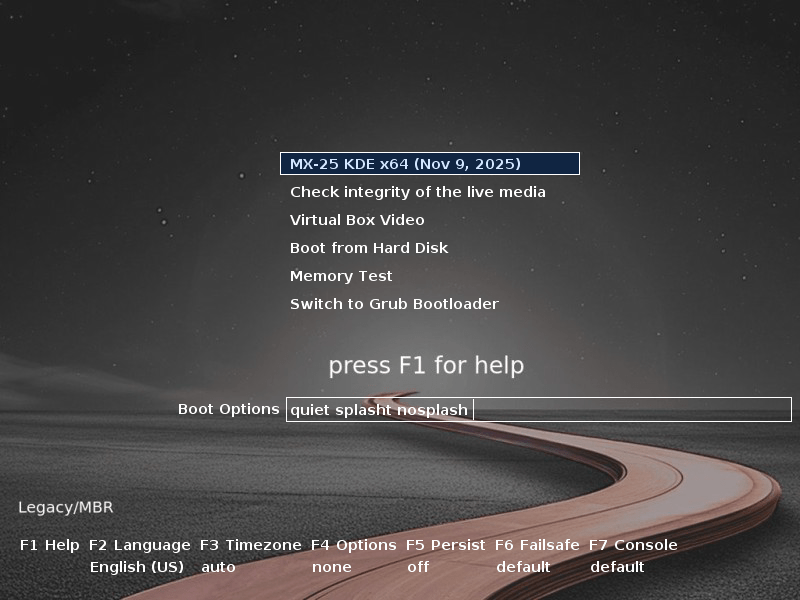
Boot your existing Linux system with MX Linux bootable ISO. In my case, I am using Linux Mint 22.3 latest edition.
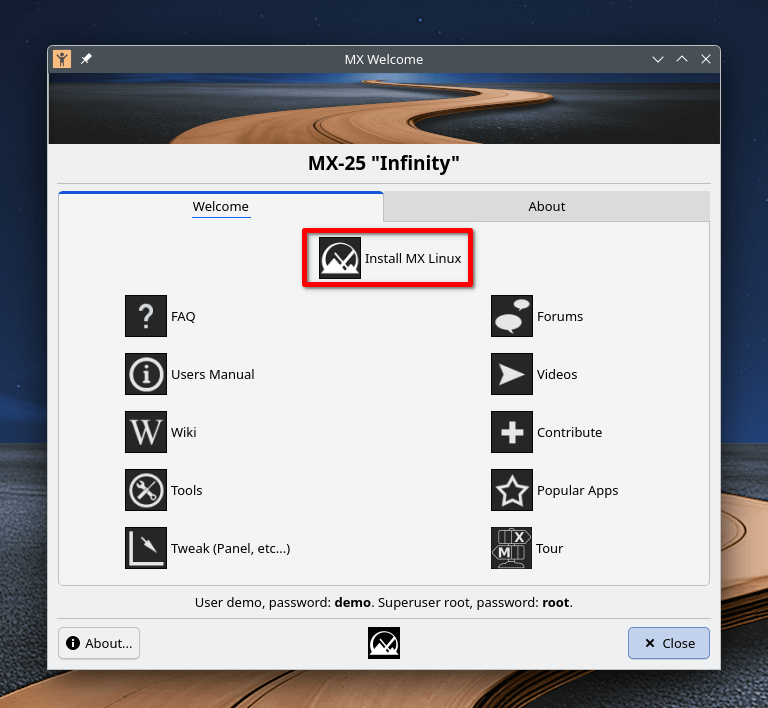
After booting into MX Linux live environment, click on the "Install MX Linux" option:
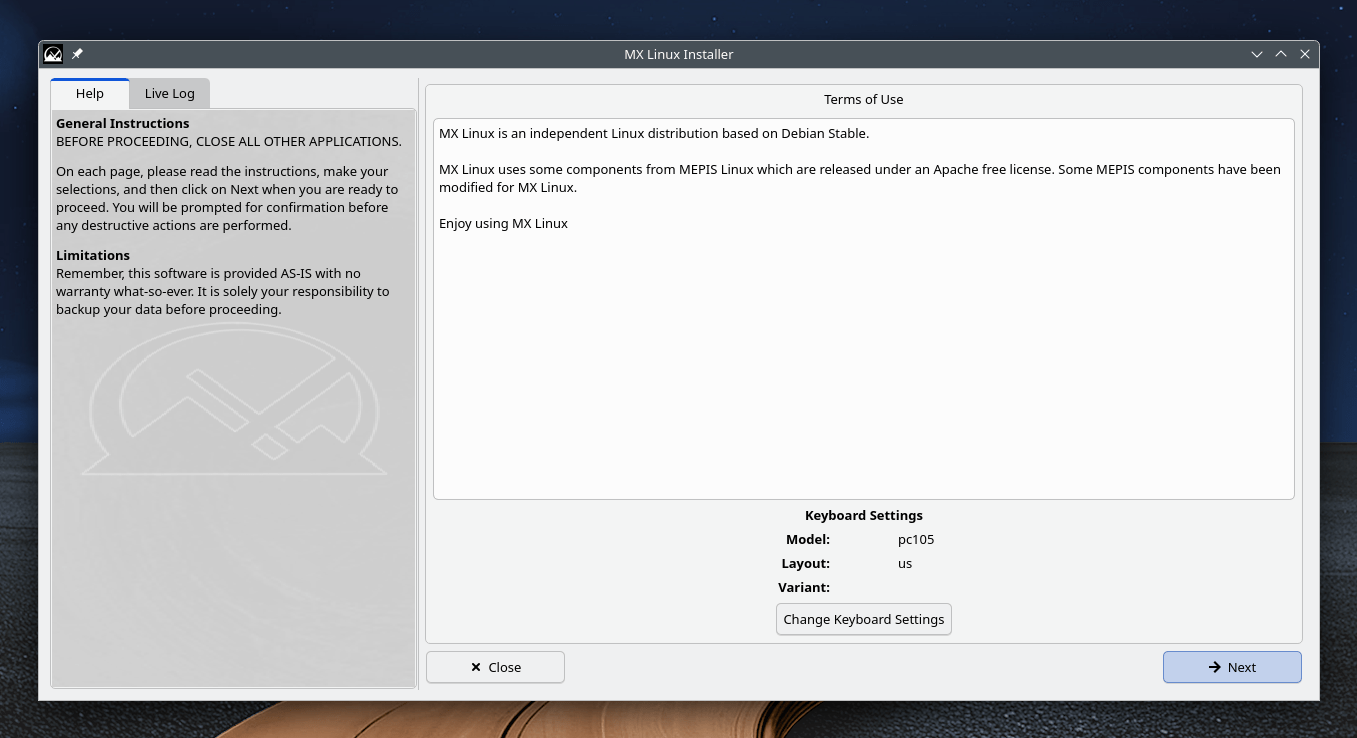
Click Next:
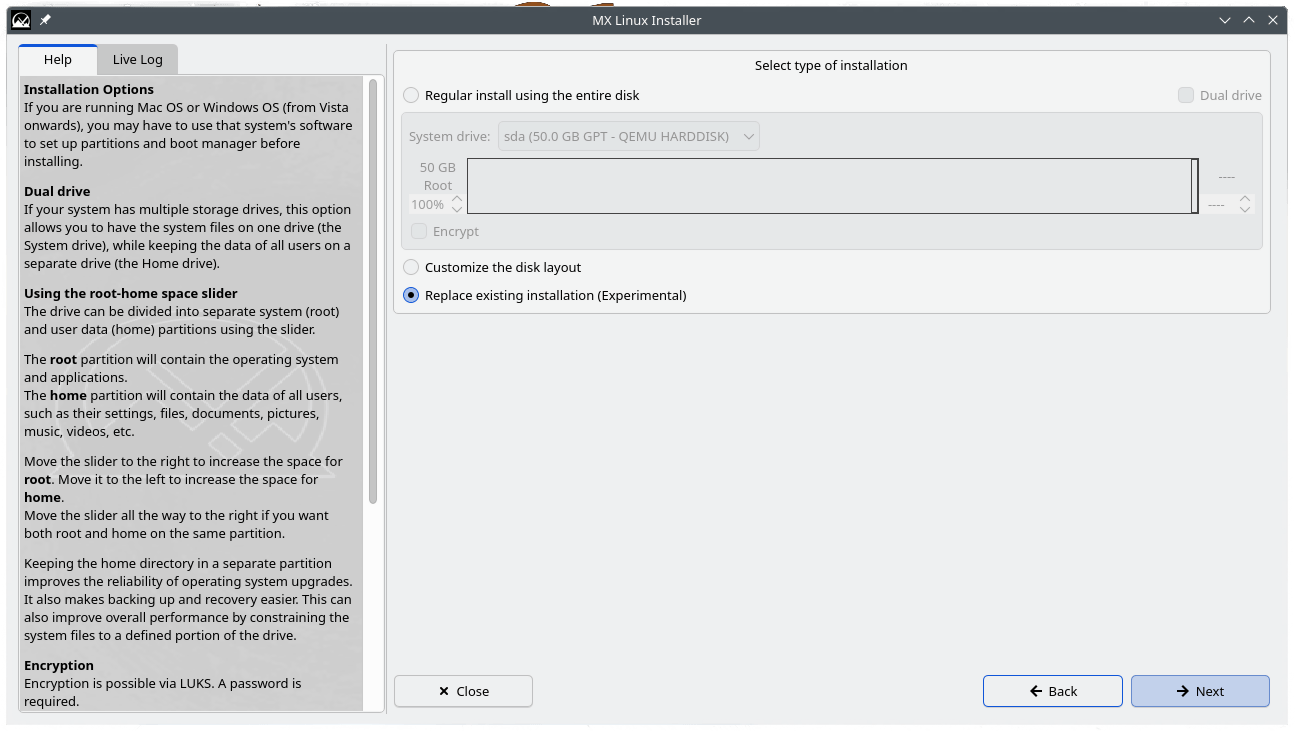
This is the critical step. Please pay attention. Choose the "Replace Existing Installation (Experimental)" option.
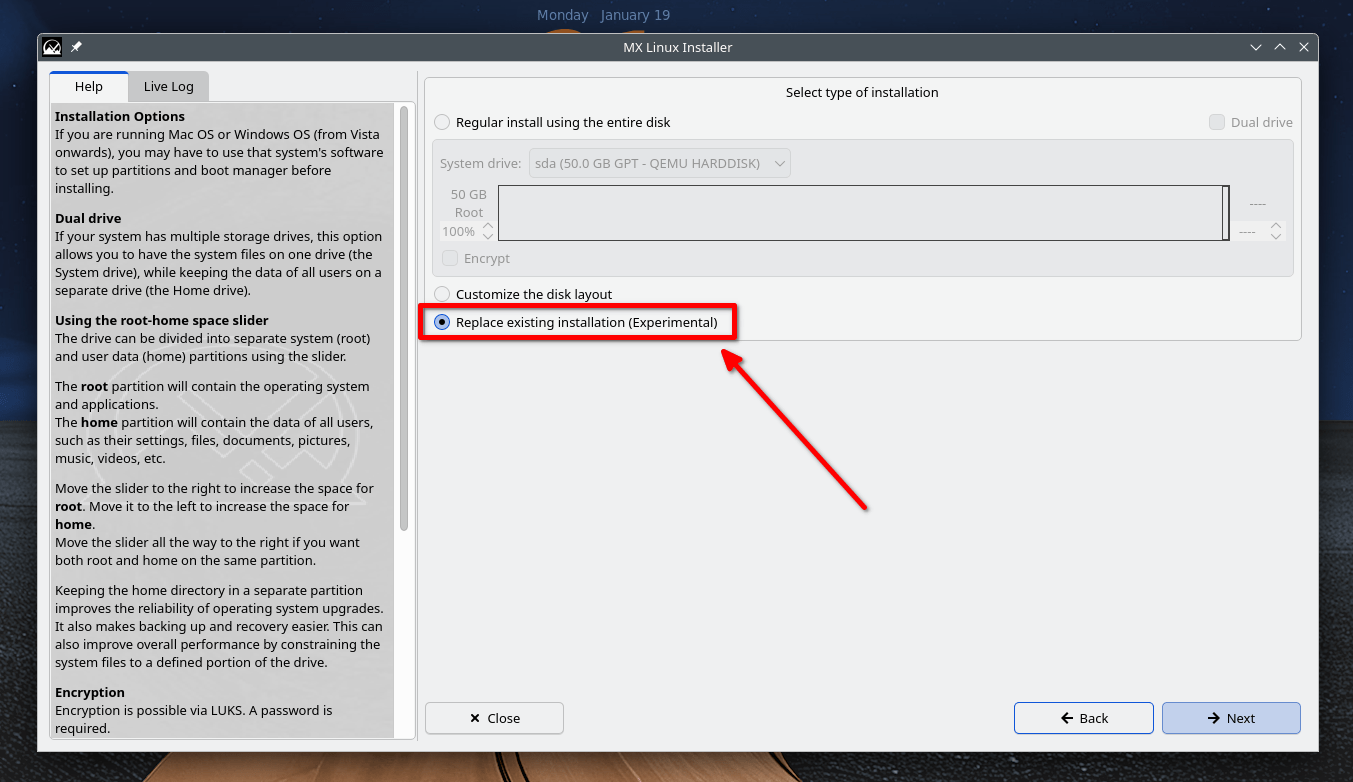
Please ensure you have selected the "Replace Existing Installation (Experimental)" option one more time, and click Next.
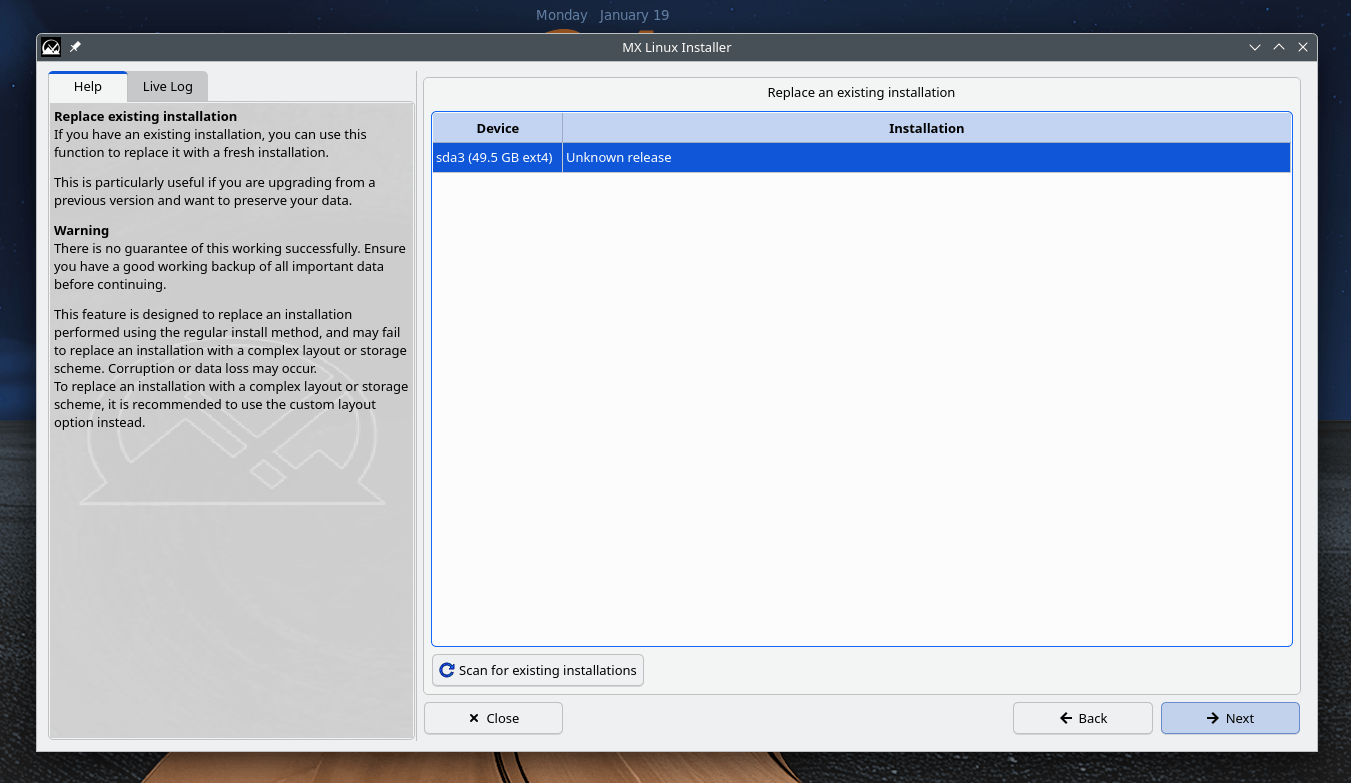
Choose your drive that contains the existing installation. For your information, here I am replacing Linux Mint installation with MX Linux. Click Next to continue.
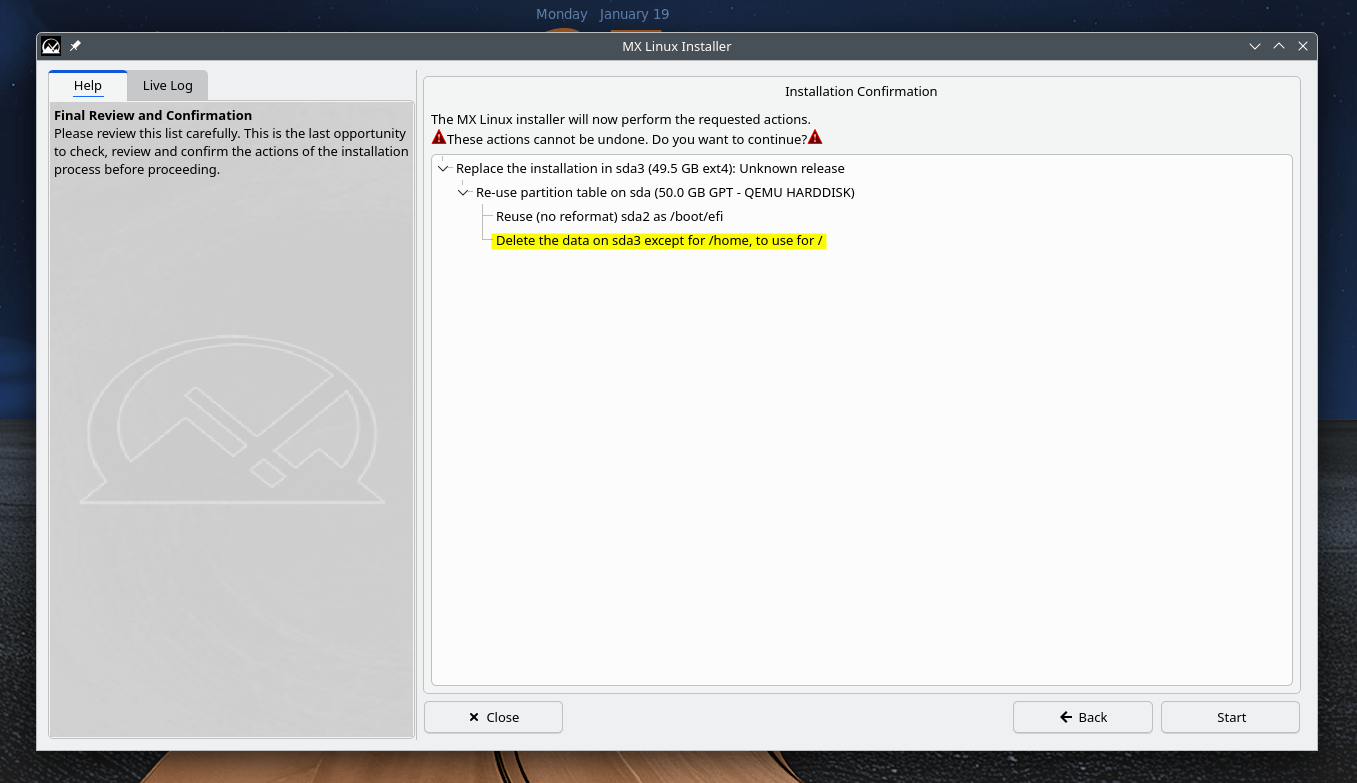
The installer will show you the final review. Make sure you're replacing the correct install. If you have multiple OSes, you must select the correct disk. Click Next to continue:
Now continue the usual installation tasks, such as:
- creating swap,
- enabling zram,
- setting hostname,
- timezone configuration,
- creating new user etc.
Once MX Linux installation is completed, click Finish.
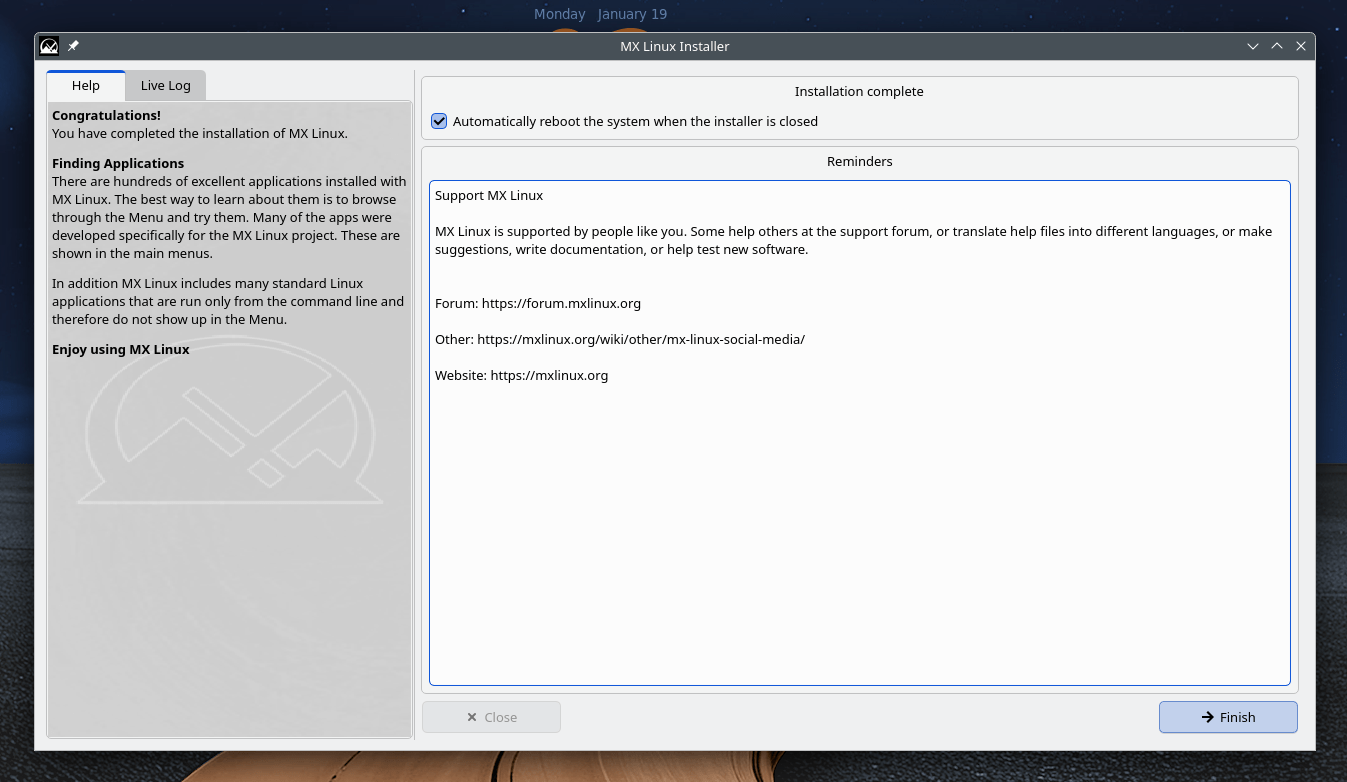
Your system will automatically reboot now.
Login to the newly installed system. Open your file manager and check for the old user's directory in your /home directory.
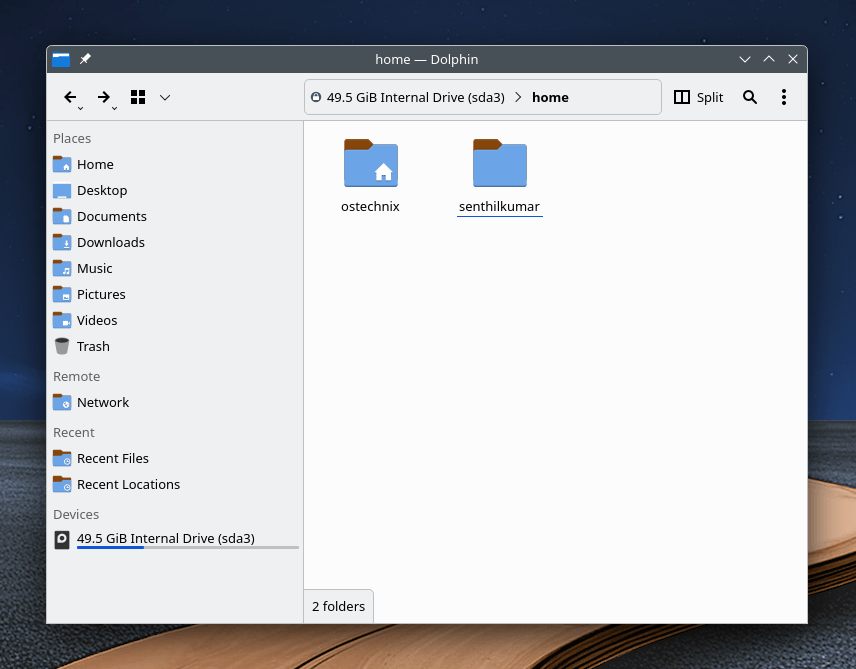
As you can see in the screenshot above, I have two HOME directories. ostechnix is the new user's (MX Linux) /home and senthilkumar is the old user's (Linux Mint) /home.
Copy the data from the old one to the new /home directory, ensure you have copied everything that matter and finally delete the old directory.
My Real Experience with MX Linux
I had two laptops running Debian 12 KDE. My external USB drive did not have enough free space to back up the /home directories. Because of that, I decided to replace both Debian KDE systems with MX Linux using the Replace Existing Installation option.
The installer finished quickly, and my home directories remained intact. After logging in, I found all my files exactly where I expected them to be.
I also tested this behavior in a virtual machine running the latest version of Linux Mint. Surprisingly, it worked out of the box there as well. After reinstalling with MX Linux, the existing /home directory was still present.
Another useful detail is that you do not need to use the same username during installation. You can choose any username when installing MX Linux.
For example, if your existing home directory is debiankde and you create a new user named mxlinux during installation, both home directories appear under /home: /home/debiankde and /home/mxlinux.
MX Linux preserves the existing home directory without modifying it and creates a new one for the new user. This is a thoughtful and user‑friendly design choice.
I have not seen this feature implemented so clearly in other Linux distributions, and I am genuinely pleased with the result.
That said, backups are still important. If you cannot afford to lose your data, always keep a backup. However, when backup space is limited, this feature can be a practical and reliable option.
Why This Feature Matters for Everyday Linux Users
This option solves real problems. It does not exist for marketing. It exists because people reinstall Linux more often than they admit.
Less stress during reinstalls
Your home directory holds documents, SSH keys, browser profiles, and application settings. Keeping it intact removes anxiety.
Faster system refreshes
You skip the backup and restore cycle. As a result, you spend less time preparing and more time working.
Easier distro switching
Moving from Debian or another Linux system feels smoother. Your files stay put, and the system feels familiar right away.
Why It Works Especially Well with Debian-Based Systems
MX Linux builds on Debian stable, and that choice matters.
Debian provides:
- Stable configuration formats
- Predictable user and group IDs
- Long-term package compatibility
Because of this, preserved home directories usually behave well after reinstall, especially when you keep a similar desktop environment. Desktop settings, user files, and many application configs remain usable without extra work.
How MX Linux Compares to Other Installers
Many Linux installers allow you to reuse a /home partition, but few make the process this clear and safe.
- Ubuntu and Fedora require careful manual partitioning. One wrong checkbox can wipe
/home. - Arch Linux offers full control but assumes advanced knowledge.
- openSUSE supports reuse of
/home, but the workflow is more complex.
MX Linux stands out by offering a guided, low-risk option that works well for everyday users.
Common Mistakes to Avoid
Even with this feature, mistakes can happen. Avoid these issues:
- Do not change partition layouts during installation
- Avoid enabling disk encryption mid‑reinstall
- Do not use this feature on failing disks
- Keep usernames consistent if you want automatic config reuse
Think of this option as a safety net, not a disaster recovery tool.
Frequently Asked Questions (FAQ)
A: Yes. When you choose Replace Existing Installation, the MX Linux installer replaces only the system files while preserving existing /home directories. Your personal files remain intact as long as you do not change partition layouts.
A: No. You can choose any username. If you use a different name, MX Linux keeps the old home directory and creates a new one for the new user under /home.
A: In most cases, yes. Preserved home directories usually work well, especially when moving between Debian-based systems or keeping a similar desktop environment.
A: No. This feature reduces risk, but it is not a backup. Disk failure, encryption changes, or accidental formatting can still cause data loss.
A: No. As far as I know, MX Linux can preserve /home when coming from Debian or Ubuntu-based Linux distributions, as long as the filesystem layout is standard and supported. For instance, I tested this feature with openSUSE tumbleweed (Btrfs) installation, but the /home directory is not preserved.
A: Encrypted setups require extra care. If encryption settings change during install, the installer may not preserve /home.
Final Verdict: Is MX Linux Safer for Reinstalls?
Yes, for most Linux users, it is. I tested this feature on three systems: two laptops and one virtual machine. In all cases, it worked perfectly.
The virtual machine did not contain important data, but both laptops did. Even so, the installer preserved the existing /home directories without issues.
MX Linux's Replace Existing Installation option removes the biggest pain point of reinstalling Linux. It protects what matters most: your home directory.
That quiet reliability explains why MX Linux is often recommended for beginners. It does not chase trends. Instead, it respects your time and the personal data stored in your home directory.
MX Linux keeps your /home directory safe! In daily computing, that matters more than anything else.
Related Read:
