
Table of Contents
Quick Summary
- The Companion provides a React-based web interface for the Claude Code CLI.
- It uses a hidden WebSocket protocol to enable multiple sessions, visual tool tracking, and persistent context.
- Using the Companion tool, you can run Claude Code in a web browser or on a mobile device instead of being restricted to a terminal.
- It is built using modern tools like the Bun runtime, React 19, and Tailwind v4.
What is Companion?
The Companion is an open-source web user interface (Web UI) specifically designed for Claude Code. It allows you to run Claude Code sessions in your browser or on mobile rather than being restricted to a terminal.
The project was built because the developers felt that while Claude Code is powerful, its terminal-based nature makes it difficult to manage multiple sessions, visualize tool calls, or maintain context if a process crashes.
Key features of this tool include:
- Multiple concurrent sessions: You can run several Claude Code instances at once, each with its own settings.
- Visual tool visibility: Bash commands, file edits, and "greps" are shown in collapsible blocks with syntax highlighting.
- Real-time streaming: You can see the agent's response being written token by token.
- Session persistence: Sessions are saved to your disk, allowing you to resume work even after a restart.
- No API key required: It runs using your existing Claude Code subscription by connecting to the CLI.
How does the Companion bridge the CLI and the browser?
The developers discovered an undocumented --sdk-url flag within the Claude Code CLI. This flag redirects terminal output to a WebSocket server using the NDJSON format.
The Companion tool acts as the server that catches this data. It then pipes the information to a local web page. This setup allows you to use your existing Claude subscription without needing a separate API key.
Why should you move your workflow out of the terminal?
The terminal often feels like a prison for complex AI tasks. You cannot easily run many sessions at once, and you often lose context if a process crashes.
The Companion solves these issues by providing a dedicated web dashboard. It renders responses token by token so you can see the agent's logic in real-time.
It also displays every bash command and file edit in collapsible blocks with syntax highlighting.
How does the UI handle complex agent hierarchies?
Claude Code sometimes spawns sub-agents to handle smaller tasks. Tracking these in a terminal is difficult because the text scrolls away quickly.
The web interface renders these agents in a clear hierarchy. You can follow the full chain of command visually. This feature makes it easier to audit what each part of the AI system is doing.
What happens to your work if the system restarts?
Standard terminal sessions often vanish if you close the window or the system reboots. The Companion saves every session to your local disk.
It uses the Claude Code --resume flag to recover your work automatically. This persistence ensures that the AI remembers your project state even after a crash or a server restart.
Getting Started with the Companion
You do not need a new API key to use this tool; it runs on your existing Claude Code subscription.
1. Install the Prerequisites:
Make sure you have the Bun runtime and the Claude Code CLI installed on your machine.
2. Install The Companion:
Open your terminal and run the following command:
bunx the-companion
3. Access the UI:
Once the server starts, open your browser and navigate to: http://localhost:3456
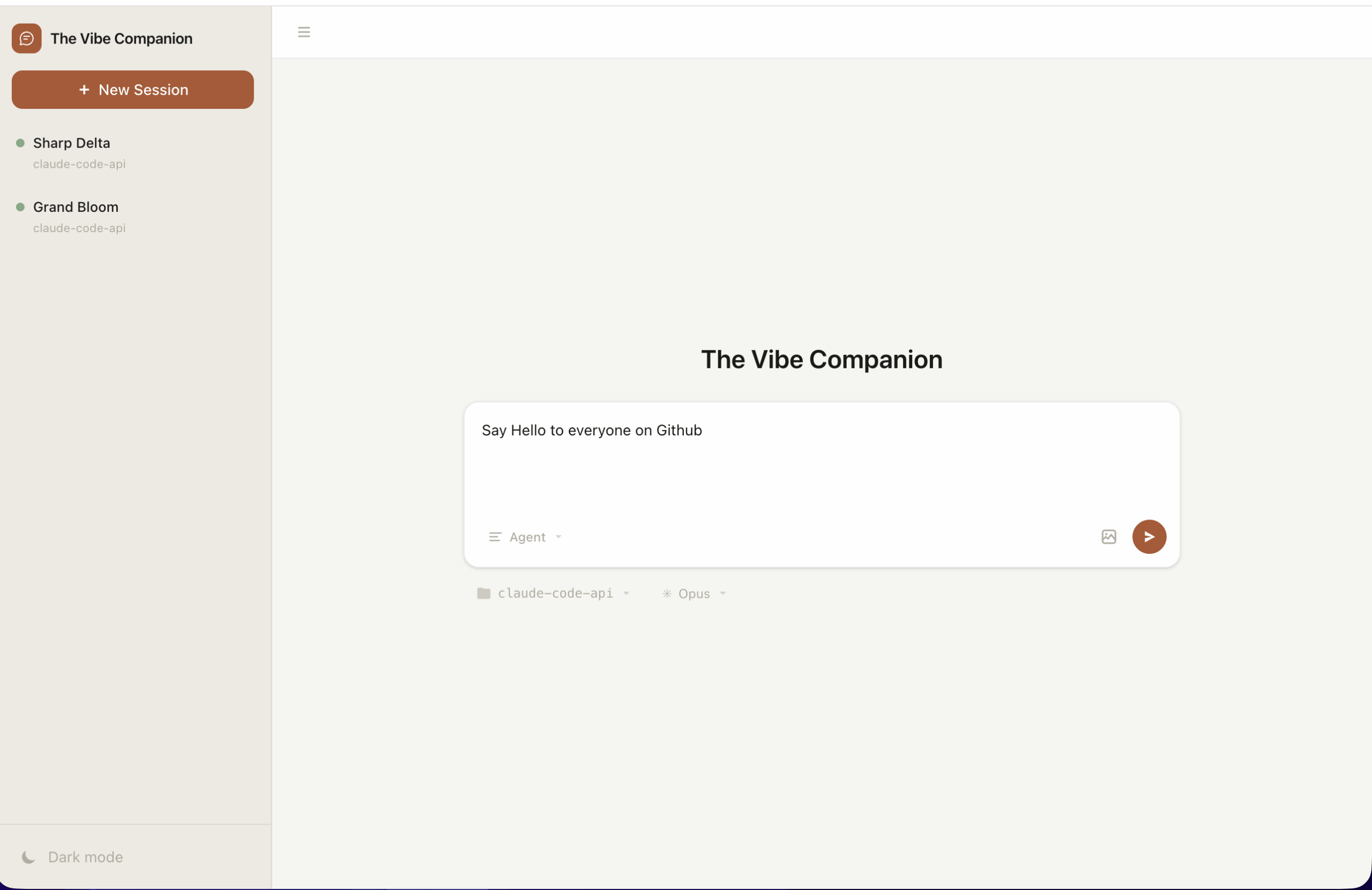
Here's how the Companion interface looks like:
4. Optional (macOS only):
If you want the tool to run as a background service that starts when you log in, use:
bun install -g the-companion
the-companion install
Limitations and Risks
This project relies on a hidden protocol that Anthropic does not officially support. If Anthropic removes the --sdk-url flag, the tool will stop working until the developers find a new workaround.
Security is another concern because the tool executes local bash commands. You must review every tool call before you click approve in the browser. Automated background services currently only have official support for macOS.
Common Mistakes
Users often forget to install the Bun runtime before running the launch command. This leads to immediate failure because the tool requires Bun to execute.
Another mistake is ignoring the port settings. If another service uses port 3456, the server will not start. You must manually assign a new port using the --port flag in those cases.
Conclusion
The Companion tool might be a good choice for developers who manage complex AI projects. Use it when you need to run several agents at once or when you require a visual audit log. Stick to the standard terminal for simple, one-off questions.
This tool provides the visual clarity that terminal-based agents lack. It turns a text stream into a professional workspace. Try it today to see your code from a new perspective.
Resources:
