
Table of Contents
Quick Fix Summary
If you're seeing "Warning: Treating remote fetch error as non-fatal" or "No such ref in remote flathub" errors when running flatpak update or flatpak repair, your local Flatpak repository is out of sync. Fix it in 4 steps:
- Clear temporary files:
sudo rm -rf /var/lib/flatpak/repo/tmp/* - Remove cached refs:
sudo rm -rf /var/lib/flatpak/repo/refs/remotes/flathub - Run system repair:
sudo flatpak repair --system - Clean unused packages:
flatpak update && flatpak uninstall --unused
This fix works for all Linux distributions including Arch Linux, Debian, Fedora, Linux Mint, Manjaro, Pop!_OS, and Ubuntu.
What Does 'No Such Ref in Remote Flathub' Mean?
When running flatpak update command in Linux, you may encounter error messages like:
[...]
F: Warning: Treating remote fetch error as non-fatal since runtime/app.devsuite.Ptyxis.Locale/x86_64/stable is already installed: No such ref 'runtime/app.devsuite.Ptyxis.Locale/x86_64/stable' in remote flathub
F: Warning: Treating remote fetch error as non-fatal since app/org.videolan.VLC/x86_64/stable is already installed: No such ref 'app/org.videolan.VLC/x86_64/stable' in remote flathub
F: Warning: Treating remote fetch error as non-fatal since app/org.upscayl.Upscayl/x86_64/stable is already installed: No such ref 'app/org.upscayl.Upscayl/x86_64/stable' in remote flathub
F: Warning: Treating remote fetch error as non-fatal since app/org.mozilla.firefox/x86_64/stable is already installed: No such ref 'app/org.mozilla.firefox/x86_64/stable' in remote flathub
F: Warning: Treating remote fetch error as non-fatal since app/org.localsend.localsend_app/x86_64/stable is already installed: No such ref 'app/org.localsend.localsend_app/x86_64/stable' in remote flathub
F: Warning: Treating remote fetch error as non-fatal since app/org.gimp.GIMP/x86_64/stable is already installed: No such ref 'app/org.gimp.GIMP/x86_64/stable' in remote flathub
F: Warning: Treating remote fetch error as non-fatal since app/net.trowell.typesetter/x86_64/stable is already installed: No such ref 'app/net.trowell.typesetter/x86_64/stable' in remote flathub
F: Warning: Treating remote fetch error as non-fatal since app/net.cozic.joplin_desktop/x86_64/stable is already installed: No such ref 'app/net.cozic.joplin_desktop/x86_64/stable' in remote flathub
F: Warning: Treating remote fetch error as non-fatal since app/md.obsidian.Obsidian/x86_64/stable is already installed: No such ref 'app/md.obsidian.Obsidian/x86_64/stable' in remote flathub
F: Warning: Treating remote fetch error as non-fatal since app/io.podman_desktop.PodmanDesktop/x86_64/stable is already installed: No such ref 'app/io.podman_desktop.PodmanDesktop/x86_64/stable' in remote flathub
F: Warning: Treating remote fetch error as non-fatal since app/io.github.flattool.Warehouse/x86_64/stable is already installed: No such ref 'app/io.github.flattool.Warehouse/x86_64/stable' in remote flathub
F: Warning: Treating remote fetch error as non-fatal since app/info.smplayer.SMPlayer/x86_64/stable is already installed: No such ref 'app/info.smplayer.SMPlayer/x86_64/stable' in remote flathub
F: Warning: Treating remote fetch error as non-fatal since app/fr.handbrake.ghb/x86_64/stable is already installed: No such ref 'app/fr.handbrake.ghb/x86_64/stable' in remote flathub
F: Warning: Treating remote fetch error as non-fatal since app/dev.geopjr.Archives/x86_64/stable is already installed: No such ref 'app/dev.geopjr.Archives/x86_64/stable' in remote flathub
F: Warning: Treating remote fetch error as non-fatal since app/com.xnview.XnSketch/x86_64/stable is already installed: No such ref 'app/com.xnview.XnSketch/x86_64/stable' in remote flathub
F: Warning: Treating remote fetch error as non-fatal since app/com.xnview.XnConvert/x86_64/stable is already installed: No such ref 'app/com.xnview.XnConvert/x86_64/stable' in remote flathub
F: Warning: Treating remote fetch error as non-fatal since app/com.github.tchx84.Flatseal/x86_64/stable is already installed: No such ref 'app/com.github.tchx84.Flatseal/x86_64/stable' in remote flathub
F: Warning: Treating remote fetch error as non-fatal since app/com.github.qarmin.czkawka/x86_64/stable is already installed: No such ref 'app/com.github.qarmin.czkawka/x86_64/stable' in remote flathub
F: Warning: Treating remote fetch error as non-fatal since app/be.alexandervanhee.gradia/x86_64/stable is already installed: No such ref 'app/be.alexandervanhee.gradia/x86_64/stable' in remote flathub
F: Warning: Treating remote fetch error as non-fatal since app/app.devsuite.Ptyxis/x86_64/stable is already installed: No such ref 'app/app.devsuite.Ptyxis/x86_64/stable' in remote flathub
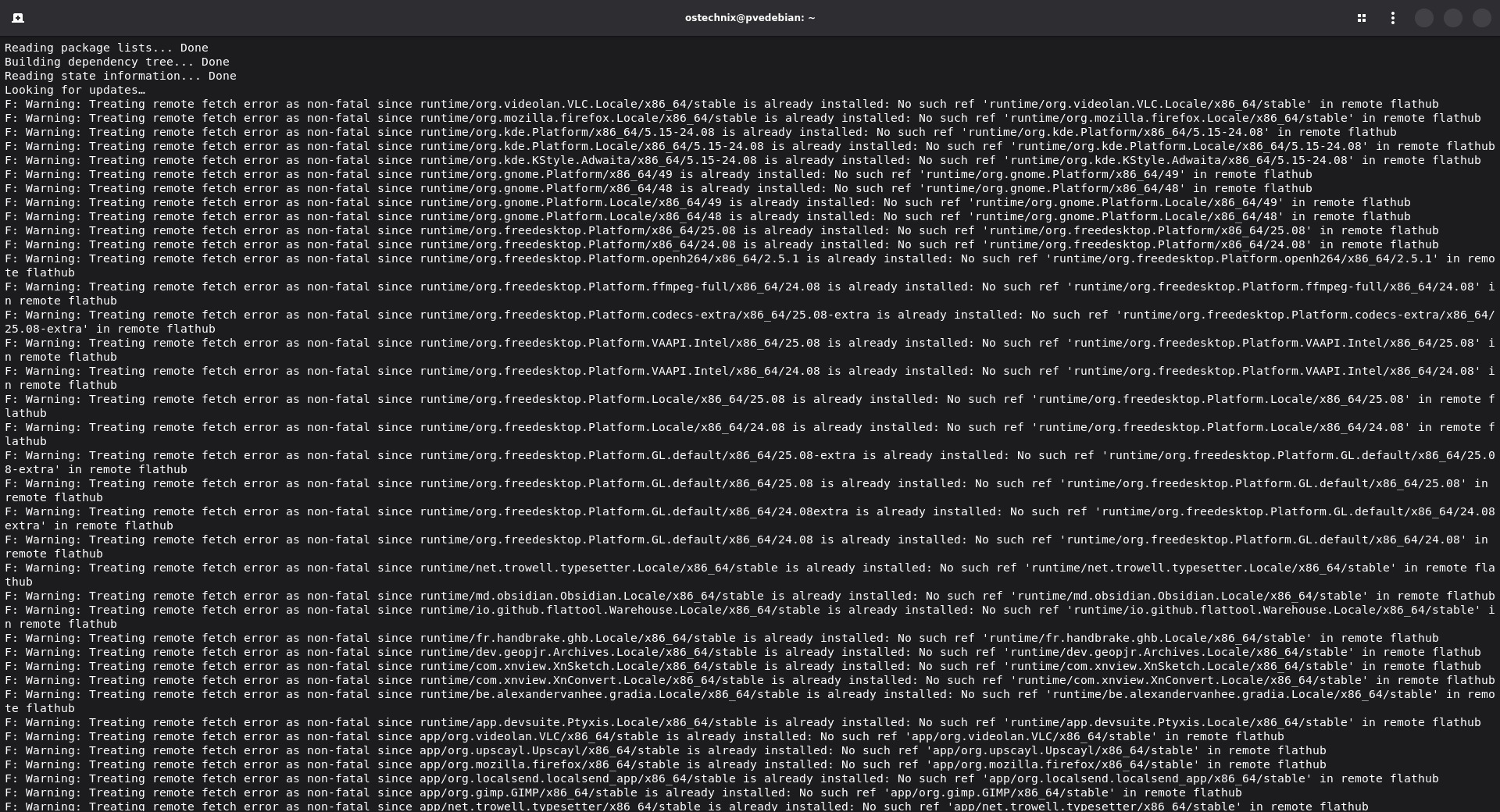
This error means your local Flatpak metadata is pointing to a reference (ref) that no longer exists on the Flathub remote repository. Common causes include:
- Runtime versions reaching end-of-life (EOL)
- Deprecated branches removed from Flathub
- Interrupted update processes
- Corrupted local metadata
Today I encountered this issue ("Treating remote fetch error as non-fatal" warnings.) in my Debian desktop Linux system. I can't download new ones, and also can't update ones I already have. I keep getting this: "Treating remote fetch error as non-fatal" warnings.
The good news: your applications still work. Flatpak marks these as non-fatal errors to preserve your installed apps. However, the metadata mismatch prevents proper updates and should be resolved.
Why Do I See So Many Warnings?
If you're seeing dozens of "No such ref" warnings for packages like Firefox, VLC, GIMP, or LibreOffice, don't panic. These applications share common platform runtimes:
org.freedesktop.Platformorg.gnome.Platformorg.kde.Platform
When a single runtime branch is deprecated, every app using it generates a warning. One deprecated runtime = multiple warnings. The volume is alarming but typically indicates a single underlying issue.
How to Fix Flatpak 'No Such Ref' Errors (4 Steps)
Important: These commands are safe and will not uninstall your applications. Follow the steps in order.
Step 1: Clear Temporary Repository Files
First, remove any stale or incomplete downloads from the temporary directory:
sudo rm -rf /var/lib/flatpak/repo/tmp/*
This clears partial downloads that may be causing conflicts with the metadata sync.
Step 2: Remove Cached Remote References
Delete the cached Flathub remote references to force a complete rebuild:
sudo rm -rf /var/lib/flatpak/repo/refs/remotes/flathub
This forces Flatpak to re-download current metadata from Flathub, eliminating references to deprecated branches.
Critical Safety Warning
NEVER delete these directories:
/var/lib/flatpak~/.local/share/flatpak
Deleting these directories will remove ALL your installed Flatpak applications and data. Only delete the specific paths mentioned in Steps 1 and 2.
Step 3: Run Flatpak System Repair
Execute the repair command with root privileges:
sudo flatpak repair --system
Why sudo is required: Without sudo, Flatpak only performs a dry-run and displays "assuming --dry-run" without making changes. With root privileges, the repair command will:
- Validate checksums of all installed objects
- Rebuild internal reference metadata
- Remove orphaned and invalid refs
- Sync local state with current remote state
Let the repair process complete without interruption. This may take several minutes depending on the number of installed applications.
Sample Output:
Working on the system installation at /var/lib/flatpak
Checking remotes...
Pruning objects
Erasing .removed
Reinstalling removed refs
Installing runtime/app.devsuite.Ptyxis.Locale/x86_64/stable
Installing app/app.devsuite.Ptyxis/x86_64/stable
Installing runtime/be.alexandervanhee.gradia.Locale/x86_64/stable
Installing app/be.alexandervanhee.gradia/x86_64/stable
Installing app/com.github.qarmin.czkawka/x86_64/stable
Installing app/com.github.tchx84.Flatseal/x86_64/stable
Installing runtime/com.xnview.XnConvert.Locale/x86_64/stable
Installing app/com.xnview.XnConvert/x86_64/stable
Installing runtime/com.xnview.XnSketch.Locale/x86_64/stable
Installing app/com.xnview.XnSketch/x86_64/stable
Installing runtime/dev.geopjr.Archives.Locale/x86_64/stable
Installing app/dev.geopjr.Archives/x86_64/stable
Installing runtime/fr.handbrake.ghb.Locale/x86_64/stable
Installing app/fr.handbrake.ghb/x86_64/stable
Installing app/info.smplayer.SMPlayer/x86_64/stable
Installing runtime/io.github.flattool.Warehouse.Locale/x86_64/stable
Installing app/io.github.flattool.Warehouse/x86_64/stable
Installing app/io.podman_desktop.PodmanDesktop/x86_64/stable
Installing runtime/md.obsidian.Obsidian.Locale/x86_64/stable
Installing app/md.obsidian.Obsidian/x86_64/stable
Installing app/net.cozic.joplin_desktop/x86_64/stable
Installing runtime/net.trowell.typesetter.Locale/x86_64/stable
Installing app/net.trowell.typesetter/x86_64/stable
Installing runtime/org.freedesktop.Platform.GL.default/x86_64/24.08
Installing runtime/org.freedesktop.Platform.GL.default/x86_64/24.08extra
Installing runtime/org.freedesktop.Platform.GL.default/x86_64/25.08
Installing runtime/org.freedesktop.Platform.GL.default/x86_64/25.08-extra
Installing runtime/org.freedesktop.Platform.Locale/x86_64/24.08
Installing runtime/org.freedesktop.Platform.Locale/x86_64/25.08
Installing runtime/org.freedesktop.Platform.VAAPI.Intel/x86_64/24.08
Installing runtime/org.freedesktop.Platform.VAAPI.Intel/x86_64/25.08
Installing runtime/org.freedesktop.Platform.codecs-extra/x86_64/25.08-extra
Installing runtime/org.freedesktop.Platform.ffmpeg-full/x86_64/24.08
Installing runtime/org.freedesktop.Platform.openh264/x86_64/2.5.1
Installing runtime/org.freedesktop.Platform/x86_64/24.08
Installing runtime/org.freedesktop.Platform/x86_64/25.08
Installing app/org.gimp.GIMP/x86_64/stable
Installing runtime/org.gnome.Platform.Locale/x86_64/48
Installing runtime/org.gnome.Platform.Locale/x86_64/49
Installing runtime/org.gnome.Platform/x86_64/48
Installing runtime/org.gnome.Platform/x86_64/49
Installing runtime/org.kde.KStyle.Adwaita/x86_64/5.15-24.08
Installing runtime/org.kde.Platform.Locale/x86_64/5.15-24.08
Installing runtime/org.kde.Platform/x86_64/5.15-24.08
Installing app/org.localsend.localsend_app/x86_64/stable
Installing runtime/org.mozilla.firefox.Locale/x86_64/stable
Installing app/org.mozilla.firefox/x86_64/stable
Installing app/org.upscayl.Upscayl/x86_64/stable
Installing runtime/org.videolan.VLC.Locale/x86_64/stable
Installing app/org.videolan.VLC/x86_64/stable

Note that '/var/lib/flatpak/exports/share' is not in the search path
set by the XDG_DATA_HOME and XDG_DATA_DIRS
environment variables, so applications may not
be able to find it until you set them. The
directories currently searched are:

- /root/.local/share
- /usr/local/share/
- /usr/share/
Step 4: Update and Remove Unused Packages
Finally, update all applications and clean up deprecated runtimes:
flatpak update
flatpak uninstall --unused
The flatpak uninstall --unused command removes old runtime versions that are no longer needed by any installed applications. This reclaims disk space and eliminates the deprecated references causing the errors.
How to Verify the Fix Worked
After completing all steps, run:
flatpak update
Success indicators:
- No "No such ref" warnings appear
- Command completes with "Nothing to do" or shows available updates
- No "Treating remote fetch error as non-fatal" messages
You can also verify your remote configuration:
flatpak remotes --show-details
Confirm that flathub shows the URL https://dl.flathub.org/repo/
Name    Title   URL                          Collection ID Subset Filter Priority Options … … Homepage             Icon
flathub Flathub https://dl.flathub.org/repo/ -             -      -      1        system  … … https://flathub.org/ https://dl.flathub.org/repo/logo.svg
Troubleshooting: If the Fix Doesn't Work
Problem: Still seeing errors after repair
Solution: The Flathub remote may be misconfigured. Remove and re-add it:
sudo flatpak remote-delete flathub
sudo flatpak remote-add --if-not-exists flathub https://dl.flathub.org/repo/flathub.flatpakrepo
Then repeat Steps 3 and 4 from the main fix.
Problem: 'Assuming --dry-run' message appears
Solution: You forgot sudo. Run:
sudo flatpak repair --system
Without root privileges, Flatpak cannot make system-level changes.
Problem: Network or SSL certificate errors
Solution: Update your system's CA certificates:
# Debian / Ubuntu / Linux Mint / Pop_!OS
sudo apt update && sudo apt install ca-certificates

# Fedora / RHEL / AlmaLinux / Rocky Linux
sudo dnf update ca-certificates

# Arch Linux / Endeavour OS / Manjaro
sudo pacman -Sy ca-certificates
Then retry the Flatpak repair process.
Why Does This Error Happen?
Flatpak uses OSTree, a content-addressed storage system where each application and runtime has a unique checksum. References (refs) point to specific commits in this system.
Common scenarios that cause ref mismatches:
- Runtime EOL: Flathub deprecates old runtime versions (e.g., GNOME 43, KDE 5.15) when newer versions are stable. Your local system still references the old version.
- Interrupted updates: A failed or cancelled update can leave local metadata pointing to refs that were partially updated.
- Repository reorganization: Occasionally, Flathub maintainers reorganize package branches or migrate apps to different repos.
- Extended inactivity: Systems that haven't updated in months may have outdated local metadata that references deprecated branches.
The fix works by clearing stale cached data and forcing Flatpak to rebuild its metadata against the current Flathub remote state.
Common Mistakes That Make It Worse
- Ignoring the warnings for months: Old runtimes accumulate and waste disk space. Address warnings promptly.
- Deleting
/var/lib/flatpak: This removes ALL applications. Never do this unless you're intentionally wiping Flatpak. - Running repair without sudo: You'll see "
assuming --dry-run" and nothing will change. Always use root privileges. - Manually editing Flatpak metadata: Don't manually edit files in
/var/lib/flatpak/. Use the official repair commands. - Skipping '
flatpak uninstall --unused': Deprecated runtimes remain on disk. Always clean up after repair.
When NOT to Use This Fix
Do not use this solution if:
- Disk I/O errors: System logs show disk read/write failures. Address storage hardware first.
- Filesystem corruption: Run
fsckto check filesystem integrity before proceeding. - Failing storage hardware: Check SMART data with
smartctl. Replace failing drives. - Complete system instability: If multiple components are failing, reinstalling the OS may be necessary.
Check your system logs first:
sudo journalctl -xe | grep -i error
sudo dmesg | grep -i 'I/O error'
If you see disk errors, fix the hardware layer before attempting Flatpak repair.
Frequently Asked Questions
A: No. These commands only clear metadata caches and remove unused runtimes. Your installed applications remain intact and functional throughout the process.
A: No. This is a one-time fix for the metadata mismatch. Once resolved, normal flatpak update commands should work without errors.
A: Yes. This solution works on all Linux distributions that use Flatpak, including Ubuntu, Debian, Fedora, openSUSE, Arch, Manjaro, Pop!_OS, Linux Mint, and others.
A: Run the same commands but replace --system with --user and adjust paths:rm -rf ~/.local/share/flatpak/repo/tmp/*
rm -rf ~/.local/share/flatpak/repo/refs/remotes/flathub
flatpak repair --user
A: Depends on how many old runtimes you have. Removing unused runtimes can free anywhere from 100MB to several GB. Check before and after with the following command:du -sh /var/lib/flatpak
Conclusion
The "No such ref in remote flathub" error looks intimidating but is usually a straightforward metadata synchronization issue. By clearing cached references and running a proper system repair, you restore consistency between your local Flatpak repository and the remote Flathub state.
Key takeaways:
- The error is non-fatal and doesn't break your applications
- Four simple commands resolve the issue safely
- Always use sudo for repair commands
- Never delete
/var/lib/flatpakor~/.local/share/flatpakdirectories - Clean up unused runtimes to reclaim disk space
If you encounter persistent errors after following this guide, check your system logs for hardware issues before proceeding further.
Additional Resources:
- A Beginners Guide to Install and Use Flatpak in Linux
- Official Flatpak documentation
- Flathub repository
- OSTree documentation
- Man pages: flatpak-update(1), flatpak-repair(1), flatpak-uninstall(1)
For reporting Flatpak bugs or issues with specific applications, visit the Flatpak GitHub repository or the appropriate application's issue tracker on Flathub.
