
Table of Contents
Quick Summary
Modern Linux systems that use systemd support three hostname types:
- Pretty hostname - a human-friendly name for display purposes.
- Static hostname - the permanent system hostname stored on disk.
- Transient hostname - a temporary hostname used at runtime.
Each hostname type serves a specific purpose and follows a defined priority order. Understanding the differences helps you choose the correct hostname for your use case and avoid confusion with system identification, hostname resolution, logging, and network-related configuration.
What is a hostname in Linux?
A hostname is your machine's network identifier. To put this in layman terms, a hostname is the name a Linux system uses to identify itself.
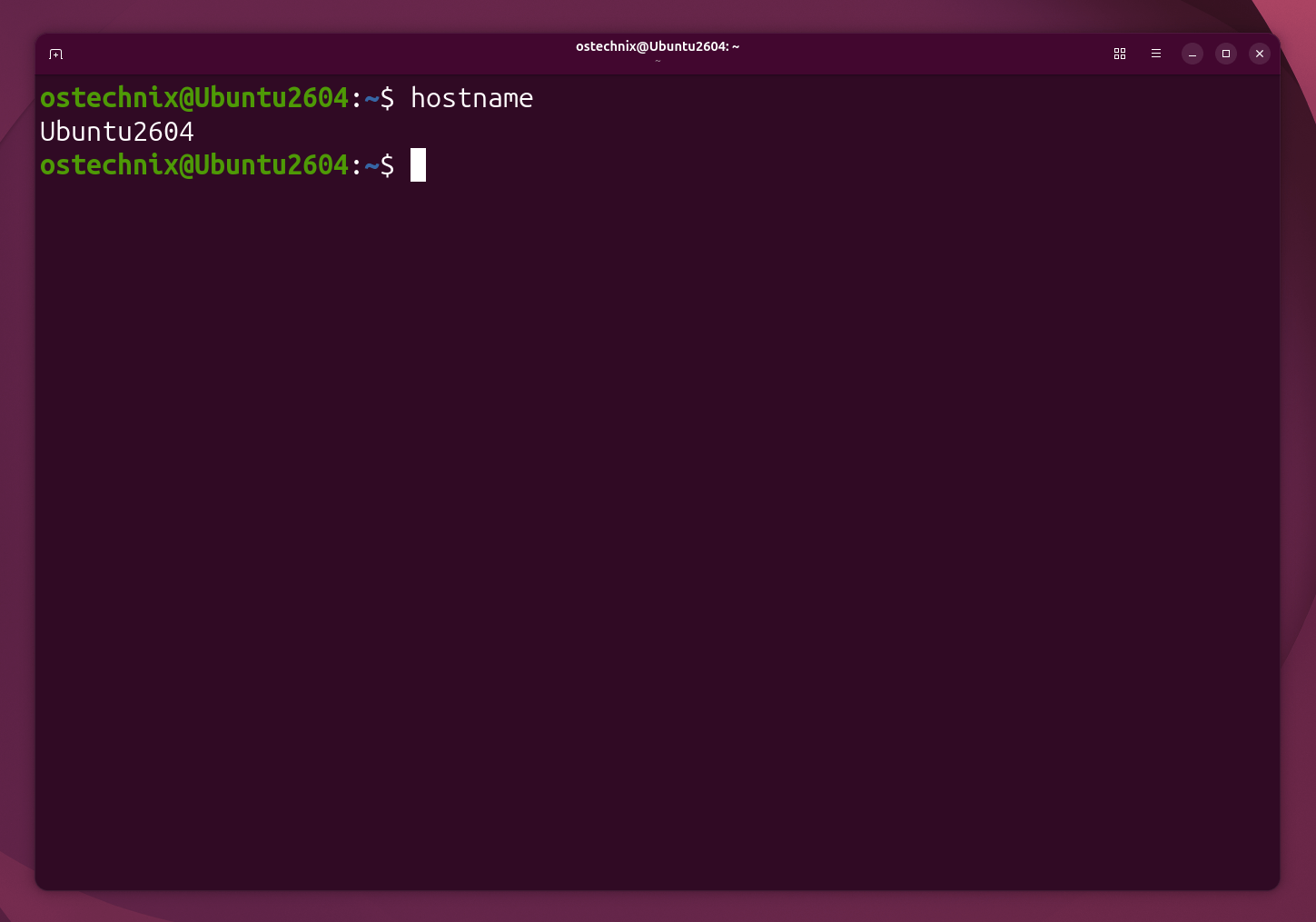
When you type hostname in a terminal, you see what your system calls itself right now.
The hostname appears in:
- Shell prompts
- Logs
- Network services
- Remote connections
Older Linux systems had only one hostname. Systemd introduced multiple hostname types to handle laptops, DHCP, containers, and cloud systems correctly.
This behavior applies only to systemd-based systems.
Understanding the difference prevents confusion when your hostname changes unexpectedly or doesn't persist after reboot.
The pre-systemd distributions (RHEL 6, Debian 7, Fedora 14 and earlier) stored the static hostname in:
- Debian/Ubuntu:
/etc/hostname - RHEL/CentOS 6:
/etc/sysconfig/network - Slackware:
/etc/HOSTNAME
The Three Hostname Types
Static Hostname
This is your system's permanent identity.
It lives in the /etc/hostname file. When your system boots, it reads this file and sets the hostname from it.
Changes to the static hostname survive reboots. This is what you set when installing Debian/Ubuntu or configuring a new server.
Transient Hostname
This is the kernel's current runtime hostname.
It exists only in memory. The kernel uses this name for all actual networking operations right now.
At boot time, the transient hostname copies from the static hostname. But programs like DHCP clients or network managers can change it during runtime.
When you reboot, the transient hostname resets to match the static hostname again.
Pretty Hostname
This is a human-readable description.
It can contain spaces, special characters, and UTF-8. It lives in /etc/machine-info and serves as metadata.
Most tools ignore it. You'll rarely need to change it.
Are Temporary and Transient Hostnames the Same?
In Linux systems that use systemd, transient hostname is the official term for a hostname stored only in memory and not saved to /etc/hostname. It typically resets after a reboot.
The term temporary hostname is not an official systemd term. People often use it informally to describe a hostname that does not persist across reboots. In practice, when documentation or tutorials mention a temporary hostname, they usually mean a transient hostname.
Therefore, while the terms are not technically identical, they generally refer to the same behavior: a hostname change that does not persist after reboot.
How Transient and Static Differ
The static hostname is your configuration. The transient hostname is your current state.
Think of static as "what you want" and transient as "what you have right now".
DHCP servers, VPNs, and container orchestrators often change the transient hostname dynamically. They leave your static hostname untouched.
This separation lets your system adapt to different networks without losing its identity.
Key point: The transient hostname is what actually matters for network operations. Programs resolve names, send packets, and log events using the transient hostname.
At a Glance: The Three Linux Hostname Types
| Type | Storage Location | Survives Reboot? | Changed By | Use Case |
|---|---|---|---|---|
| Static | /etc/hostname | Yes | Admin manually | Permanent server identity |
| Transient | Kernel memory | No | systemd, DHCP, NetworkManager | Runtime flexibility |
| Pretty | /etc/machine-info | Yes | Admin manually | Human-readable description |
This matters when you're setting up servers, troubleshooting network issues, or managing dynamic environments where hostnames change.
How to Check Your Current Hostname
1. Using hostnamectl (Recommended)
hostnamectl
This shows all hostname types along with system information:
 Static hostname: Ubuntu2604
       Icon name: computer-vm
         Chassis: vm 🖴
      Machine ID: c315a5ec7511408d8c2f9bf97f5adeaf
         Boot ID: 02d8a23f494e44508d1c6ca1079849d8
  Virtualization: kvm
Operating System: Ubuntu 26.04 LTS
          Kernel: Linux 7.0.0-22-generic
    Architecture: x86-64
 Hardware Vendor: QEMU
  Hardware Model: Standard PC _Q35 + ICH9, 2009_
Hardware Version: pc-q35-9.2
Firmware Version: rel-1.16.3-0-ga6ed6b701f0a-prebuilt.qemu.org
   Firmware Date: Tue 2014-04-01
    Firmware Age: 12y 2month 1w 3d
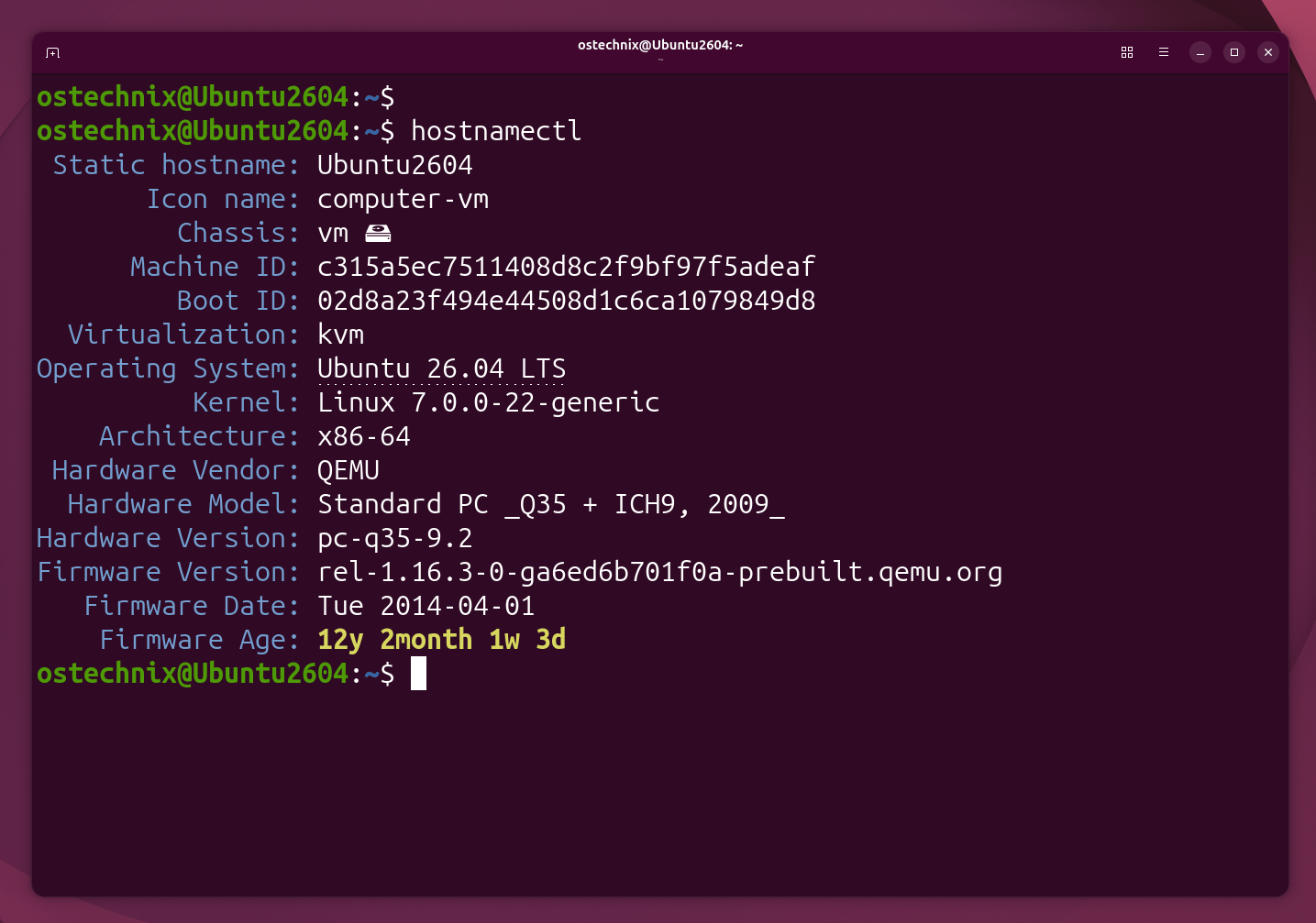
Please note that the hostnamectl command does not show the transient hostname line unless it differs from static.
To view only the static hostname:
hostnamectl --static
2. Using the hostname Command
hostname
This shows only the current transient hostname (what the kernel uses right now).
3. Checking the Static Hostname File
cat /etc/hostname
This shows what hostname loads at boot time.
4. Checking What Programs See
uname -n
This returns the transient hostname that applications use, identical to the hostname command.
How to Change Linux Hostnames (Step-by-Step)
1. Setting Only the Transient Hostname
A transient hostname is mainly intended for systems that do not have a static hostname configured. For example:
- DHCP server provides a hostname
- Cloud-init assigns a hostname
- Container runtime assigns a hostname
If a static hostname exists, systemd assumes that is the administrator's deliberate choice and ignores the transient one.
For example, if you try to set a transient hostname using the following command when the static hostname is already set:
sudo hostnamectl set-hostname webserver01 --transient
You would see the following message:
Hint: static hostname is already set, so the specified transient hostname will not be used.
This means:
- Your system already has a static hostname configured in
/etc/hostname. - systemd gives the static hostname higher priority than the transient hostname.
- Therefore, even though you set a transient hostname, applications and the system will continue to use the static hostname.
How to test a transient hostname
You would need to remove the static hostname first:
sudo hostnamectl set-hostname "" --static
or manually clear /etc/hostname (not generally recommended on a production system).
Then, set the transient hostnname:
sudo hostnamectl set-hostname webserver01 --transient
Check the result:
hostnamectl status

[or]

hostnamectl
You'll see:
Transient hostname: webserver01
   Static hostname: (unset)
   Pretty hostname: Ubuntu2604
         Icon name: computer-vm
           Chassis: vm 🖴
        Machine ID: c315a5ec7511408d8c2f9bf97f5adeaf
           Boot ID: 02d8a23f494e44508d1c6ca1079849d8
    Virtualization: kvm
  Operating System: Ubuntu 26.04 LTS
            Kernel: Linux 7.0.0-22-generic
      Architecture: x86-64
   Hardware Vendor: QEMU
    Hardware Model: Standard PC _Q35 + ICH9, 2009_
  Hardware Version: pc-q35-9.2
  Firmware Version: rel-1.16.3-0-ga6ed6b701f0a-prebuilt.qemu.org
     Firmware Date: Tue 2014-04-01
      Firmware Age: 12y 2month 1w 3d
As you can see in the output above, the transient hostname is webserver01, the static hostname is empty (unset) and the pretty hostname is Ubuntu2604.
The kernel now uses webserver01 for everything. But after reboot, it reverts to Ubuntu2604 or the original static hostname that you have set during the installation.
2. Setting the Static Hostname
sudo hostnamectl set-hostname production-db --static
This writes to /etc/hostname:
cat /etc/hostname
You will see the output: production-db
After reboot, both static and transient will be production-db. You can verify using the following commands:
hostnamectl --static
hostnamectl --transient
The pretty hostname (if set) remains unchanged.
3. Setting Both at Once
sudo hostnamectl set-hostname my-server
Without any flags, this sets both static and transient to the same value.
This is what you want in most cases.
4. The Old Way (Not Recommended, for Educational Purpose Only)
sudo hostname quick-test
This changes the transient hostname directly in the kernel.
It works, but systemd doesn't track the change properly. Use hostnamectl instead for consistency.
Real-World Scenarios
DHCP Networks
You set your laptop's static hostname to my-laptop.
When you connect to a corporate network, the DHCP server might set your transient hostname to client-192-168-1-100.
While connected, your system uses client-192-168-1-100. When you disconnect or reboot, it returns to my-laptop.
This happens automatically. NetworkManager and dhclient handle it.
Container Environments
Docker and Kubernetes set transient hostnames based on container IDs or pod names.
Your host's static hostname stays unchanged. Each container gets its own transient hostname at runtime.
This isolation prevents conflicts and simplifies orchestration.
Maintenance Mode
You're working on a production server and want to signal it's under maintenance.
Set a transient hostname:
sudo hostnamectl set-hostname MAINTENANCE-DO-NOT-USE --transient
This appears in all logs and terminal prompts immediately.
After maintenance, reboot. The hostname resets to the original static value.
No configuration files were changed. No risk of forgetting to change it back.
Common Hostname Issues
Issue 1: Hostname Doesn't Persist After Reboot
Symptom: You change the hostname, but it reverts after reboot.
Cause: You only changed the transient hostname.
Fix: Set the static hostname. To also update the current hostname immediately:
# Update both static and transient at once (recommended)
sudo hostnamectl set-hostname your-hostname

# OR update only static (transient will match after reboot)
sudo hostnamectl set-hostname your-hostname --static
Issue 2: Hostname Keeps Changing Automatically
Symptom: Your hostname changes when you connect to different networks.
Cause: DHCP server is overriding your transient hostname.
Fix for NetworkManager (most common):
# Set a permanent hostname that DHCP cannot override
sudo nmcli general hostname your-permanent-hostname
sudo systemctl restart NetworkManager
Alternative method (edit config file):
Edit /etc/NetworkManager/NetworkManager.conf:
[main]
hostname-mode=none
Then restart NetworkManager:
sudo systemctl restart NetworkManager
Fix for legacy dhclient (if using static network config without NetworkManager):
Edit /etc/dhcp/dhclient.conf and add:
supersede host-name "your-permanent-hostname";
Issue 3: hostnamectl Shows Different Values Than hostname Command
Symptom: hostnamectl and hostname show different names.
Cause: Something changed the kernel hostname without updating systemd.
Fix: Restart systemd-hostnamed:
sudo systemctl restart systemd-hostnamed
Or set the hostname again with hostnamectl.
Issue 4: Invalid Hostname Breaks DNS or Services
Symptom: Services fail, DNS doesn't resolve, or SSL certificates don't work.
Cause: Hostname contains invalid characters.
Valid hostname rules (RFC 1123):
- Only lowercase letters (a-z), numbers (0-9), and hyphens (-)
- Must start and end with a letter or number
- Maximum 64 characters
- No spaces, underscores, or special characters
Fix: Set a valid hostname:
sudo hostnamectl set-hostname valid-hostname-01
Note: Pretty hostnames (human-readable) have no character restrictions. They can contain spaces, uppercase, emoji, and special characters.
4 Linux Commands to Verify Hostname
Check all hostname types:
hostnamectl
Verify the static hostname file:
cat /etc/hostname
Check what the kernel thinks:
hostname
See what programs see:
uname -n
All these commands should show consistent results if you set both static and transient.
Limitations and Risks
No Synchronization Guarantees
If a program changes the transient hostname directly via the hostname command, systemd-hostnamed may temporarily have inconsistent state. However, systemd does detect kernel hostname changes on read.
Best practice: Stick to hostnamectl for all hostname changes to maintain consistency. If you encounter inconsistencies, restart the service:
sudo systemctl restart systemd-hostnamed
DHCP Can Override Your Settings
On DHCP networks, your transient hostname may change without warning. The DHCP server can push a hostname option that overrides your transient value.
If hostname stability matters, configure NetworkManager or your DHCP client to ignore server-provided hostnames (see Common Issue #2).
Container and VM Confusion
Inside containers or VMs, hostname behavior depends on the virtualization or container runtime:
- Docker: Inherits host's hostname unless
--hostnameis specified - LXC/LXD: Separate UTS namespace with independent hostname
- Cloud VMs: cloud-init often sets hostname at boot
Always verify the actual hostname inside the environment where it matters:
hostname
Static Hostname Validation
hostnamectl does validate static hostnames against RFC 1123 standards. Invalid characters (spaces, underscores, special characters) are rejected with an error.
However, the hostname command (bypassing systemd) and pretty hostnames accept any string.
Important rule for static hostnames:
- Lowercase letters (
a-z), numbers (0-9), and hyphens (-) only - Must start and end with a letter or number
- Maximum 64 characters
- No spaces, underscores (_), or special characters
Note: hostnamectl validates hostnames before applying them. If you specify a hostname that contains unsupported characters, the command may automatically remove or modify those characters instead of displaying an error. The exact behavior can vary between Linux distributions and systemd versions.
For example, on our Ubuntu 26.04 test system, the following command:
sudo hostnamectl set-hostname 'bad_hostname#$!'
automatically removed the unsupported characters and set the hostname as: badhostname
So, as we said earlier, Linux hostnames should contain only letters, numbers, and hyphens (-). To avoid unexpected results, choose a hostname that follows these naming rules from the start.
When to Use Transient vs Static
Use transient hostnames when:
- Testing configuration changes temporarily
- Running in DHCP environments where names change frequently
- Signaling special states (maintenance, testing, staging)
- You want runtime flexibility without permanent changes
Use static hostnames when:
- Setting up production servers with fixed identities
- Configuring services that depend on consistent hostnames
- Managing DNS records that point to specific machines
- You need the hostname to survive reboots
Set both when:
- Deploying a new system that needs a permanent identity
- You want immediate consistency across the board
- Standard server or workstation setup
FAQ: Quick Answers to Common Questions
A: No. Using hostnamectl changes the hostname immediately. Only manual edits to /etc/hostname require a reboot or a systemctl restart systemd-hostnamed to take effect.
A: No for static hostnames. hostnamectl rejects uppercase letters. Pretty hostnames can use uppercase freely. Always use lowercase letters, numbers, and hyphens for static hostnames to avoid service compatibility issues.
A: 64 characters according to POSIX standards. Keep it under 64 characters for compatibility.
A: No. Existing SSH connections stay active. New connections use the new hostname in prompts and logs.
/etc/hosts after changing hostname?A: It depends on your distribution.
On Debian/Ubuntu:
Add:127.0.1.1 your-hostname
Fedora/RHEL:
Typically not needed.
Modern systems with systemd-resolved or nss-myhostname:
Usually not required.
Check your existing /etc/hosts format. If you see an entry for your old hostname, update it. If not, you likely don't need one.
Conclusion
Transient and temporary mean the same thing in casual conversation, but transient is the precise systemd term.
Static hostnames persist. Transient hostnames exist only until reboot or manual change. Both serve clear purposes in different scenarios.
Use hostnamectl for all hostname changes. Check your work with hostnamectl to see all three types at once.
Set static hostnames for permanent identity. Use transient hostnames for temporary states or when external systems manage the hostname dynamically.
You should know which type you're changing, when it persists, and when it doesn't.
Resources:
- systemd hostname documentation
- hostnamectl man page
- systemd-hostnamed service
- Debian Administrator's Handbook - Network Configuration
- RFC 1178: Choosing a Name for Your Computer
- RFC 1123: Requirements for Internet Hosts
- Arch Linux Wiki: Network configuration
- NetworkManager hostname handling
- Debian Wiki: Hostname
- systemd GitHub repository - hostnamed source code
