
A "sudo" user can run an administrative task or command which a normal user is not allowed to. This guide explains how to add, delete and grant sudo privileges to users in CentOS and other RHEL-based systems. I have used the following steps to create sudo user in CentOS 8 minimal edition. However it should work on other RPM-based systems as well.
Table of Contents
What is sudo?
In Linux and Unix in general, the sudo program allows a normal user to temporarily get superuser's or root user's capabilities. Using sudo command, a normal user can perform the administrative tasks, without even having access to the root user's password. Instead of giving away root password to anyone, just assign the sudo permissions to the users to elevate their privileges. The word "sudo" originally came from "superuser do", because it primarily used to perform superuser's tasks. Now, It also stands for "substitute user do"
Benefits of sudo users
Being a sudo user offers many advantages as listed below:
- The system admin doesn't need to share the
rootuser password to all. - A normal user can perform administrative tasks even if he/she doesn't know the
rootpassword. - The sudo permissions can be granted to and revoked from the users at any time.
- The sudo session will automatically expire after a specific period of user inactivity. It is quite useful when an user forgot to logout his session. By default, the sudo session will expire after 15 minutes of inactivity.
- The system admins can monitor the activities of all sudo users. All sudo users' activities are logged in
/var/log/securefile. If there are any issues, you can look into the log file and try to figure what went wrong. You would also find who is abusing the sudo privileges and you can simply revoke his permission.
Add, Delete And Grant Sudo Privileges To Users In CentOS
Log in to your CentOS system as root user or as any user that has sudo permission.
First, let us add a new user.
1. Add users in CentOS
Let me create a new user named "senthil". To do so, I ran the following command as root user from Terminal:
# adduser senthilSet a password to the new user "senthil":
# passwd senthilNow, we have created a normal user. He is not authorized yet to perform any administrative tasks. Let us check if the user "senthil" can use sudo command or not by running the following command:
# sudo -l -U senthilSample output:
User senthil is not allowed to run sudo on centos8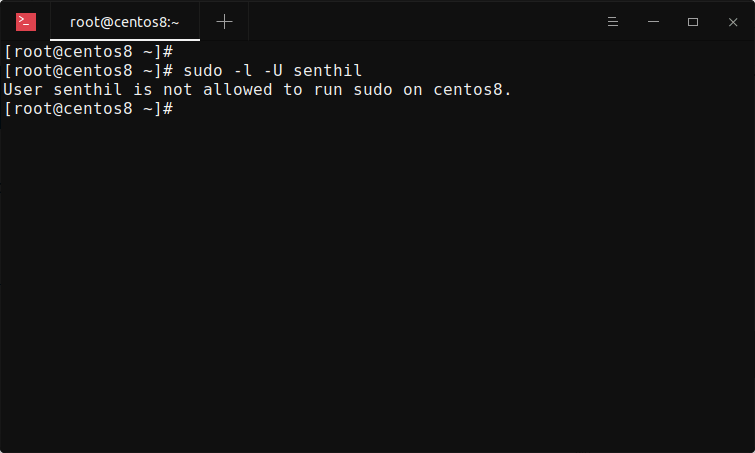
Yes, he is not yet allowed to run sudo on my CentOS 8 system. Let us give him sudo rights now.
2. Grant sudo privileges to users in CentOS
To add a normal user to sudoers group, you need to add him/her to the wheel group. For those wondering, the wheel is a special group in some Unix-like operating systems. All the members of wheel group are allowed to perform administrative tasks. Wheel group is similar to sudo group in Debian-based systems.
We can add users to sudoers in two ways. The first method is using chmod command.
2.1. Add users to sudoers using usermod command in CentOS
Now let us grant sudo privileges to the newly created user "senthil" by adding him to the wheel group using usermod command like below:
# usermod -aG wheel senthil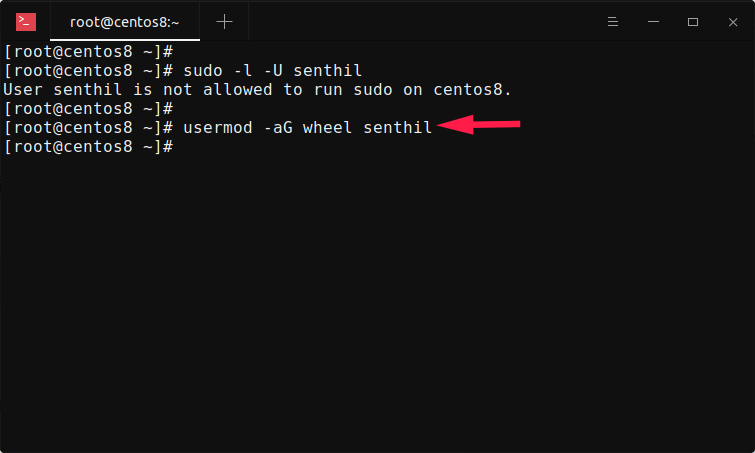
usermod command in CentOSHere, -aG refers append to a supplementary group. In our case, it is wheel group. That's it, we just granted sudo rights to the user "senthil".
Let us verify if the user is in the sudoers list with command:
# sudo -l -U senthilSample output:
Matching Defaults entries for senthil on centos8:
    !visiblepw, always_set_home, match_group_by_gid,
    always_query_group_plugin, env_reset, env_keep="COLORS DISPLAY
    HOSTNAME HISTSIZE KDEDIR LS_COLORS", env_keep+="MAIL PS1 PS2 QTDIR
    USERNAME LANG LC_ADDRESS LC_CTYPE", env_keep+="LC_COLLATE
    LC_IDENTIFICATION LC_MEASUREMENT LC_MESSAGES", env_keep+="LC_MONETARY
    LC_NAME LC_NUMERIC LC_PAPER LC_TELEPHONE", env_keep+="LC_TIME LC_ALL
    LANGUAGE LINGUAS _XKB_CHARSET XAUTHORITY",
    secure_path=/sbin:/bin:/usr/sbin:/usr/bin

User senthil may run the following commands on centos8:
    (ALL) ALL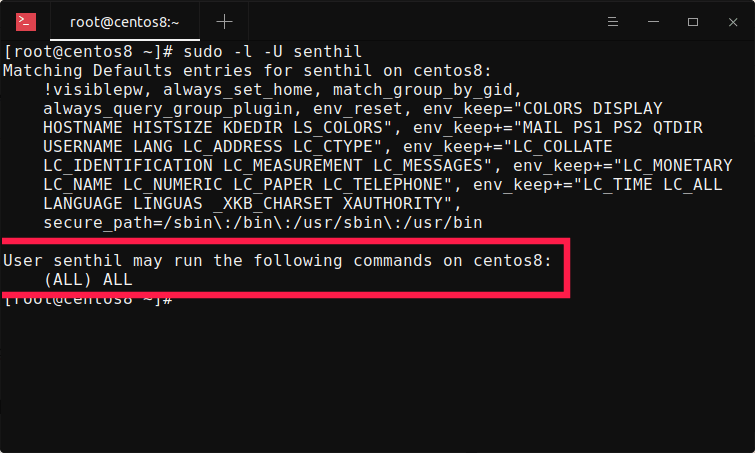
As you can see in the last line of the above output, the user "senthil" can now perform all commands.
2.2. Add users to sudoers by editing sudoers configuration file in CentOS
The another way to add users to sudoers list is by directly adding him/her to the sudoers configuration file.
Edit sudoers configuration file using command:
# visudoThis will open /etc/sudoers file in your Vi editor or whatever you have in your $PATH. Scroll down until you find following entry:
root ALL=(ALL) ALLRight after the above entry, add the following line:
senthil ALL=(ALL) ALL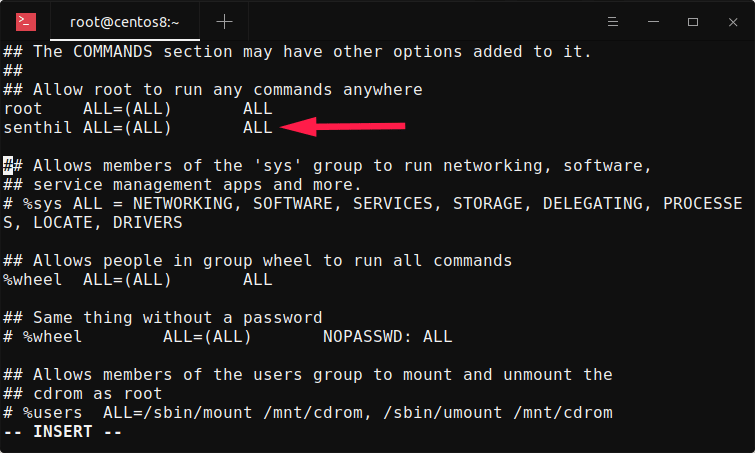
Here, the line ALL=(ALL) ALL refers the user "senthil" can perform any commands on any host. Replace "senthil" with your own user name. Save and close the file. Done! The user "senthil" has been added to sudoers list.
2.3. Verify sudo users in CentOS
Log out from the current session and log back in as the newly created sudo user. Alternatively, you can directly switch to the other user, without having to log out from the current session, using the following command:
# sudo -i -u senthilNow, verify if the user can able to perform any administrative task with sudo permission:
$ sudo dnf update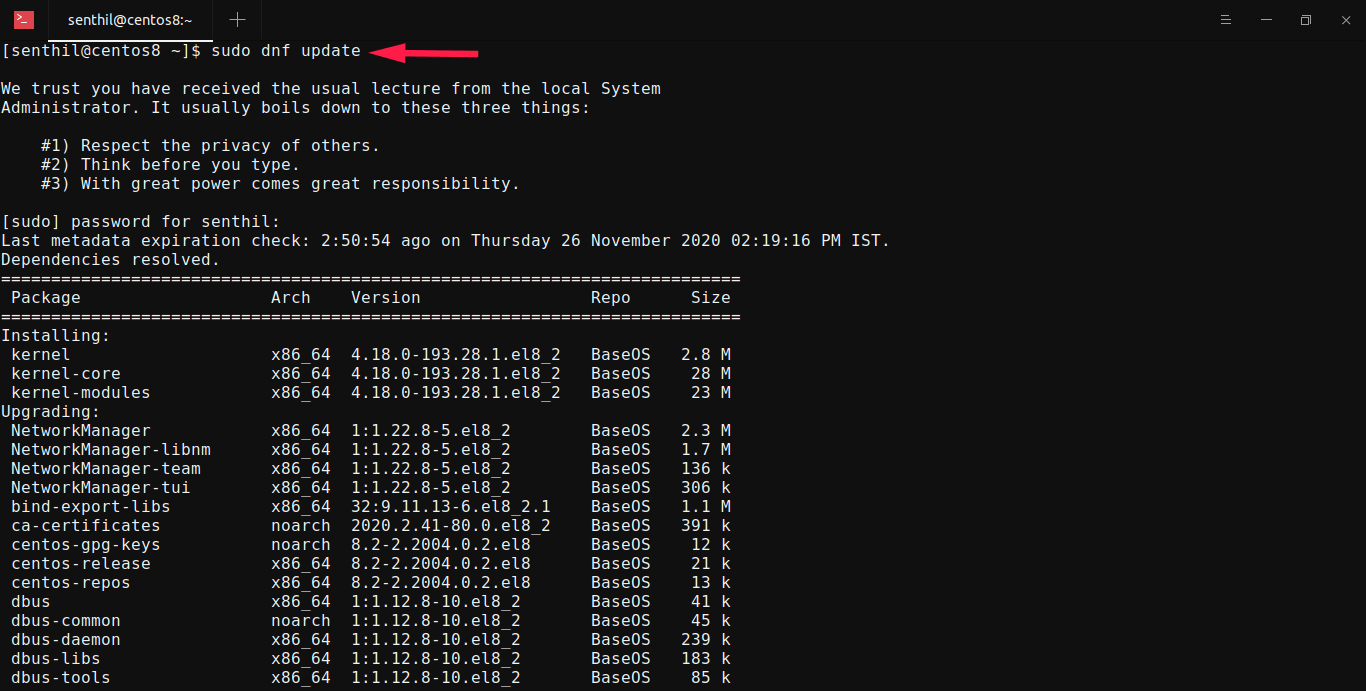
3. Delete sudo privileges from an user in CentOS
We can remove sudo privileges from an user without having to entirely delete the user account.
To revoke sudo permissions from a user, simply run the following command as root user:
# gpasswd -d senthil wheelSample output:
Removing user senthil from group wheel
The above command will delete the user called "senthil" from the "wheel" group. Please note that the user is not entirely deleted from the system. We removed the sudo privileges only.
Check if the user can able to perform sudo operations:
# sudo -l -U senthil
User senthil is not allowed to run sudo on centos8.
Well, senthil is not anymore in the sudoers group and he can't perform any administrative tasks.
To permanently remove the user from the system, run:
# userdel -r senthilThe above command will delete the user "senthil" along with his home directory and mail spool.
For more details, refer the respective command's man page:
$ man sudo$ man adduser$ man usermod$ man gpasswd$ man userdelConclusion
You know now how to add, delete and grant sudo privileges to users in CentOS operating systems. As you can see, it is very easy to add new users to sudoers lists, grant sudo privileges to existing user and remove the sudo permissions from a user. Hope this helps.
Related read:
- How To Add, Delete And Grant Sudo Privileges To Users In Alpine Linux
- How To Add, Delete And Grant Sudo Privileges To Users In Arch Linux
- How To Add, Delete And Grant Sudo Privileges To Users In Fedora
- How To Add, Delete And Grant Sudo Privileges To Users In Ubuntu
- How To Change Sudo Password Timeout In Linux
- How To Change Default Sudo Log File In Linux
- How To Restore Sudo Privileges To A User
- How To Find All Sudo Users In Your Linux System
- How To Run Particular Commands Without Sudo Password In Linux
