
Linux Kernel 4.6 final version has been released last month. We have already posted a step by step guide that described how to install Linux Kernel 4.6 in CentOS 7 and Ubuntu 16.04 LTS.
Today, in this brief tutorial, We will see how to install latest Kernel 4.6 in openSUSE 13.2.
Install Linux Kernel 4.6 in openSUSE
First let us check the current installed Kernel using command:
uname -r
Sample output:
3.16.7-29-desktop
Or,
uname -a
Sample output:
Linux linux.suse 3.16.7-29-desktop #1 SMP PREEMPT Fri Oct 23 00:46:04 UTC 2015 (6be6a97) x86_64 x86_64 x86_64 GNU/Linux
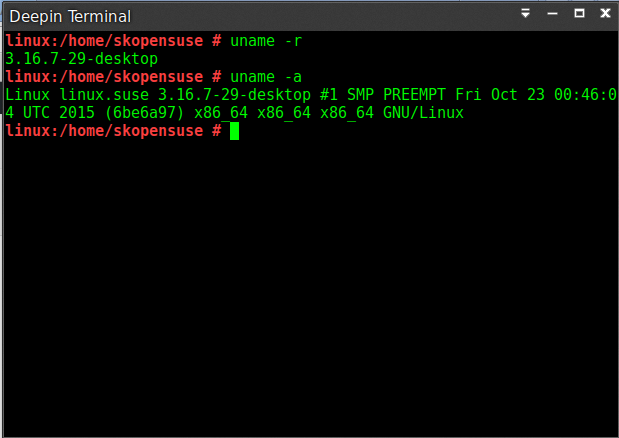
As you in the above outputs, the current installed Kernel version is 3.16.7-29.
Now, let us make the system to support multiple kernel configurations. That means, our system should contain both latest and oldest Kernel (the one that ships with openSUSE).
To do so, Edit /etc/zypp/zypp.conf file:
nano /etc/zypp/zypp.conf
Find the following lines and modify them as shown below.
multiversion = provides:multiversion(kernel)
[...]
multiversion.kernels = latest,latest-1,running,oldest
[...]
Save and close the file.
Then, add openSUSE Kernel HEAD repository that contains the latest Linux Kernel. At the time of writing, the latest Kernel version is 4.6.
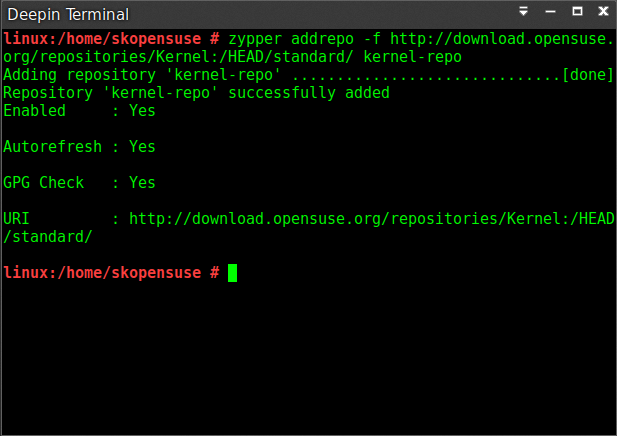
To add Kernel HEAD repository, run:
zypper addrepo -f http://download.opensuse.org/repositories/Kernel:/HEAD/standard/ kernel-repo
Sample output:
Adding repository 'kernel-repo' ..........................................[done]
Repository 'kernel-repo' successfully added
Enabled : Yes
Autorefresh : Yes
GPG Check : Yes
URI : http://download.opensuse.org/repositories/Kernel:/HEAD/standard/
Finally, run the following command to do distribution upgrade only from the Kernel HEAD repository. It means the Kernel will only be upgraded to the latest version.
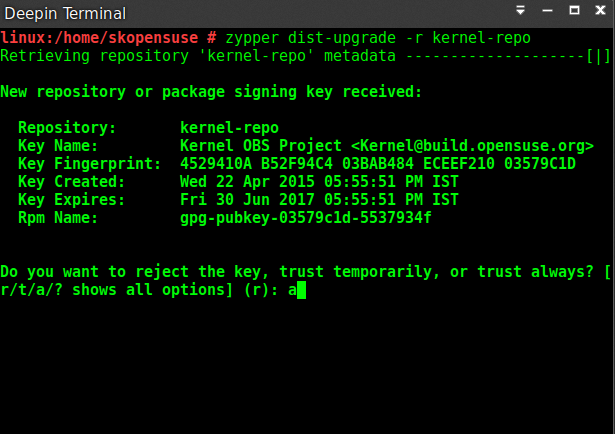
zypper dist-upgrade -r kernel-repo
Type "a" without quotes to enable Kernel-repo and add the GPG key.
Sample output:
Retrieving repository 'kernel-repo' metadata --------------------[|]

New repository or package signing key received:

 Repository: kernel-repo
 Key Name: Kernel OBS Project <Kernel@build.opensuse.org>
 Key Fingerprint: 4529410A B52F94C4 03BAB484 ECEEF210 03579C1D
 Key Created: Wed 22 Apr 2015 05:55:51 PM IST
 Key Expires: Fri 30 Jun 2017 05:55:51 PM IST
 Rpm Name: gpg-pubkey-03579c1d-5537934f

Do you want to reject the key, trust temporarily, or trust always? [r/t/a/? shows all options] (r): a
Once the upgrade process is completed, reboot your system to use the latest Kernel.
Let us check the Kernel version using command:
uname -r
Sample output:
4.6.0-3.g99e9d31-default
Or,
uname -a
Sample output:
Linux linux.suse 4.6.0-3.g99e9d31-default #1 SMP PREEMPT Tue May 24 18:15:00 UTC 2016 (99e9d31) x86_64 x86_64 x86_64 GNU/Linux
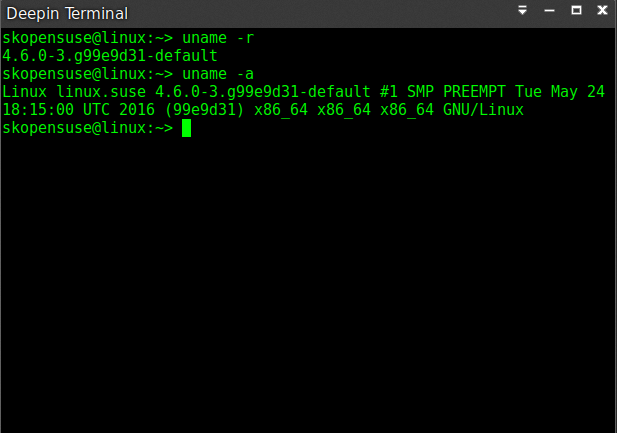
As you see above, Linux Kernel 4.6 latest version has been installed in openSUSE 13.2.
That’s all for now. Start using the latest Kernel in openSUSE 13.2.
If you find this tutorial useful, please share it on your social networks and support OSTechNix.
Cheers!
