
System76 has officially released Pop!_OS 24.04 LTS. Powered by the Linux Kernel 6.17, the latest Pop!_OS 24.04 LTS comes with the new, stable COSMIC Desktop Environment.
Table of Contents
COSMIC Desktop Environment Epoch 1
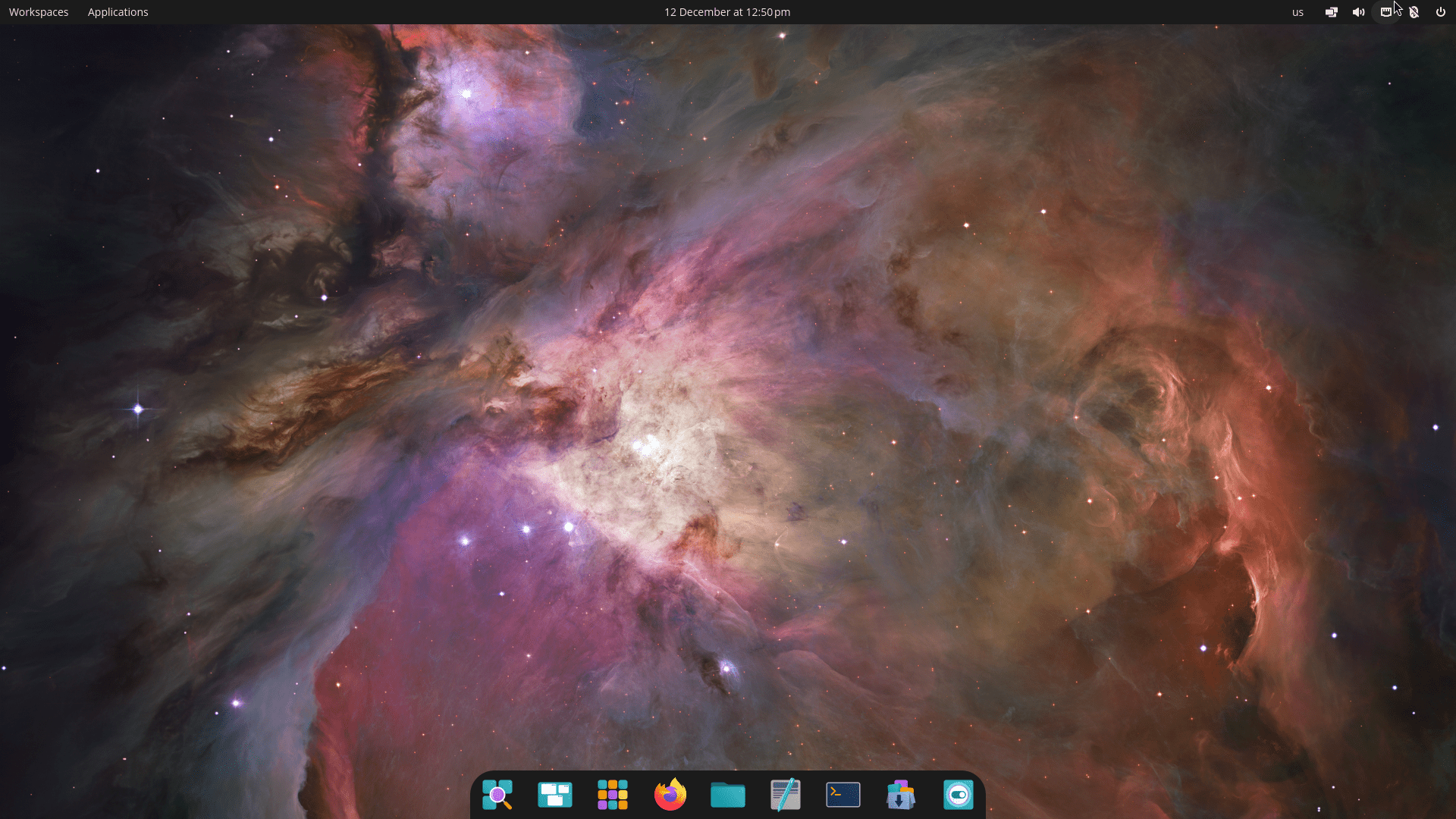
After three years of development, System76 released the new, stable COSMIC Desktop Environment to the open source community. If you're not aware, the COSMIC is built entirely in the Rust programming language. This choice helps ensure high performance and superior memory safety.
COSMIC focuses on modularity. This design allows other developers to easily adapt it and build their own unique user experiences for Linux.
The latest Pop!_OS 24.04 LTS edition comes with COSMIC Desktop Environment Epoch 1. Developers promise to continuously update the desktop with new features and improvements long after this initial release.
Innovative Desktop Features That Boost Productivity
COSMIC offers a fantastic user experience, especially if you rely on tiling windows. Users find it provides a productivity boost because the window tiling is powerful yet easy to learn.
Intuitive Window and Workspace Management
1. Tiling and Stacks:
You can intuitively tile your windows using either your mouse or the keyboard. Simply activate tiling with a toggle in the panel.
Furthermore, COSMIC allows you to use Stacks to combine multiple windows into convenient tab groups, much like a web browser. You create a Stack by dragging one window onto another while tiling, or by right-clicking the window header.
If you prefer floating windows, you can still easily snap them to a quarter or half tile by dragging them to the display edges.
You can also use "sticky windows", which stay visible and follow you across different displays or workspaces.
2. Workspaces and Multi-Display:
Workspaces are now powerful and persistent. You can arrange them horizontally or vertically.
They can span across displays, and they save their settings, such as tiling, even after you reboot.
COSMIC provides a smooth multi-display experience, effortlessly handling the mixing of high-DPI and standard resolution displays. If you unplug a display, the windows on that screen automatically move to a new workspace on a remaining display.
Fast Navigation and Custom Layouts
Fast navigation is a priority in COSMIC. You press the Super key (or the Windows key) to activate the Launcher. You can quickly start apps, switch to open applications, run commands, or use features like a calculator and web search right from the Launcher.
In addition, COSMIC offers customization options. You can theme your desktop using color pickers in Settings.
You also set up your personalized layout, choosing a Panel, a Dock, or both, and placing them on any screen edge.
System Upgrades and Hardware Support
Pop!_OS 24.04 LTS includes significant updates beyond the desktop environment itself:
1. Based on Ubuntu 24.04 LTS, Updated Kernel and Graphics Stack
The latest Pop!_OS 24.04 LTS is based on Ubuntu 24.04 LTS Noble Numbat. It ships with Linux kernel 6.17.9, Mesa 25.1.5-1, and NVIDIA Driver 580.
2. COSMIC Application Replacements
System76 replaced several older GNOME applications with faster, more responsive COSMIC versions. These replacements include:
- COSMIC Files (replacing GNOME Files/Nautilus),
- COSMIC Terminal,
- COSMIC Text Editor,
- COSMIC Media Player,
- and the COSMIC Store (replacing Pop!_Shop).
3. Hybrid Graphics Support
This release features new hybrid graphics support for achieving longer battery life. The system automatically runs applications that need the discrete GPU on the correct processor. However, you can still manually run an app on your preferred GPU by right-clicking its icon.
4. New ARM Support
Pop!_OS 24.04 LTS now supports ARM computers. System76 officially supports the Thelio Astra desktop. Community support for non-System76 hardware is enabled by Tow-Boot.
5. Refresh Install
Pop!_OS provides easy installation with full disk encryption. A notable new feature is the Refresh install.
This tool lets you reinstall the OS at any time while keeping all your personal files, settings, and Flatpak user applications.
You can access the Refresh feature by holding the Space key during boot or from the ISO.
Pop!_OS team has released a small two minute feature demo video on its official X (twitter) account.
Download Pop!_OS
You can download the latest version of Pop!_OS 24.04 LTS directly from the System76 website at https://system76.com/pop/download/.
Hardware Requirements
The recommended requirements remain consistent across all versions:
- Processor: 64-bit processor.
- RAM: 4 GB.
- Storage: 16 GB.
Choosing Your Download
The download page offers specialized images:
- Standard Pop!_OS: Choose this version for Intel or AMD graphics, or for computers with NVIDIA 10 Series and older.
- Pop!_OS with NVIDIA: Select this image for computers featuring NVIDIA 16 Series Graphics or newer (such as GTX 16xx to RTX 6xxx).
- ARM Images: Separate images are available for ARM64 processors, including one optimized for ARM with NVIDIA 16 Series graphics or newer.
Important Note: Remember to Disable Secure Boot in your BIOS before installing Pop!_OS.
Upgrade to Pop!_OS 24.04 LTS from Beta
If you're already running Pop!_OS 24.04 LTS, you can simply open the COSMIC Store app, go to Updates section and click the "Update all" button.
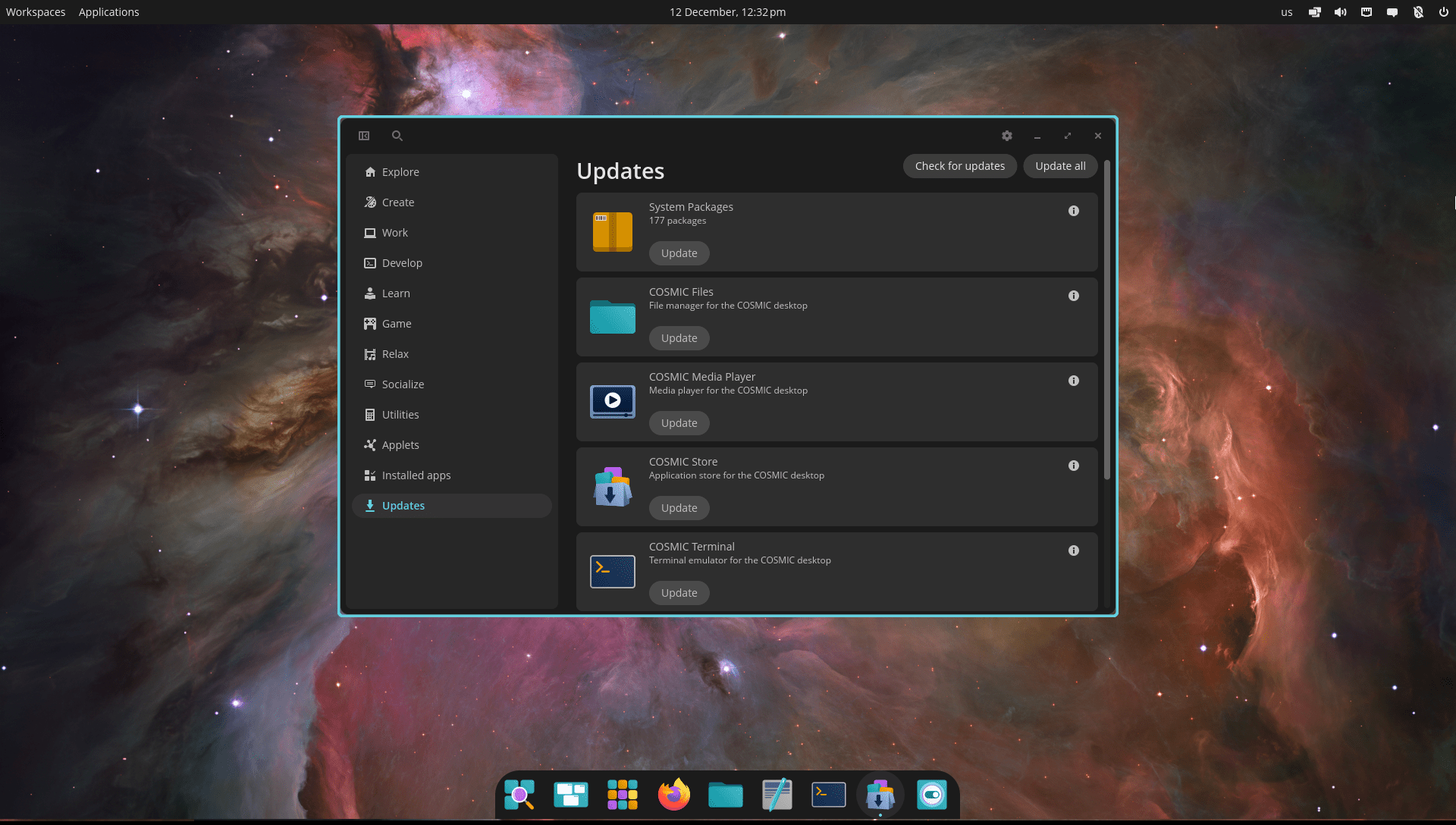
You can also do this from command line using the following commands:
sudo apt update
sudo apt full-upgrade
How to Upgrade to Pop!_OS 24.04 LTS from Pop!_OS 22.04 LTS
Pop!_OS 22.04 LTS users will automatically receive an upgrade notification starting in January 2026.
If you want to upgrade sooner than that, you must first back up your files. Then, open the Terminal and run this command:
pop-upgrade release upgrade -f
Follow the onscreen instructions to complete the upgrade task.
Issues and Areas Needing Refinement (Reported by Community)
The latest Pop!_OS 24.04 LTS release is the hot topic in popular discussion forums such as Reddit and Hackernews.
Based on this Reddit discussion and this Hackernews thread, here's the initial user experiences and outstanding issues in the new COSMIC Desktop.
1. COSMIC is not yet Stable and Performs like Beta
Many users report that COSMIC feels "super rough around the edges in general" and "like a late beta", suggesting more refinement is needed.
Some believe the desktop is not yet ready as a "stable" release, anticipating 26.04 to be the "real launch".
2. Visual and Interface Bugs/Performance
- Changing panel sizes restarts the entire shell.
- Settings can be slow in general.
- Panel widgets sometimes "flake out".
- The application launcher can struggle to find items.
- The user interface (UI) sometimes feels more like a proof of concept (e.g., the overview).
3. Application Compatibility/Functionality
- Some tray icons do not appear or do not work.
- Applications going to fullscreen, such as games, "might not go to fullscreen". But, the official release notes mention that some games may start partially off-screen and suggest pressing F11 or Super+F11 to fullscreen them.
- Applications that normally run without a window (like Betterbird) cannot run without one.
- Some applications display generic gear icons due to missing protocols.
- Some apps (e.g., Synaptic, InSync) do not launch from their dock icons and must be started via the terminal
4. Missing Features and Functionality
- No night light functionality is supported yet.
- No animations.
- Display toggle hotkeys and an on-screen display are not yet supported.
- COSMIC is not currently optimized for touch devices, though an on-screen keyboard is in development; it had the "worst touchscreen support" compared to other shells when tested.
- The COSMIC file manager does not allow shortcuts to be pinned.
- The COSMIC file manager currently lacks a split view option, requiring users to open two windows to view two folders simultaneously, although a developer hinted that this may not be ruled out in the future.
- Lack of a lock screen background option
5. Hardware and Protocol Issues
- Trouble using the discrete GPU was reported by one user. Although System76 advertises new hybrid graphics support in the release.
- Some important protocols, like the background portal, are missing.
- Screen capture sometimes crashes the DE
6. Lack of Customization and Theming Options
Some users express concern over the lack of theming options, noting that they couldn't even set the clock to a reasonable format. Others wish for more customization options, although they appreciate that COSMIC does not require rummaging through wikis like Hyprland.
One user noted that sometimes windows (like Discord and Steam) "disassociate" from their icons on the dock even while running. Another user pointed out that the COSMIC dock looks "dead" without effects like the "magnification effect" (Genie effect) that other docks may implement.
7. Longevity Concerns
The long-term stability is questioned due to the environment being backed by a single company. COSMIC is expected to be continuously updated with new features and improvements after release.
I am sure all these issues will be addressed, hopefully fixed and the whole distribution will be improved in the days to come. COSMIC is still a new desktop environment. We have to wait a bit.
Download this new release today and try it on your system. Hope the Pop!_OS 24.04 LTS will meet your expectation.
Resource:
