
Apple provides built-in privacy and security features that help you control who can access your information on iPhone and iPad. Because these features come with your device, you might assume they protect your privacy without any input from you.
However, having these features available doesn't mean you've checked their settings or decided which companies can collect information about your activity. Some protections require you to enable them, while others let you restrict what apps can do.
Protecting your privacy means checking these controls and choosing how much information others can access. Here are three practical ways to take greater control of your privacy on iPhone and iPad.
Table of Contents
1. Secure Your Account
Secure your Apple Account to prevent other people from accessing it without your permission. Your account provides access to iCloud, which can contain personal photos, documents and other information you've stored.
For example, you could enable two-factor authentication (2FA) in your Apple Account's Sign-In & Security settings. When someone tries to sign in on a new device, Apple requires an additional verification step before allowing access.
Even if someone steals your password, they still need to pass that verification step to access your account.
2. Disable App Tracking
Disable app tracking to restrict how companies monitor your activity across different services. Apps can request permission to track your activity across other companies' apps and websites, often to target advertising.
To control app tracking permissions on iPhone, go to Settings → Privacy & Security → Tracking and turn off "Allow Apps to Request to Track".
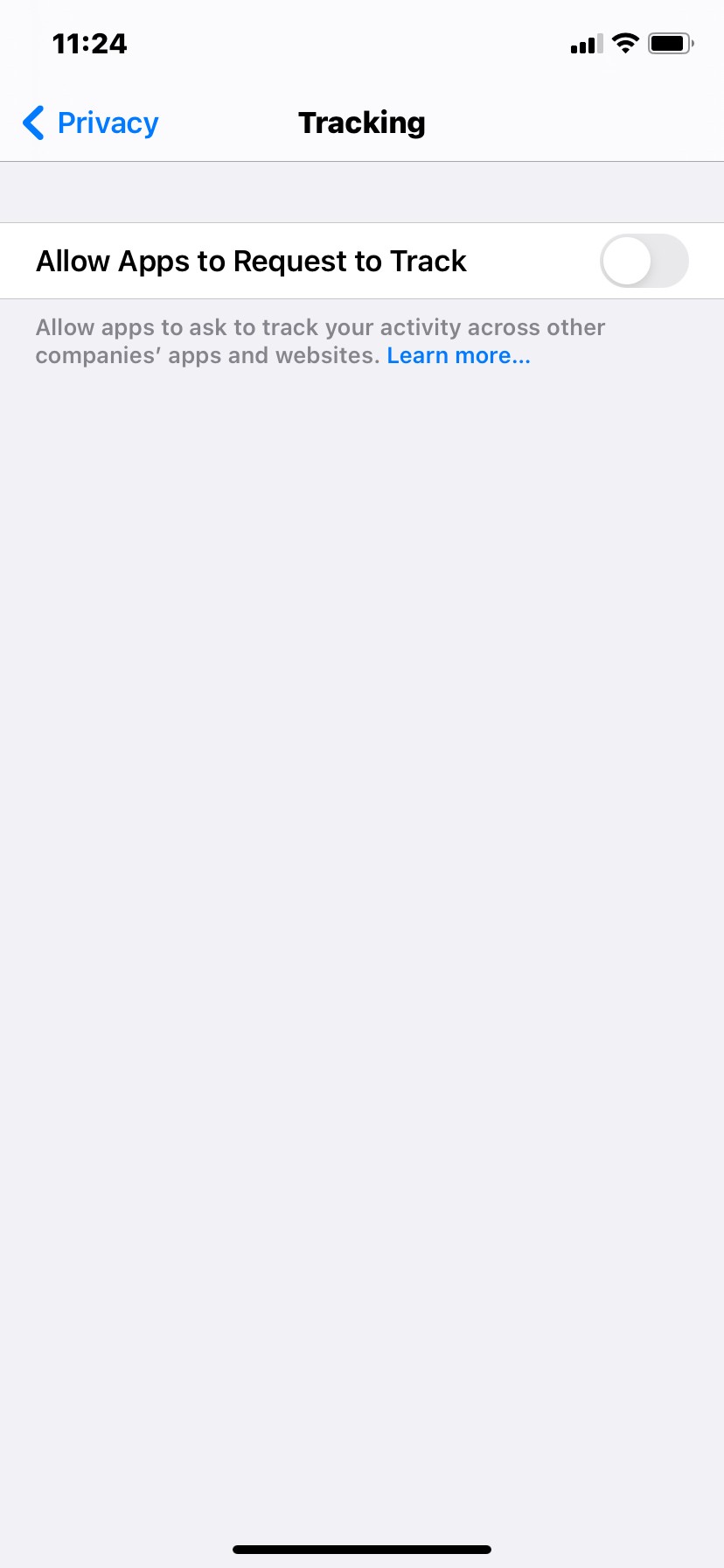
Apps will then stop asking for permission to track your activity across other companies' apps and websites.
With fewer opportunities to connect your activity across services, companies have less information to build detailed profiles of your digital habits.
3. Protect Your Connection
Protect your internet connection to limit what network operators can learn about your online activity. Depending on how you connect, they may see information about the services your device communicates with.
Say you're using public Wi-Fi at an airport. You could use a reputable VPN for iPhone to encrypt traffic between your device and the VPN server. The local network operator can then see the VPN connection but has less visibility into the traffic passing through it.
On unfamiliar Wi-Fi networks, you therefore rely less on the operator to keep information about your browsing private.
Final Thoughts
Protecting your privacy on iPhone and iPad means deciding who can access your information and how much of your activity others can observe.
Take a few minutes to check your privacy settings and review which protections you've enabled. You'll be able to identify settings that don't match your preferences and decide what to change.
What will you change today to take greater control of your personal information?
Recommended Read:
