
We have two fantastic news for the KDE community! First, KDE is celebrating its 29th birthday. Yes, KDE is nearly three decades of incredible software! Second, the KDE team just released Plasma 6.5, and developers say it is a "pretty darn good release". This is truly a wonderful week for everyone who loves the Plasma desktop.
29 Years Strong: KDE's Big Birthday Celebration
KDE is marking its 29th year by launching its annual fundraiser. This fundraiser really matters because the majority of KDE e.V.'s yearly budget comes from donations received during the fourth quarter. Therefore, if you love Plasma, now is the perfect time to donate and show your support.
Every contributor makes a huge difference in KDE. You do not even have to be a programmer. You can help in many other ways if money is tight.
Now let us go ahead to the next big news! KDE Plasma 6.5 is officially out on October 21, 2025.
What's New in Plasma 6.5
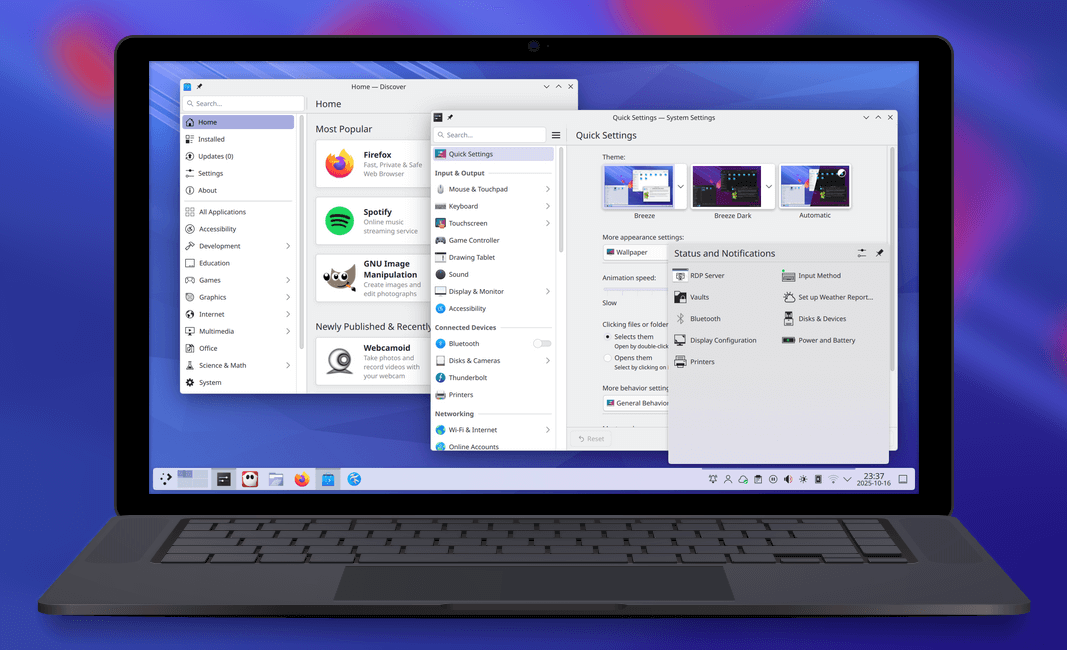
Plasma 6.5 does not reinvent the wheel. Instead, it focuses on polishing the good parts, fixing rough bits, and adding great features. The ultimate goal is making everything smooth and sleek for everyone who uses the desktop.
Allow me to explain some highlights in this release!
Automatic Themes and Rounded Corners
Your desktop now adapts to your day automatically. Plasma 6.5 allows you to configure when your theme will transition from light to dark and back. For example, you can set the theme to switch based on the time of day.
Furthermore, you can change your wallpaper automatically, too. You can configure the wallpaper to switch between its light and dark versions based on the color scheme or the time. You decide which themes appear on the manual toggles in System Settings' Quick Settings page.
Plasma also updated its classic look. Breeze-themed windows now feature rounded bottom corners. This ensures consistent roundness on all four corners of the window. If you prefer the old look, you can easily un-round them, too.
Better Search, Clipboard, and Remote Access
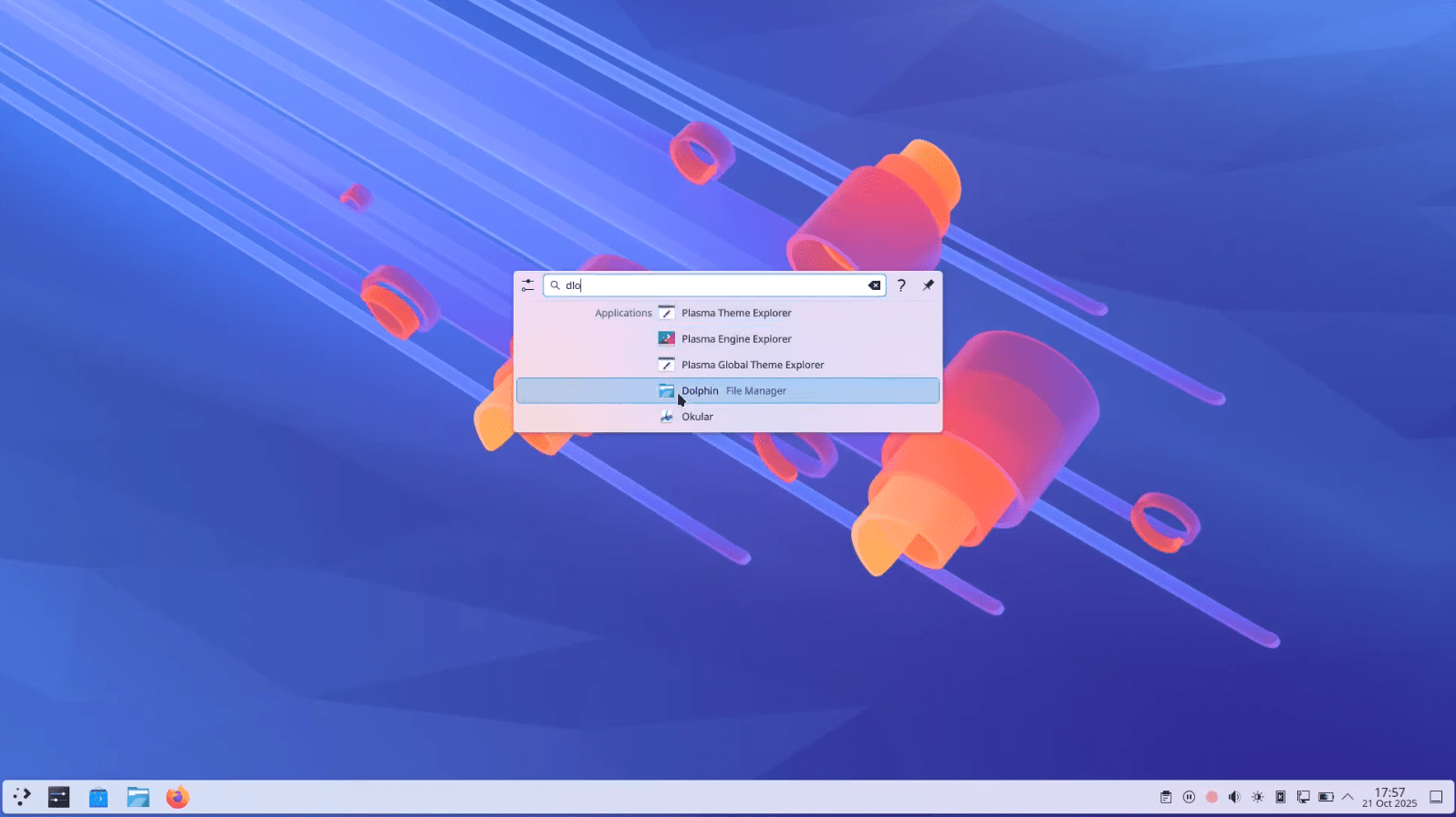
KRunner, Plasma's popular search tool, now works smarter than ever before. It is much better at finding what you need because it uses fuzzy matching to look up applications. This means KRunner will still find your app even if you type the name incorrectly. Search results appear faster, too, showing up after you type just the first character.
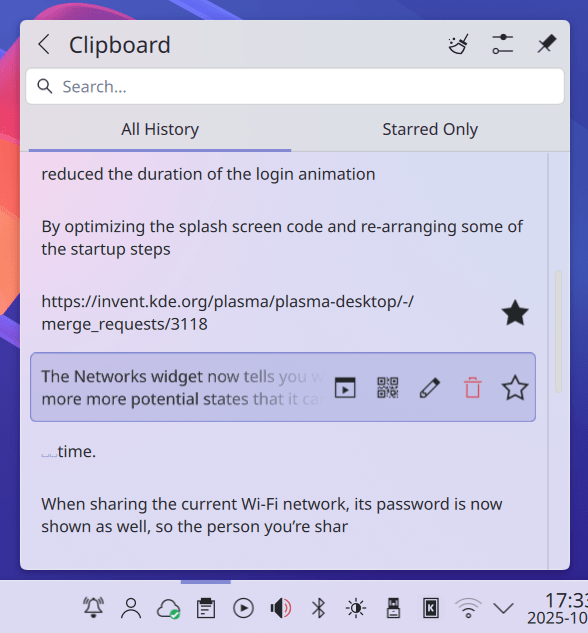
For text you use often, Plasma 6.5 added a "Pinned clipboard items" feature. This lets you save text you use regularly into the clipboard so you do not have to copy those items repeatedly.
Remote desktop users also see major improvements. Plasma's built-in Remote Desktop Protocol (RDP) server now allows clipboard sharing.
Moreover, you are no longer required to create separate remote desktop accounts. You can simply use your system's existing user accounts as credentials for the RDP client app.
Devices and Permissions
Artists who use drawing tablets get a new configuration option. You can now set up any rotary dials and touch rings on your drawing tablet using the Drawing Tablet page in System Settings. If you are using a custom driver, the page will also show a warning. The page is hidden if no drawing tablets are connected.
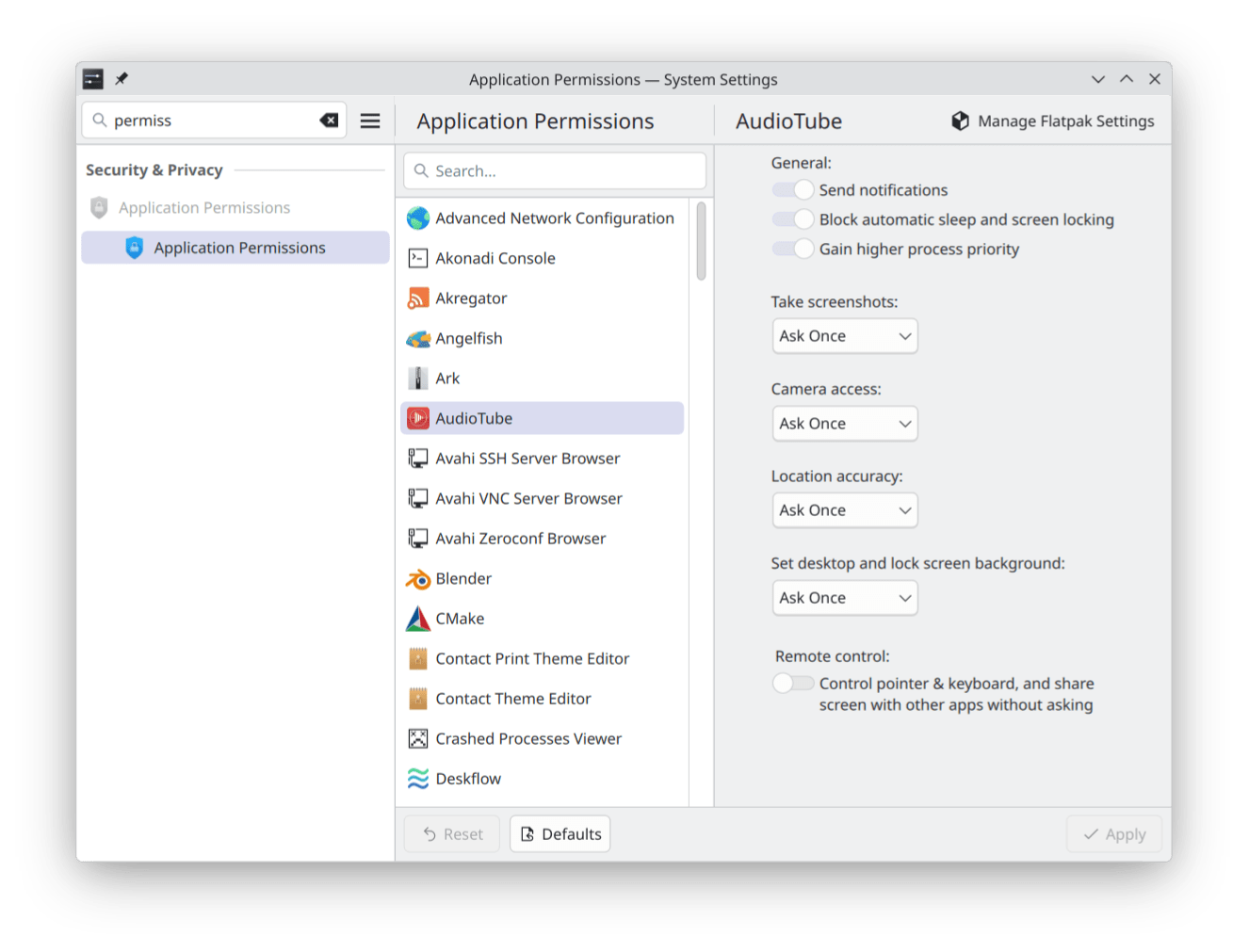
System permissions are now easier to manage. The old Flatpak Permissions page transformed into a general Application Permissions page. Here, you can control key app abilities, such as taking screenshots and accepting remote control requests.
Finally, system maintenance gets a small boost. The utility that reads the level of ink or toner from your printer now informs you when supplies are running low or empty. You can also now hibernate your system from the login screen.
Performance and Accessibility
The Plasma desktop loads much faster now. Developers optimized the splash screen code, rearranged startup steps, and reduced the duration of the login animation. All these small changes make for a snappier Plasma experience.
Accessibility features also improved significantly. Visually impaired users will be happy to know that the Orca screen reader now reads out changes to the Caps Lock state.
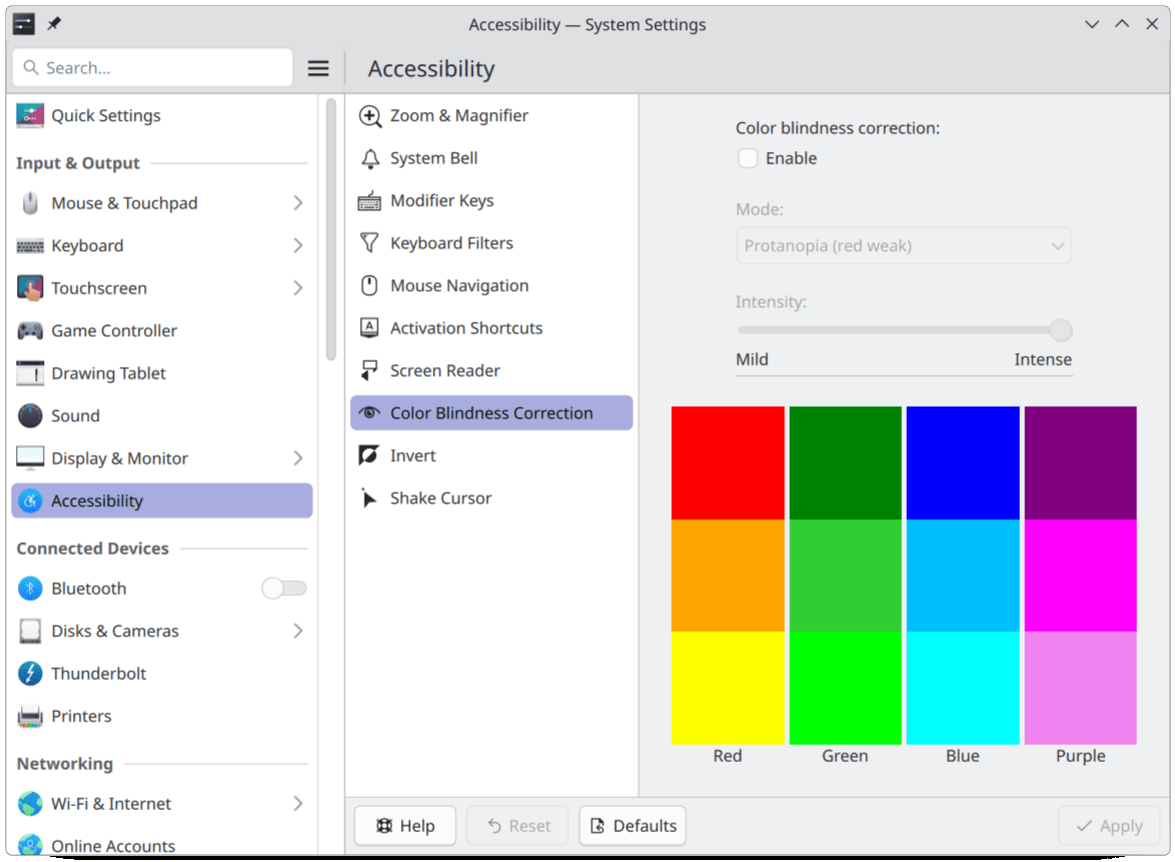
System Settings also includes a new grayscale color filter. This filter desaturates or removes color systemwide for users sensitive to color.
Furthermore, Plasma developers audited the system for problems that might trigger photosensitivity. They fixed all discovered cases where the screen could flash at the wrong speed.
To help users with hearing problems, Plasma now shows a system notification when you plug in a device, in addition to playing a sound. You can, however, turn these notifications off if you want, or receive no feedback at all.
The Zoom effect can now be configured to jump to the position of the text insertion point as it moves around the screen.
Bug Fixes and Improvements
Say Goodbye to Pesky Crashes
The KDE team fixed some major issues to improve stability. For example, KWin could crash sometimes if you locked your screen. This pesky issue has been fixed now.
Moreover, KWin also crashed in two scenarios when you used an external display with a laptop. If you put the laptop to sleep with the screen connected and woke it up after disconnecting the external screen, KWin sometimes crashed. Now, the team fixed both of those issues.
Finally, Spectacle (the screenshot tool) no longer crashes when you quickly close it after saving a file.
Better Displays, Especially for HDR Users
Users running advanced displays will enjoy several important fixes:
- First, fixed visual issues meant that full-screen HDR content in certain games did not actually look like HDR. Now, it works correctly.
- Next, if you rotate your screen while HDR is active, the display no longer gets incredibly bright for a brief moment.
- Furthermore, the screen content now updates frequently enough when you use the full-screen colorblindness correction effects.
Quality of Life Improvements (QoL)
Plasma 6.5 offers many small improvements that make a big difference every day:
- Remote desktop connections had trouble when users ran a recent version of ffmpeg. That bug is now fixed.
- The Application Dashboard widget has a functional scroll handle again, so dragging it works properly.
- System Monitor sensors no longer display the wrong values for certain NVIDIA GPUs.
- Nested KWin sessions received performance improvements. Also, this feature now inhibits global shortcuts outside of the nested area.
In short, Plasma 6.5 brings stability and polish to the desktop, making it an excellent experience for longtime fans and new users alike.
For more details, refer to the Plasma 6.5 complete change log.
Ready to Try Plasma 6.5?
The easiest way to try the release is with a live image booted off a USB disk. Docker images also provide a quick and easy way to test Plasma.
Distributions have created, or are in the process of creating, packages. You can also install Plasma directly from source.
Sneak Peek: What's Coming in Plasma 6.6?
While we celebrate the greatness of 6.5, the team is already working hard on Plasma 6.6. Some great features are coming soon to Plasma 6.6. Here are some notable features and improvements:
Smart Wi-Fi Password Sharing
This is a big one for multi-user systems. Moving forward, Wi-Fi passwords will save in a global location by default. This root-owned storage solves many problems.
- You will not see those annoying KWallet popups on systems set up incorrectly.
- Furthermore, if you create a new user account, that user does not have to log into all the common Wi-Fi networks again.
- This change also means login screen features like LDAP account login, which need internet, will always work right away.
Dashboard Customisation and Look
The Application Dashboard gets some love. You can now resize the area that separates your Favorites from your Applications. This lets you decide which list needs more space.
In addition, you can set the Application Dashboard to follow your system's overall colour scheme. (It stays dark by default, though).
Small Polish and Core Fixes
- The highlights on top-level menu items now look better because they are slightly rounded.
- Plus, if you use the Bing Picture of the Day wallpaper, the preview thumbnail now shows the wallpaper's correct aspect ratio (landscape or portrait).
- If you use Klipper, you can now disable actions without completely removing them.
- The team also fixed a frustrating bug where Discover crashed if Flatpak was installed but unavailable.
- They fixed another bug that caused certain VPNs (using IPsec) to ask for the password every single time you connected.
Final Thoughts
In short, the future of the KDE desktop looks incredibly bright, starting with the stable Plasma 6.5 release and continuing with the exciting features planned for 6.6!
Since KDE is celebrating its 29th year this week, you should definitely check out this strong new release and consider supporting the organization that makes it all possible.
