
OpenAI launches Company Knowledge, a new feature that helps how teams can efficiently find information at work. This feature is designed to enhance productivity by allowing ChatGPT to connect with and synthesise information from various internal work tools to provide business-specific and accurately cited answers.
This feature will help companies to build a smarter enterprise AI assistant that improves productivity and collaboration across departments.
Table of Contents
What is Company Knowledge in ChatGPT?
When teams use tools like Slack, Google Drive, and GitHub, important details often scatter across apps. Company Knowledge in ChatGPT brings them together.
Once you connect your business tools, such as HubSpot, Slack, Google Drive, and GitHub, ChatGPT can search across your internal data and give answers that make sense for your work — not just general web results.
In short, Company Knowledge is like giving ChatGPT the map of your company’s files, chats and tools, so it can answer business questions with context from your world, not just general world-knowledge.
Company knowledge is powered by GPT-5 version and is built with strict privacy, security, and control measures, ensuring data remains protected and private, with no training performed on company data by default.
Currently, Company Knowledge feature is available for users on ChatGPT Business, Enterprise, and Edu plans.
Benefits of Company Knowledge
- Saves time – You no longer jump between tabs to find what's already written.
- Improves decisions – The answers use your real company data.
- Breaks silos – Marketing, dev, and sales can share a single view.
- Builds trust – Each answer cites where it came from.
How It Works
1. Enable Company Knowledge
First, enable Company Knowledge in ChatGPT Business, Enterprise, or Edu. it is not yet available for free plan.
To use it, you tap "Company knowledge" under the message composer and connect your work apps. When enabled, ChatGPT looks across all your apps to bring relevant context into its answers.
2. Connect your tools
Link apps such as Slack, SharePoint, Google Drive, and GitHub.
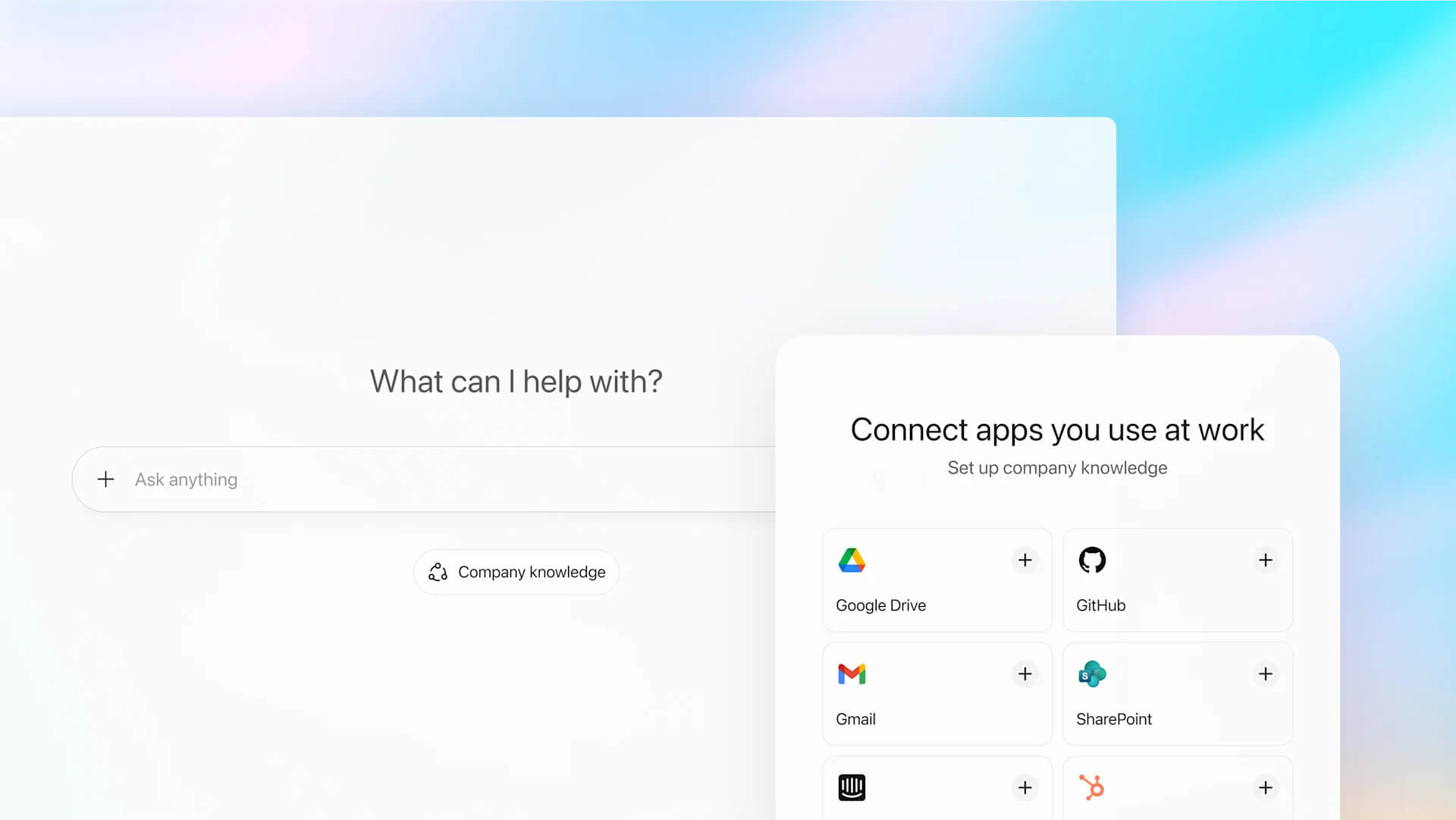
3. Ask questions normally
When you activate Company Knowledge, ChatGPT looks across all connected apps, finds matching info, and gives you a cited answer.
Example:
Ask "Analyze October campaign results and draft an exec update" and it gathers decisions from your Slack channel, HubSpot, and Docs — all in one answer.

Real-World Benefits
- Faster briefings – "What's the latest on client X?" becomes a one-step question.
- Better reports – ChatGPT compiles feedback, tickets, and survey results.
- Project tracking – "Show open bugs for release 3.0" scans Slack + GitHub instantly.
Important Things to Set Up
- Access controls: Only grant visibility to authorized users. Company Knowledge respects existing app permissions.
- Connector setup: Verify each integration works before rollout.
- Staff training: Teach teams to use citations and data responsibly.
- Compliance checks: Make sure internal data follows company policies.
Limitations
- You must enable Company Knowledge in each new chat.
- It depends on what's stored in your linked apps; missing data won't appear.
- It's limited to Business, Enterprise, and Edu plans for now.
Security & Privacy Tips
Company Knowledge is secure by design but still needs careful setup:
- Review permissions often.
- Monitor logs for unusual queries.
- Avoid linking personal or confidential folders.
You control what ChatGPT can or cannot access.
Frequently Asked Questions (FAQ)
A: Company Knowledge lets ChatGPT access your company's connected tools, so it can answer questions using your internal data with clear citations.
A: No. It's part of ChatGPT’s Business, Enterprise, and Education plans.
A: No. The data stays within your organization’s integrated systems. ChatGPT only retrieves information you already have access to.
A: It follows your existing app permissions, but companies should still audit access and review connectors regularly.
Conclusion
Company Knowledge transforms ChatGPT into a custom AI assistant for your workplace. It connects Slack, Drive, GitHub, and other apps, then answers questions using your own data.
When used with proper permissions and compliance checks, it becomes a real productivity boost, especially for distributed teams across the world.
For more details, check out the official announcement in the link below:
