
Good news, Debian Linux fans! The highly anticipated Debian 13, codenamed 'Trixie', has been released! Debian 13 trixie ships with Linux Kernel 6.12 LTS, GNOME 48, KDE Plasma 6.3, RISC V support and a lot of updated software packages and improvements.
Debian stable releases are usually supported for about 5 years in total: around 3 years of regular security and bug-fix updates, followed by 2 years of Long Term Support (LTS) security updates for key packages.
Debian 13 is released on August 9, 2025, hence it will receive regular updates until August 9, 2028 and LTS updates until August 9, 2030.
What's New in Debian 13 Trixie?
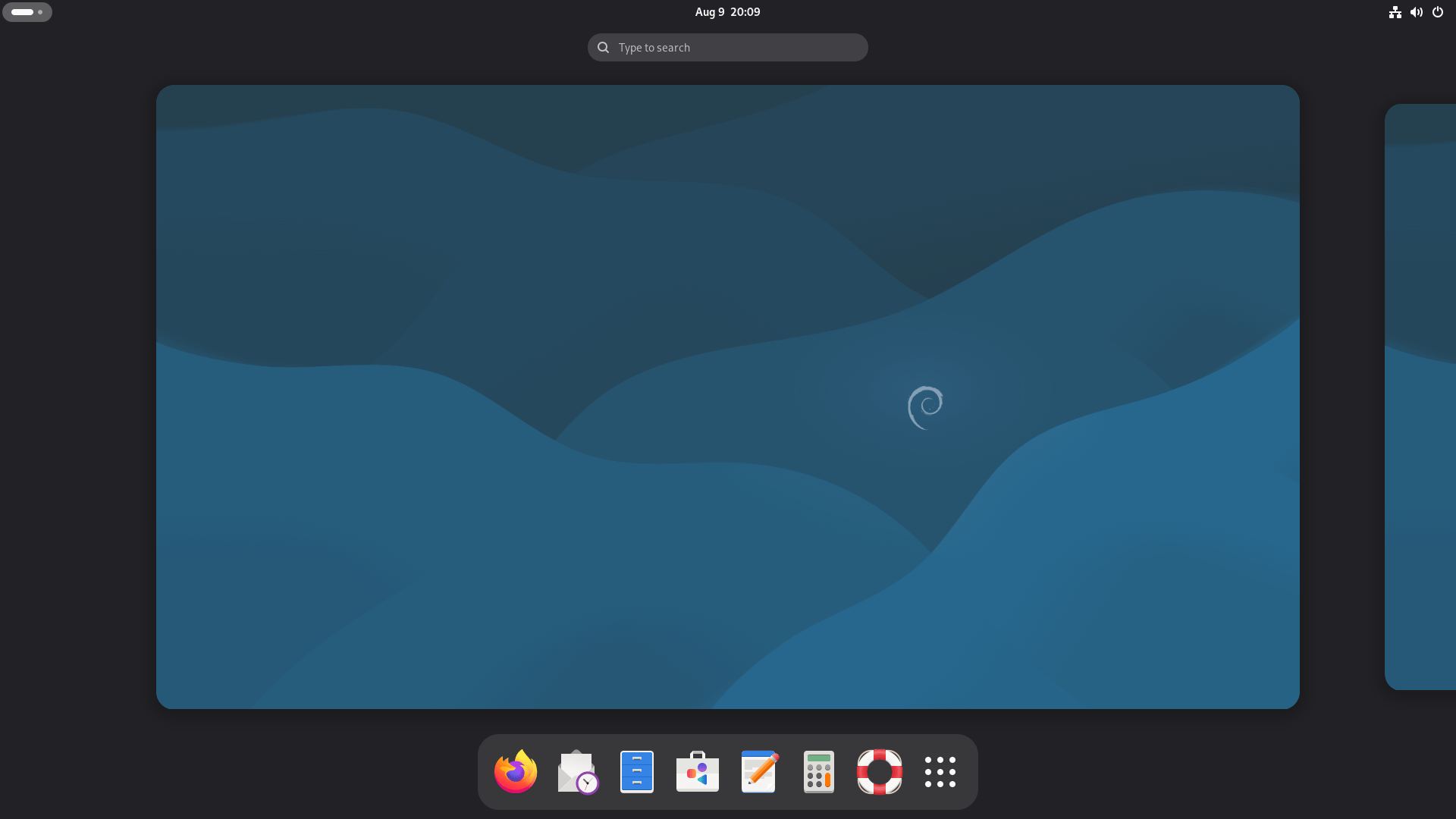
Debian 13 introduces several key enhancements and features that you'll love:
1. New Architecture Support
For the first time, Debian 13 officially supports the riscv64 architecture. So you can now easily run Debian on those newer 64-bit RISC-V computers, taking advantage of all Trixie’s features.
Debian 13 also continues to support popular architectures like 64-bit PC (amd64) and 64-bit ARM (arm64).
2. Boosted Security
Your Debian system gets an upgrade in protection!
Yes, Trixie introduces stronger security features for amd64 and arm64 systems, helping to guard against tricky attacks like ROP, COP, and JOP.
For example, amd64 systems use Intel Control-flow Enforcement Technology (CET), while arm64 systems benefit from Pointer Authentication (PAC) and Branch Target Identification (BTI).
Importantly, your hardware can even enable these features automatically if it supports them.
3. Easier Booting with HTTP
The Debian Installer and Debian Live Images now support "HTTP Boot" on compatible UEFI and U-Boot firmware. This makes starting up and installing Debian potentially much simpler, especially on modern systems.
4. Better Translations for Manuals
Reading help guides just got easier. The manpages-l10n project has contributed many improved and new translations for manual pages in Trixie.
Notably, Romanian and Polish translations have seen significant enhancements since Debian 12 (Bookworm).
5. Smart Spell-Checking in Web Browsers
If you use web browsers built on Qt WebEngine, such as Privacy Browser or Falkon, you'll be pleased to know they now support spell-checking.
This works using BDIC binary dictionary files, a format developed by Google for Chromium, which Debian now includes for the first time with its Hunspell language packages.
6. Future-Proofing Time (Beyond 2038!)
Debian 13 takes a big step forward! Almost all architectures, except i386, now use a 64-bit time_t system.
This change ensures your system can comfortably handle dates far beyond the year 2038, avoiding potential future date issues.
If you have older third-party software on 32-bit systems (like armel or armhf), you might need to recompile it.
7. Progress on Reproducible Builds
Debian contributors have made great strides in ensuring that building software packages results in identical outputs every time.
You can even check the status of packages on your own system using the new debian-repro-status package.
8. Modern curl with HTTP/3
The popular command-line tool curl and its library, libcurl, now support HTTP/3, the latest internet protocol. Furthermore, the curl package now includes wcurl, a handy alternative to wget that uses curl to download files.
9. Abundant Software Updates
Debian 13 release brings over 14,000 new software packages, making the total over 69,000.
You’ll find that most of the existing software has also been updated; for example, LibreOffice is now version 25, GIMP is 3.0.4, and the Linux kernel has been updated to the 6.12 series.
10. KDE Plasma 6
Debian 13 ships with the latest desktop environments, including GNOME 48 and the exciting new KDE Plasma 6.
Plasma 6 is a significant upgrade, built on the very latest Qt 6 and KDE Framework 6 libraries, offering a modern and responsive experience.
11. Under the Hood Improvements
Debian 13 also introduces handy tools like run0 from systemd, which works similarly to sudo but asks for the user's password.
Additionally, apt modernize-sources helps you easily update your software source lists to a newer format.
For better performance, systemd now creates the /tmp directory as a temporary file system by default.
For more details, check the official release notes for Debian 13 (trixie).
Important Notes for Upgraders
If you're thinking about upgrading to Trixie, keep a couple of things in mind:
- i386 Architecture Support: While
i386(the original 32-bit PC architecture) is still listed, it's now primarily for legacy functions, like running old software in virtual environments. It's important to know that direct upgrades to Trixie are NOT supported fori386systems. - Tool Changes and Configuration: Some older tools, particularly those related to
utmp/wtmplogging, have been replaced or removed in Trixie due to underlying changes in how system time is handled. Also, be aware that some specific packages, such as Dovecot and libvirt, might require configuration changes during the upgrade process. Always read the Official Release Notes for your specific setup!
Download Debian 13
So Debian 13 'Trixie' is out with enhanced security, modern software, and many underlying improvements to offer a stable, up-to-date, and powerful computing experience.
You can download the latest Debian 13 ISO from the link given below:
The following table includes the direct Debian 13 download links for various formats:
| Type of OS Image Format | Download Link |
|---|---|
| DVD | Debian 13 DVD Download |
| CD | Debian 13 CD Download |
| Live Images | Debian 13 Live Images Download |
| Torrent | Debian 13 Torrent Download |
Please note that these links are subject to change and it's always a good idea to go to the official Debian website to get the latest download links.
Install Debian 13 Trixie
Ready to start fresh with Debian 13? Our installation guide will walk you through every step, from downloading the ISO to completing your first boot, so you can set up Debian 13 (Trixie) with confidence.
Upgrade to Debian 13 Trixie from Debian 12 Bookworm
If you’re already running Debian 12, you’re in luck. The upgrade path to Debian 13 is now open! Follow our step-by-step guide to smoothly upgrade your system from Debian 12 (Bookworm) to Debian 13 (Trixie).
Have you tired the latest Debian 13? How did it go? Share your experience via the comment section below.
