
You've learned that a Unix timestamp is simply the number of seconds since 1 January 1970, 00:00:00 UTC. Simple enough, right?
Then you discover that two events can share the same timestamp. Your computer's clock can move backward. Two servers can disagree about what time it is. And a clock that reports nanoseconds can still be wrong by several milliseconds.
Welcome to timekeeping in Linux, where a seemingly boring integer opens the door to some surprisingly difficult engineering problems.
Let's pull on that thread.
1. You Shouldn't Use Your System's Clock for Everything
Imagine you start downloading a file. Your program records the start time, downloads the file, and records the finish time.
But halfway through, the system clock gets corrected. Now your program thinks the download finished before it started.
Did the file travel backward in time? Of course not. The problem is that you used a clock that can be adjusted to measure elapsed time.
Linux provides different clocks for different jobs. Two of the most useful are:
CLOCK_REALTIMErepresents the current wall-clock time.CLOCK_MONOTONICprovides a steadily advancing clock for measuring elapsed time.
The wall clock can jump forward or backward when the system adjusts it. A monotonic clock does not go backward, although its rate can still be adjusted on Linux.
You can see the same distinction in Python:
import time

print("Wall clock:", time.time())
print("Monotonic clock:", time.monotonic())
The values have different meanings. time.time() returns Unix-epoch-based time. time.monotonic() uses a clock-specific reference point, so its raw value isn't a calendar timestamp.
The lesson: Use wall-clock time to answer “When did this happen?”. Use a monotonic clock to answer “How long did it take?”.
2. Who Keeps Your Computer's Clock Honest?
Your computer has a clock, but that doesn't mean it always knows the correct time.
Hardware clocks drift. Some run a little fast; others run a little slow. Leave two machines running for long enough, and their clocks can disagree.
This is where NTP, the Network Time Protocol, comes in. It helps computers synchronize their clocks with external time sources.
But synchronization isn't magic. Network delays, faulty time sources, and clock corrections can all affect the result. Depending on the configuration, time-synchronization software may gradually adjust a clock's rate or step it forward or backward.
On a typical systemd-based Linux distribution, you can inspect the time configuration using command:
timedatectl status
The output varies by distribution and configuration. Look for the system clock and time-synchronization status.
The lesson: A timestamp tells you what a clock reported. It doesn't automatically tell you how close that reading was to the correct time.
3. Why “tomorrow at 9 AM” is Harder than It Sounds
Suppose you schedule a script to run every day at 9 AM.
The obvious solution seems to be to wait 86,400 seconds (24 hours) after each run.
Except local calendar days don't always contain 86,400 elapsed seconds. Daylight-saving transitions can make a local day 23 or 25 hours long. Historically, leap seconds have also complicated the relationship between UTC and a simple count of seconds.
And time zones aren't just fixed offsets from UTC. Governments can change their rules, and software needs up-to-date information to handle those changes.
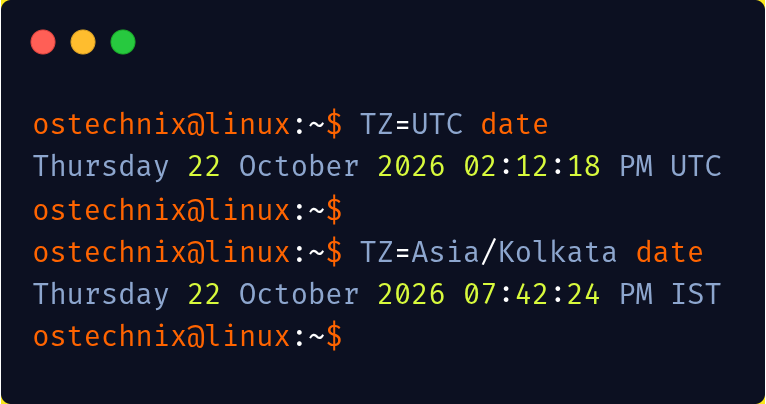
Try these two commands in your Linux system:
TZ=UTC date
TZ=Asia/Kolkata date
These commands display the current date and time according to the specified timezone.
For a one-time event, a Unix timestamp may be exactly what you need. But consider this requirement:
Run this script every Monday at 9 AM in New York.
A timestamp alone doesn't capture that intention. You need a recurrence rule, a local time, and a time-zone identifier.
For more on those rules, explore the IANA Time Zone Database.
The lesson: A point in time and a rule about local calendar time are two different things.
4. Now Give Two Computers the Same Problem
Here's where things get really interesting.
Server A records an event at 12:00:00.100.
Server B records another event at 12:00:00.080.
Which event happened first?
You might conclude that Server B's event came first because its timestamp is smaller.
But what if Server B's clock is running ahead of Server A's?
You've just encountered one of the fundamental problems of distributed systems: timestamps alone cannot reliably establish the order of events across machines.
Clock synchronization can help, but it cannot guarantee that every server reports exactly the same time.
Distributed systems use other mechanisms to reason about event ordering. Depending on the problem, these might include sequence numbers, logical clocks, database log positions, or coordination protocols.
Please remember that two events can share the same timestamp even when both clocks work perfectly. They may simply have occurred within the same clock resolution.
The lesson: Don't assume that the earliest timestamp always belongs to the earliest event.
5. The Database Bug Hiding in Plain Sight
Imagine you're building a payments service. You decide to use the current Unix timestamp as each payment's primary key.
At first, everything looks fine.
Then two customers make payments during the same second. Both requests generate the same timestamp. Both try to insert a row with the same primary key.
One insert fails.
You switch from seconds to milliseconds. Collisions become less likely, but they're still possible. Moving to nanoseconds doesn't magically guarantee uniqueness either.
The problem isn't necessarily insufficient precision. It's that you asked a clock to provide a guarantee it wasn't designed to provide.
A better design separates identity from time:
CREATE TABLE payments (
    id UUID PRIMARY KEY,
    created_at TIMESTAMPTZ NOT NULL,
    amount NUMERIC NOT NULL
);
This PostgreSQL-style example uses a UUID to identify each payment and a timestamp to record when it was created. Your application or database must still generate the UUID.
Each field has a clear responsibility.
The lesson: A timestamp describes when something happened. An identifier distinguishes it from other things.
Your Five-minute Linux Time Lab
Enough theory. Open a terminal and run these commands:
# What time does your system report?
date

# What time is it in UTC?
date -u

# What is the current Unix timestamp?
date +%s

# What does the system report about time synchronization?
timedatectl status
The last command is intended for systemd-based Linux systems. The other commands are widely available on Unix-like systems, though options can vary between implementations.
Now, if you have Python 3 installed, run:
import time

print("Wall clock:", time.time())
print("Monotonic clock:", time.monotonic())
print("Performance counter:", time.perf_counter())
These three calls serve different purposes:
time.time()gives you epoch-based wall-clock time.time.monotonic()is useful for measuring elapsed time.time.perf_counter()is designed for measuring short-duration performance.
Sample Output:
Wall clock: 1792679694.0232277
Monotonic clock: 445.774622884
Performance counter: 445.774647309
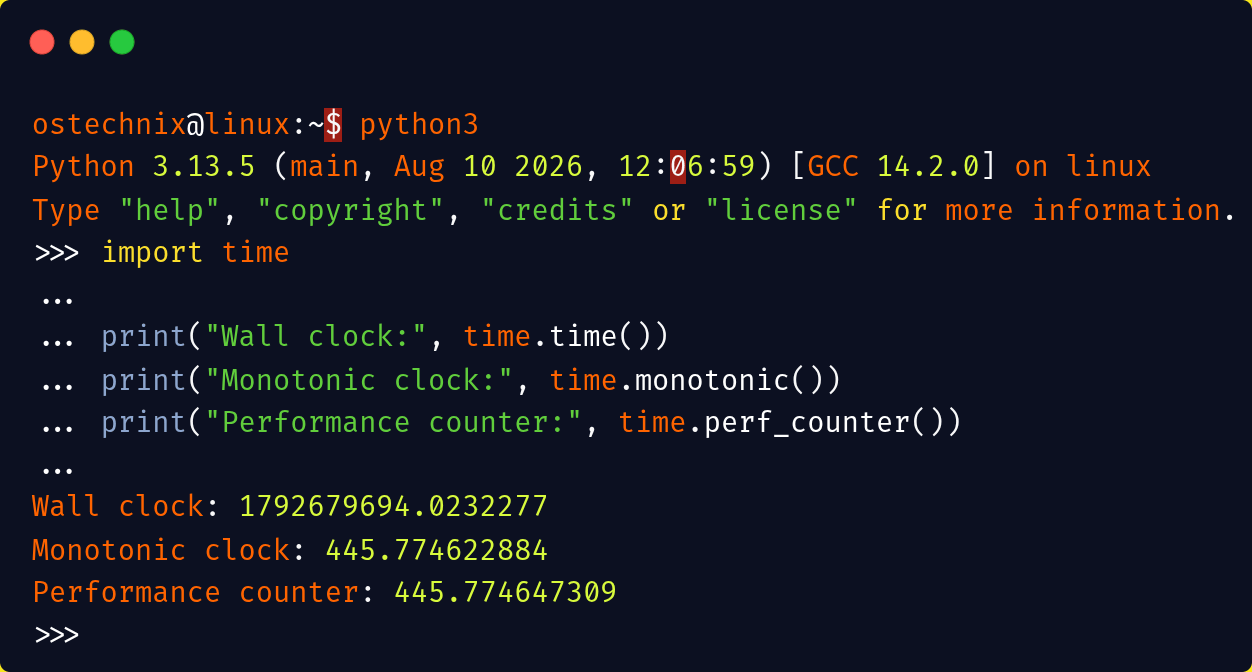
The monotonic clock and performance counter don't provide ordinary calendar timestamps. Don't compare their raw values with Unix timestamps.
For the underlying Linux details, read the clock_gettime() manual.
The Real Rabbit Hole
You started with a number counting seconds from 1970. Now you've encountered inaccurate clocks, time synchronization, daylight-saving transitions, distributed event ordering, and database identity.
The surprising part isn't that timekeeping is complicated. It's that so much software depends on it while treating it as a solved problem.
And there's more to explore: leap seconds, the Year 2038 problem, timestamp precision, and the subtle ways programming languages handle dates before the Unix epoch.
Want to Go Deeper?
We've only scratched the surface of Unix timestamps. Behind that simple integer are some fascinating details about time zones, leap seconds, clock synchronization, and the subtle bugs that can break real-world systems.
If you'd like to understand how it all works, we've put together a practical guide covering the fundamentals, hands-on Linux commands, code examples, and common pitfalls.
Continue reading: Unix Timestamps Explained: A Practical Guide for Developers
