
Table of Contents
Brief
- SolveSpace is a minimalist, open-source parametric CAD tool designed for speed and simplicity, specifically excelling at 2D laser-cutting layouts and simple 3D parts.
- Its custom, tiny geometric kernel allows it to be incredibly fast and portable compared to heavyweight alternatives. Experienced users can perform sketching tasks up to 10 times faster than in more complex CAD software.
- SolveSpace is available as a stand-alone and an experimental web-based version.
- The entire web version of SolveSpace is delivered as a one-megabyte WebAssembly file. Despite this tiny size, it runs completely locally in a browser without network dependencies and includes its own 3D solver, graphics engine, and a full Unicode font (GNU Unifont).
Introduction
Designing mechanical parts usually requires heavy software and a steep learning curve. SolveSpace breaks that mold. This free, open-source tool offers a fast, minimalist way to handle 2D and 3D CAD tasks without the bloat of traditional programs.
Whether you need a part for a 3D printer or a layout for a laser cutter, SolveSpace provides a "joyous" experience that prioritises speed and simplicity.
What is SolveSpace?
SolveSpace is an open source, parametric 2D and 3D CAD tool. "Parametric" means you define your design using constraints and rules rather than just drawing lines by hand.
At its core, the software uses a geometric constraint solver. You can tell the program that a line must be 50mm long or that two circles must share the same center. The software then uses mathematical equations to automatically adjust your drawing to follow those rules.
- Predictable Dragging: If your sketch is missing dimensions, you can drag points with your mouse. The solver uses a "least squares" method to make these movements feel intuitive and natural.
- Easy Troubleshooting: If you add too many rules and the sketch "breaks," the background turns red. The Property Browser then gives you a list of specific constraints to remove to fix the problem.
- Degrees of Freedom: A built-in analysis tool puts big cyan squares over any points that can still move. This helps you know exactly when your design is finished and "locked in".
A Unique Way to Work
If you have used tools like Fusion 360 or AutoCAD, SolveSpace might feel a bit strange at first.
Two-window System
Most professional tools use so many icons and deep menus. SolveSpace uses a minimalist two-window system.
- The Graphics Window: This is where you draw your geometry and view your 3D model.
- The Property Browser: This window looks and acts like a simple web browser. It contains links you can click to change settings, rename parts, or modify dimensions.
Drawing Anywhere in 3D
Most CAD tools force you to pick a flat plane before you can draw. SolveSpace gives you more freedom. You can sketch anywhere in 3D space without a workplane. This is perfect for designing complex mechanical linkages.
If you need more structure, you can still activate a workplane to force your drawing onto a flat surface.
Group-Based History
SolveSpace organizes your work into Groups. When you start a new step, like an extrusion, the program creates a new group.
The interface keeps things clean by drawing your active work in white and earlier steps in brown. This makes it very easy to see exactly what you are changing at any given moment.
Install SolveSpace CAD in Linux
SolveSpace is available in flatpak and snap formats for Linux.
If you have installed and configured flatpak in your system, run the following command to install SolveSpace:
flatpak install flathub com.solvespace.SolveSpace
If you're on Ubuntu, you can install SolveSpace snap using commands:
# for the latest stable release:
snap install solvespace

# for the bleeding edge builds from master:
snap install solvespace --edge
As stated earlier, SolveSpace is also available as web version. You don't need to install anything locally.
A Professional Web-based CAD Suite in Just 1MB
One of the most impressive recent updates is the experimental web version. The developers managed to shrink the entire program into a one-megabyte file that runs directly in your browser.
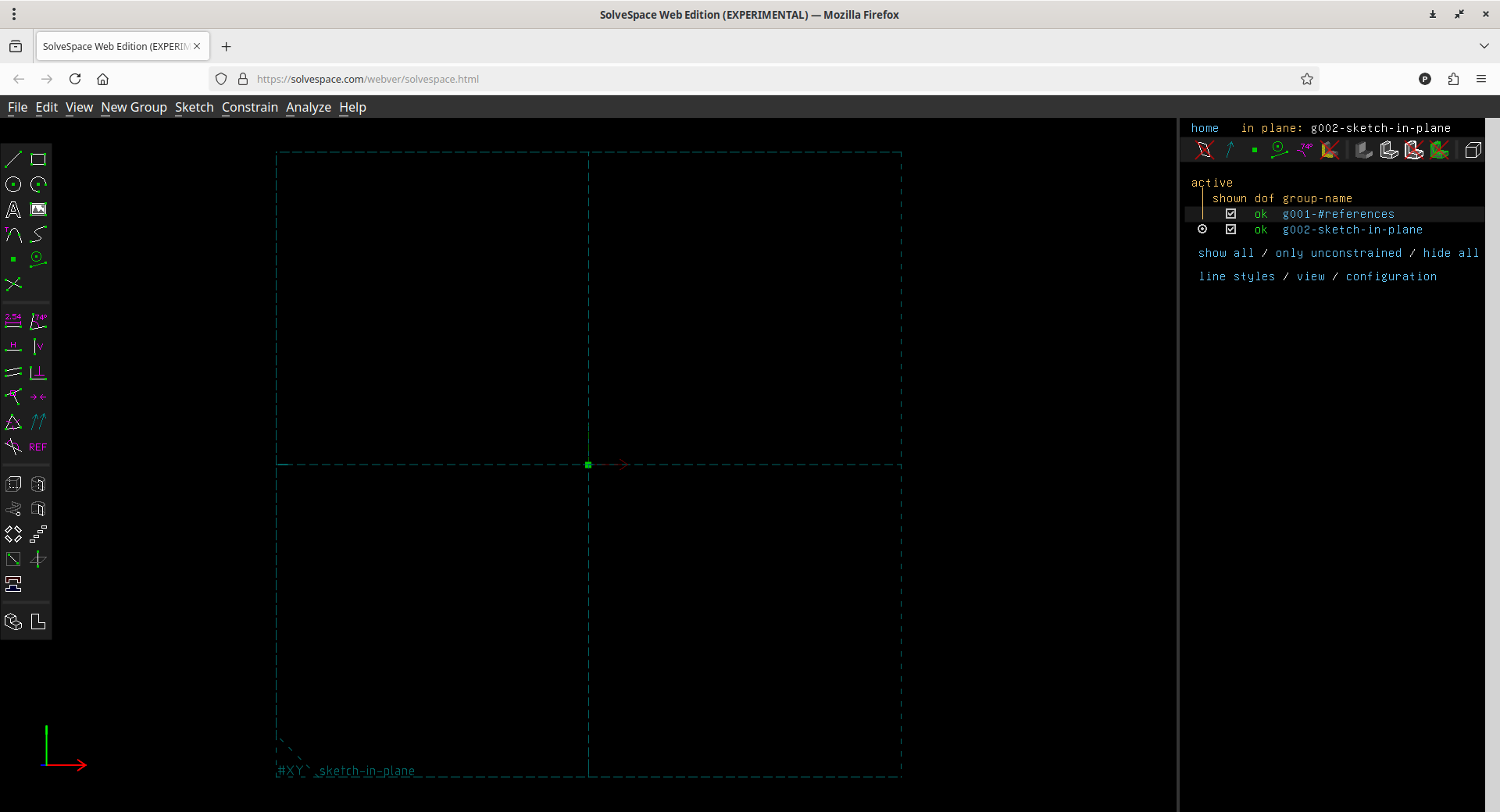
To access the web edition, navigate to https://solvespace.com/webver/solvespace.html URL from your browser:
Here's how the SolveSpace's web edition looks like.
This version offers several big advantages:
- Total Portability: You don't need to install anything; just open a link.
- Privacy First: It runs entirely on your computer. It has no network dependencies and does not send your data to any servers.
- Speed: Because it is so small, it starts instantly.
Despite its small footprint, it contains a full geometric constraint solver, a 3D graphics engine, and even a built-in font for text.
SolveSpace Is So Fast
The secret to SolveSpace's speed is its "general smallness".
Most professional CAD engines use over one million lines of code. In contrast, SolveSpace’s core math kernel uses less than 10,000 lines.
This lean design makes the software incredibly responsive. In fact, some users report that they can sketch designs 10 times faster in SolveSpace than in more complex tools.
Who Should Use SolveSpace?
SolveSpace is a "best-in-class" tool for specific tasks:
- 2D Laser Cutting: It is excellent for designing flat panels and exporting them to formats like SVG or DXF.
- 3D Printing: Users often use it to create functional parts, like replacement legs for glasses or custom manifolds.
- Mechanical Linkages: The "Trace Point" feature lets you see the path a part takes as it moves, which is perfect for designing moving machinery.
Limitations
While powerful, SolveSpace does have some current limitations. It does not yet have automated tools for fillets (rounded edges) or chamfers (slanted corners). The lead developer has moved these to the top of the priority list, but they are difficult to add to such a small engine.
Furthermore, the engine can sometimes struggle with complex "Boolean" operations, like subtracting one very complicated 3D shape from another.
Conclusion
SolveSpace is a rare example of a tool that does one thing very well without trying to be everything to everyone. It is widely considered one of the best free options for 2D laser-cutting and quick 3D prints.
Also, the newly introduced experimental version runs directly in your web browser as a tiny file. Once it finishes loading, it doesn't need an internet connection to work. More importantly, it doesn't send your private design data to any servers.
SolveSpace is lightweight, free, and respects your privacy.
If you want to spend more time designing and less time fighting with your software, SolveSpace is well worth a look.
To learn more about SolveSpace, check the following resources:
