
If use many computers, you probably understand the hassle of setting up your Linux desktop every time. Thankfully, System76 team recognized this pain point. This is why they're currently building COSMIC Sync, a powerful synchronization tool designed to make your configuration follow you everywhere.
Table of Contents
Why Cosmic Sync?
At Ubuntu Summit 25.10, Carl Richell, the Founder and CEO of System76, revealed that their engineers found something important when they surveyed their customers.
They learned that 73% of customers regularly use more than one computer. Furthermore, a shocking 10.5% use four or more computers regularly.
Carl also added that 62% people wanted to sync installed applications between their computers and 60% people wanted to sync their dot files as well.
Because of this widespread need, System76 team is building COSMIC Sync tool.
This interesting new tool makes your entire desktop environment consistent everywhere. It is a smart way to manage your Linux Desktop!
What is COSMIC Sync?
COSMIC Sync is an open-source tool developed by System76 to sync your apps, desktop settings, and dotfiles across multiple computers. Beyond settings and dotfiles, it even lets you copy your personal files. Since COSMIC supports various Linux distributions, you can use it on any device that runs Linux.
To automatically copy all your preferred settings, simply log into your System 76 account on systems that you want to be in sync. Then, your entire desktop instantly adopts the configuration of your other device. This avoids the need for using manual configuration files to restore your setup.
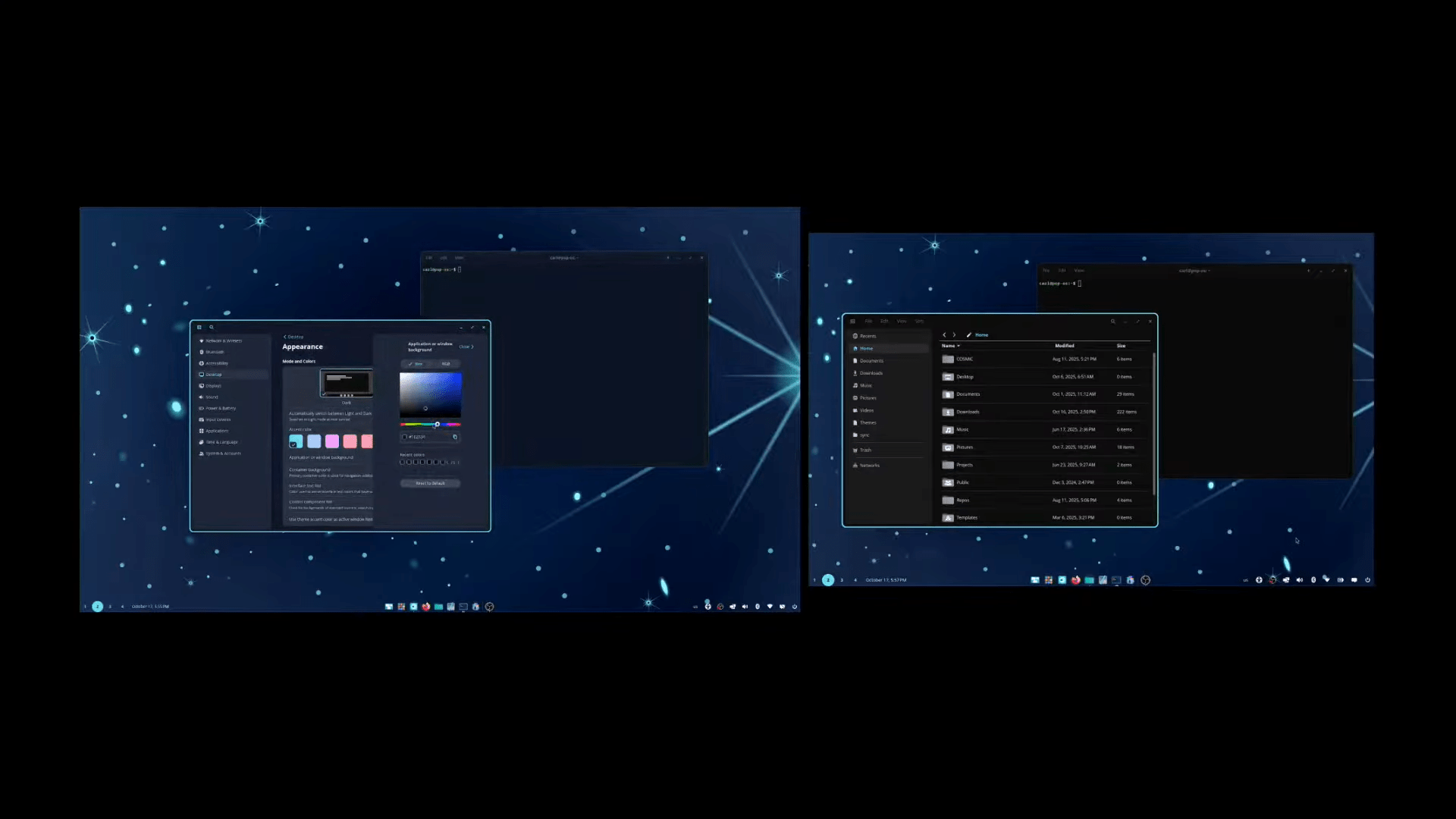
The COSMIC configuration system was designed specifically for synchronization. Therefore, it intelligently separates two important things:
- Configuration (Synced): These are your lasting user preferences. For example, it remembers if you prefer list view instead of grid view. It also syncs your desired sorting methods.
- State (Not Synced): This refers to temporary attributes. For instance, it will not sync the current size or position of an open window.
Powerful Features for All Users
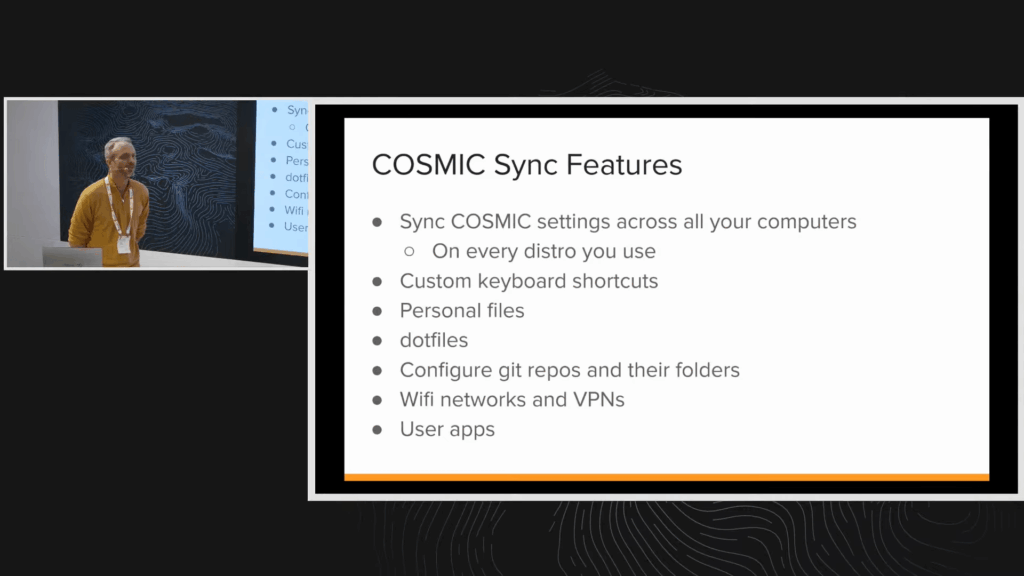
COSMIC Sync handles much more than just the look of your desktop. It syncs preferences across the whole desktop stack. This includes preferences for all applications, even third-party COSMIC apps.
Key elements that synchronize include:
- Custom Keyboard Shortcuts: Users told System76 that setting up shortcuts takes time. Since they are very important, they synchronize as well.
- Personal Files
- Dot Files
- Repositories: Configure Git repositories and their folders
- Networking: It synchronizes your Wi-Fi networks and VPNs.
- Applications: Your user applications will synchronize.
Security You Can Trust: A Zero-Knowledge Promise
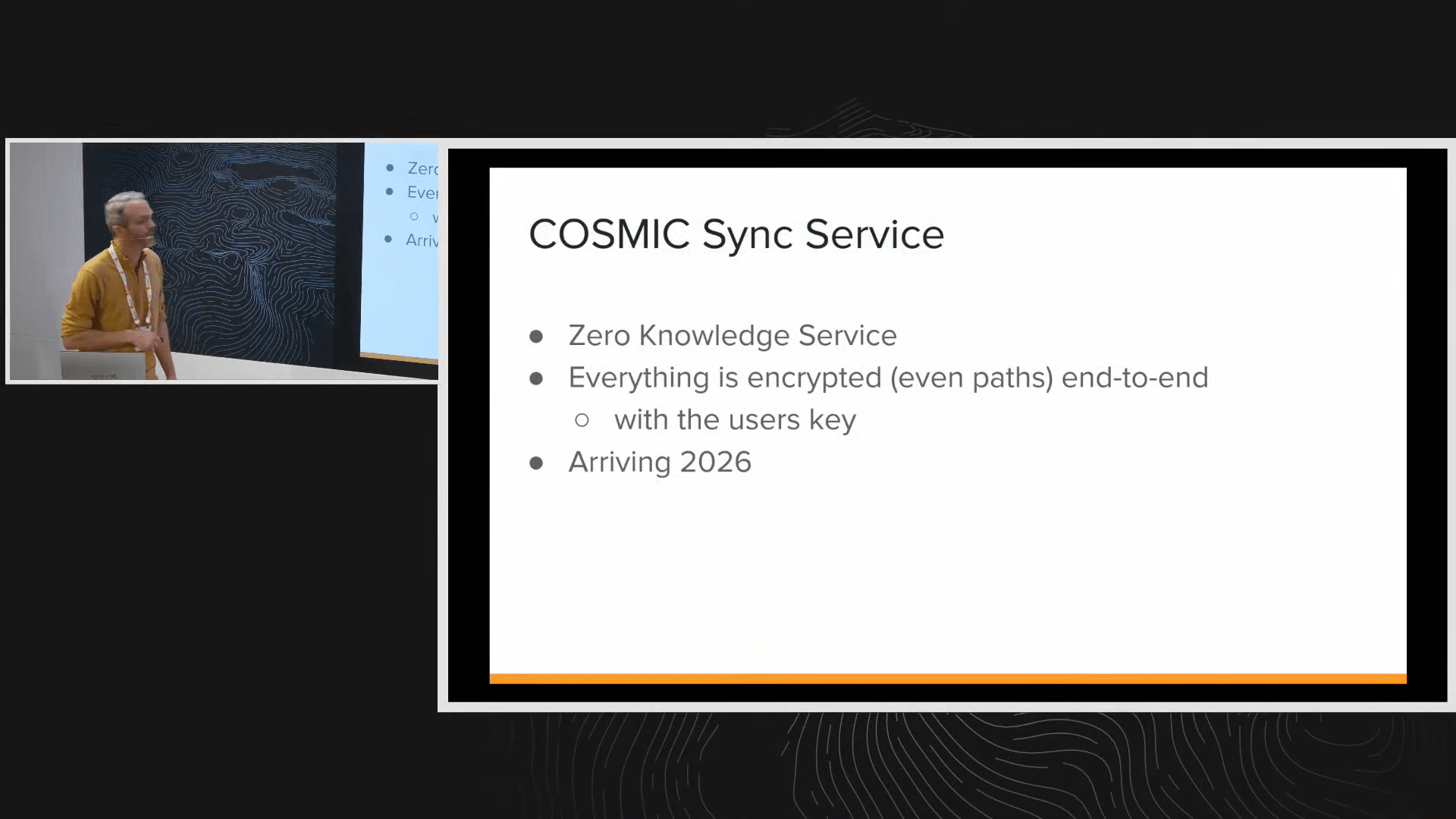
System76 understands that privacy matters greatly. Therefore, they designed COSMIC Sync as a zero-knowledge service.
- This means everything uses end-to-end encryption.
- Even the path name of your files is encrypted, because paths can contain personal information.
- A personal key is created on your specific device. The key is never on the server.
- Consequently, System76 can never decrypt the files stored on the server. This design ensures that the user owns everything securely.
Essential Tools for Developers
Developers specifically asked for certain capabilities. As I stated already, a significant 60% of customers wanted dot file synchronization. System76 listened and included this high-demand feature.
Also, COSMIC Sync handles Git repositories brilliantly. Inside of settings, you can configure different folders. You specify which Git repos you want to clone into those folders.
When you sign into your System 76 account in a new computer, these necessary folders and repos are created automatically.
Maintain Control and Roll Back Easily
You maintain total control over synchronization. Maybe you use a desktop with a large display and a laptop with a small display. You can choose granularly which settings to synchronize. This helps if you require different panel layouts on those different machines.
If you ever worry that a hand-modified file might break your desktop, don't panic. COSMIC settings are atomic. They allow you to roll back configuration changes easily.
Remember, the COSMIC Desktop Environment is available on many different Linux distributions. Therefore, COSMIC Sync ensures you maintain the same preferences across all the distros you use.
In summary, COSMIC Sync allows you seamlessly move your Desktop settings including your files across all your Linux PCs.
This powerful synchronization feature is scheduled to arrive in 2026.
At the end of the presentation, Carl also announced that COSMIC final will be released on December 11, 2025.

For more details, I recommend you to watch the Ubuntu Summit 25.10 live in the Ubuntu YouTube channel.
Recommended Read: Pop!_OS 24.04 LTS Beta Arrives with New Rust-Based COSMIC DE

2 comments
i read the article to the end just to know what are Dot Files?, and the writer unfortunately did not explain
Files whose names start with a dot . are hidden in Linux; used for user preferences. They are called Dot files. Examples: ~/.bashrc, and ~/.vimrc.