
Navigating large project directories can be slow and messy with traditional tools. Developers need clarity, speed, and better visibility when working in complex environments. This is where Wisu, a modern interactive directory viewer, comes in help. Wisu makes exploring big project trees smooth and lightning-fast directly from your terminal.
Table of Contents
What is Wisu?
Wisu is a modern directory exploration utility written in Rust, designed to offer a powerful and intuitive filesystem overview in the terminal.
It efficiently traverses directory trees with optimized I/O with parallel processing. This enables near-instantaneous results in large codebases where other tools become sluggish.
Why Wisu
- High performance. Extremely fast scanning, even on very large repositories.
- Usability. Clean and readable output with smart defaults.
- Interactivity. A full TUI experience when deeper exploration is needed.
- Developer-friendly: supports
.gitignore, export formats, plugins, and TUI workflows.
Features
1. Classic and Interactive Modes
You can choose between:
- Tree-like command output suited for piping and scripting.
- An interactive interface (-i) with full keyboard and mouse control.
2. Theme-aware Coloring
Automatically uses your system's LS_COLORS environment configuration.
3. Detailed Metadata (Optional)
Enable only the information you care about:
- File icons with
--iconsflag (emoji capable terminal recommended) - Permissions with
-p - File sizes with
-s - Extended metadata with
-x - Clickable path hyperlinks in classic mode with
--hyperlinks
4. Intelligent Filtering
- Respect .gitignore with
-g - Only directories with
-d - Limit depth using
-L - Max files per directory
-F
Set -F 0 to disable listing files altogether
5. Sorting Capabilities
You can sort the results by name, size, timestamps, and extension.
Options include:
- natural sorting
- case sensitivity toggles
- directories-first mode
- dotfile prioritization
- reverse ordering
6. Data Export
Machine-readable formats:
- CSV, XML, JSON via
-oflag
7. Plugin and Hook Support
Extend behavior programmatically:
add_filter("args", |entry| { entry });Install Wisu in Linux
Wisu requires Rust toolchain. So make sure you've installed Rust on your system.
After installing Rust, clone the Wisu repository and cd into it:
git clone https://github.com/sh1zen/wisu.git
cd wisu
Install Wisu using the cargo package manager:
cargo install --path .
Note: If your Linux installation is new, you need to install development tools, otherwise you will encounter with "cc linker" issue when installing wisu.
How to use Wisu to View the Directory Contents
The default syntax of Wisu is:
wisu [PATH] [OPTIONS]
Default path is the current directory.
Let us see some usage examples.
To display basic tree view of the current working directory, simply run:
wisu
You can also explicitly specify the directory path like below:
wisu Downloads
Interactive explorer with ignore rules and icons:
wisu -i -g --icons

Hyperlinked paths in supported terminals:
wisu --hyperlinks
Tree with full metadata display:
wisu -i -g --icons -s -p
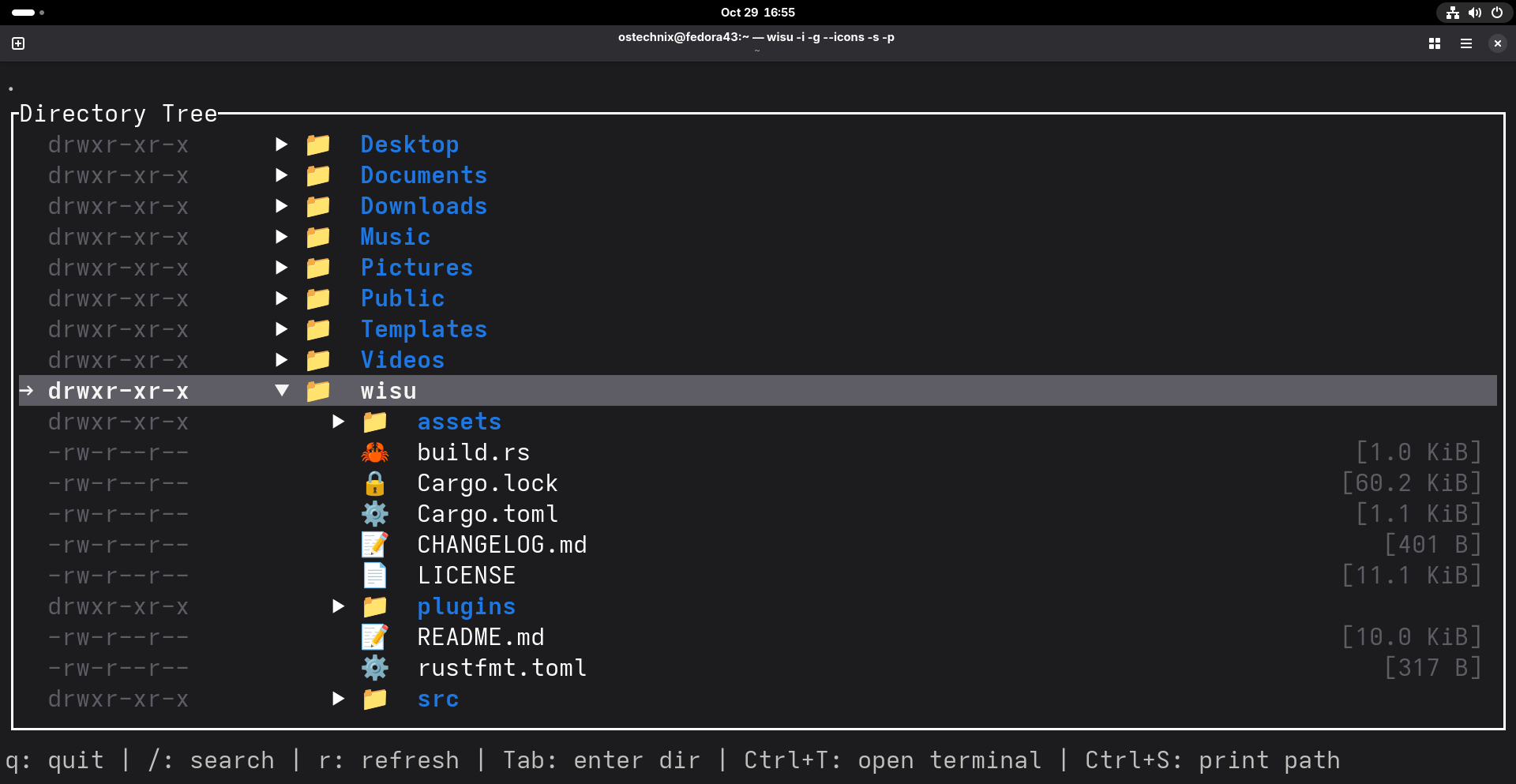
Natural sorting with directories first:
wisu --dirs-first --natural-sort
Sort by size descending:
wisu --sort size --reverse
Extension sort with case sensitivity:
wisu --sort extension --case-sensitive
Prioritize dotfiles and directories:
wisu --dotfiles-first --dirs-first -a
Interactive Mode Shortcuts
| Key | Description |
|---|---|
| ↑ / ↓ | Move selection |
| Scroll | Mouse navigation |
| Enter | Expand folder or open file |
| r | Refresh |
| q / Esc | Quit |
| Ctrl+s | Output selected path |
| Ctrl+t | Open terminal at selected directory |
Integrations
1. Fuzzy searching with fzf
wisu -a -g --icons | fzf
2. Paging
wisu -L 10 | less -R
3. Visual directory switching
chdir() {
    local selected_dir
    selected_dir="$(wisu -i -g --icons)"
    if [[ -n "$selected_dir" && -d "$selected_dir" ]]; then
        cd "$selected_dir"
    fi
}
4. Color Configuration
Fully integrated with LS_COLORS including support on modern Windows terminals.
Summary
Wisu is a high-performance directory viewer. It combines speed, clarity, customizability and interactivity to enhance terminal navigation.
I did a brief test with wisu in my Fedora 43 desktop. It is indeed quite fast and works just fine. Give it a try, and you will like it.
For more details, check Wisu repository on GitHub:
Related Read:
