
The GhostBSD project has announced the release of GhostBSD 26.1-R15.0p2 on April 18, 2026. This new release brings some of the biggest changes the project has seen in years.
The team rebuilt GhostBSD 26.1 on FreeBSD 15.0-RELEASE, replaced the display server, and shipped several tools that make daily use noticeably smoother.
Table of Contents
Built on FreeBSD 15.0-RELEASE
GhostBSD 26.1 release is based on FreeBSD 15.0-RELEASE, the latest stable upstream version.
This major upgrade brings three things for you:
- Better Hardware Support: Your hardware works better. FreeBSD 15.0 ships newer drivers, so more devices work right out of the box.
- Security Fixes: Your system stays secure. The latest fixes from the FreeBSD Security Team are baked in from day one.
- Fast: Everything runs a bit faster — low-level kernel improvements benefit the whole system without you doing anything differently.
For most users, this change is invisible. You simply get a faster, safer desktop.
GhostBSD Replaced Xorg with XLibre
This is the biggest change in this release.
GhostBSD has officially switched to XLibre as the default display server, moving away from Xorg. This was a careful technical decision made by GhostBSD founder, Eric Turgeon.
Here's why.
Xorg development stalled
Xorg is the software that draws everything on your screen. It has powered BSD and Linux desktops for decades. But recently, its own developers began reverting each other's contributed code — not for technical reasons, but because of personal disagreements.
GhostBSD founder Eric Turgeon saw that pattern as a red flag. When a project's contributors fight over politics instead of code quality, the project stalls. And Xorg has effectively stalled.
So why not switch to Wayland?
Wayland is the modern replacement for X11, and many Linux distributions already default to it. However, GhostBSD's core desktops — MATE and XFCE — still lack mature, stable Wayland support.
Turgeon put it directly: "The change to XLibre is because GhostBSD is not ready for Wayland, and Wayland is not ready for GhostBSD." Switching now would break things. That trade-off is not worth making.
That is where XLibre comes in.
XLibre is a fork of Xorg, born in June 2025. Its goal is to clean up the Xorg codebase, keep X11 actively maintained, and give projects like GhostBSD a reliable foundation that Xorg's stalled development can no longer provide.
For users, it works exactly like Xorg — nothing breaks. But it has a team that actually maintains it.
To put it in plain terms, XLibre keeps your desktop working today while the broader ecosystem catches up to Wayland.
What's New in GhostBSD 26.1
1. Default shell: zsh
GhostBSD now ships zsh as the default interactive shell. If you live in the terminal, you get better tab completion and smarter suggestions right away.
2. NetworkMGR: WireGuard and enterprise Wi-Fi
The network manager now natively supports WireGuard — a fast, modern VPN protocol — and Enterprise WPA (802.1X/EAP). That second one matters if you connect to a corporate or university network.
Enterprise Wi-Fi typically asks for a username and password rather than a shared passphrase. Before this update, getting that working on GhostBSD required manual setup. Now it works natively.
3. Software Station: faster package search
Finding apps now uses a bisect-based search algorithm. Instead of scanning every available package one by one, it cuts the search space in half with each step. The practical result is that you find what you are looking for significantly faster.
4. Update Station: safer major upgrades
The Update Station now creates a boot environment snapshot before it starts a major version upgrade. A boot environment is essentially a photograph of your system at that moment.
If the upgrade goes wrong, you reboot, select the old snapshot, and you are back where you started — no data loss, no reinstallation needed. This alone makes upgrading feel far less risky.
A Fresh Visual Identity
GhostBSD 26.1 ships with a new default wallpaper, updated icon themes, and additional theme variants.
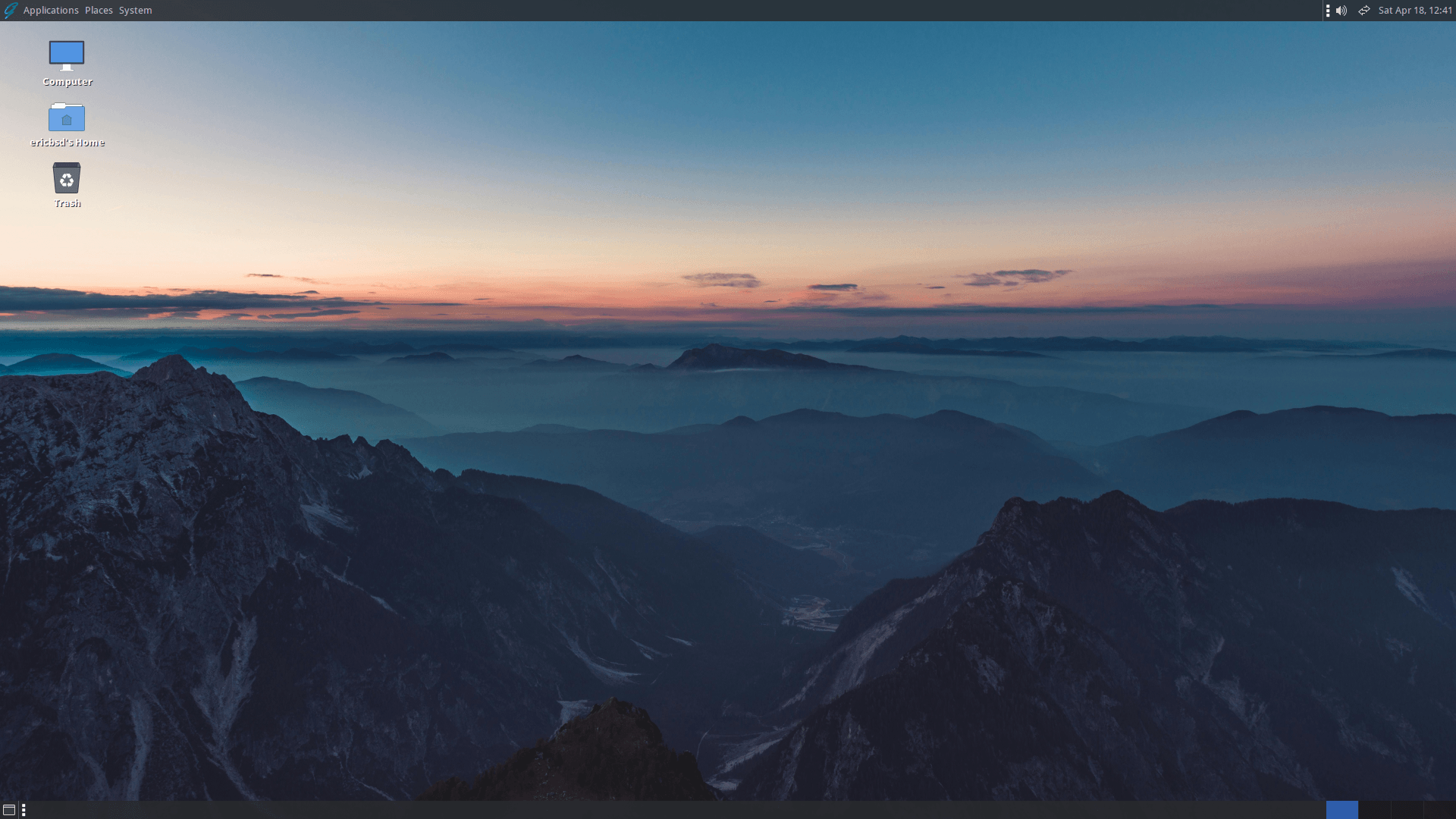
It is not a dramatic redesign — but the desktop does feel noticeably more current. Small visual updates like these matter more than people admit, especially for a project that competes on approachability.
Gershwin: A New Desktop Environment
This release includes a community preview of Gershwin, a new desktop environment built on GNUstep.
For those unaware, GNUstep is an open-source implementation of the frameworks behind NeXTSTEP, the same technology that eventually evolved into macOS.
So if you come from a Mac, Gershwin's interface may feel familiar: a dock at the bottom, a global menu bar at the top, and an Objective-C foundation underneath.
Please note that Gershwin is still experimental. Think of it as a preview of a potential future direction for GhostBSD, not a production-ready daily driver. The MATE or XFCE editions remain the right choice for everyday use.
How to Upgrade to GhostBSD 26.1 Step by Step
Important Note: You can upgrade to GhostBSD 26.1 from GhostBSD 25.02-R14.3p8 using the Update Station. No other method is officially supported for this version jump.
Step 1. Open Update Station and follow the prompts to begin the major version upgrade.
Step 2. After the upgrade completes, open a terminal and run:
sudo pkg upgrade -f
This forces a clean reconciliation of all packages and resolves leftover conflicts from the upgrade.
Step 3. If your desktop panel disappears after rebooting, simply log out and log back in. This is a known cosmetic issue triggered by Update Station. It resolves itself on re-login.
Important display server note: Upgrading does not automatically switch you to XLibre. If you currently run Xorg, you stay on Xorg after the upgrade. Switching to XLibre requires a separate manual step.
Download GhostBSD 26.1
Ready to try it out? You can download the official GhostBSD MATE images or the community XFCE and Gershwin images from the following link:
| Edition | Who it's for |
|---|---|
| MATE | Most users — start here |
| XFCE | Lightweight systems or personal preference |
| Gershwin | Curious users who want to try something experimental |
For complete list of changes, read the full Changelog.
I also recommend you to share your feedback and get support by joining with GhostBSD team on the GhostBSD Forums or their Telegram group.
Your involvement helps the team shape the future of a powerful, elegant, and open-source BSD desktop.
Thank You GhostBSD Community
GhostBSD runs on volunteer effort. This release is the hard work of testers, bug reporters, and contributors, particularly AbbasAlameer, Kernel-Error, b-aaz, and many others who invested their time to make this release solid. Every bug report filed and every patch submitted makes the next release better.
Resource:
