
Ubuntu 26.04 LTS is almost here. This version, code-named "Resolute Raccoon," arrives on tomorrow i.e. April 23, 2026. As a Long-Term Support (LTS) release, it focuses on stability and security. You get five years of standard support, but you can extend that to 10 or 15 years with an Ubuntu Pro subscription.
This release brings deep changes to how the system works and stays safe. Here is a brief breakdown of the most important features.
Table of Contents
A Faster, Safer Core
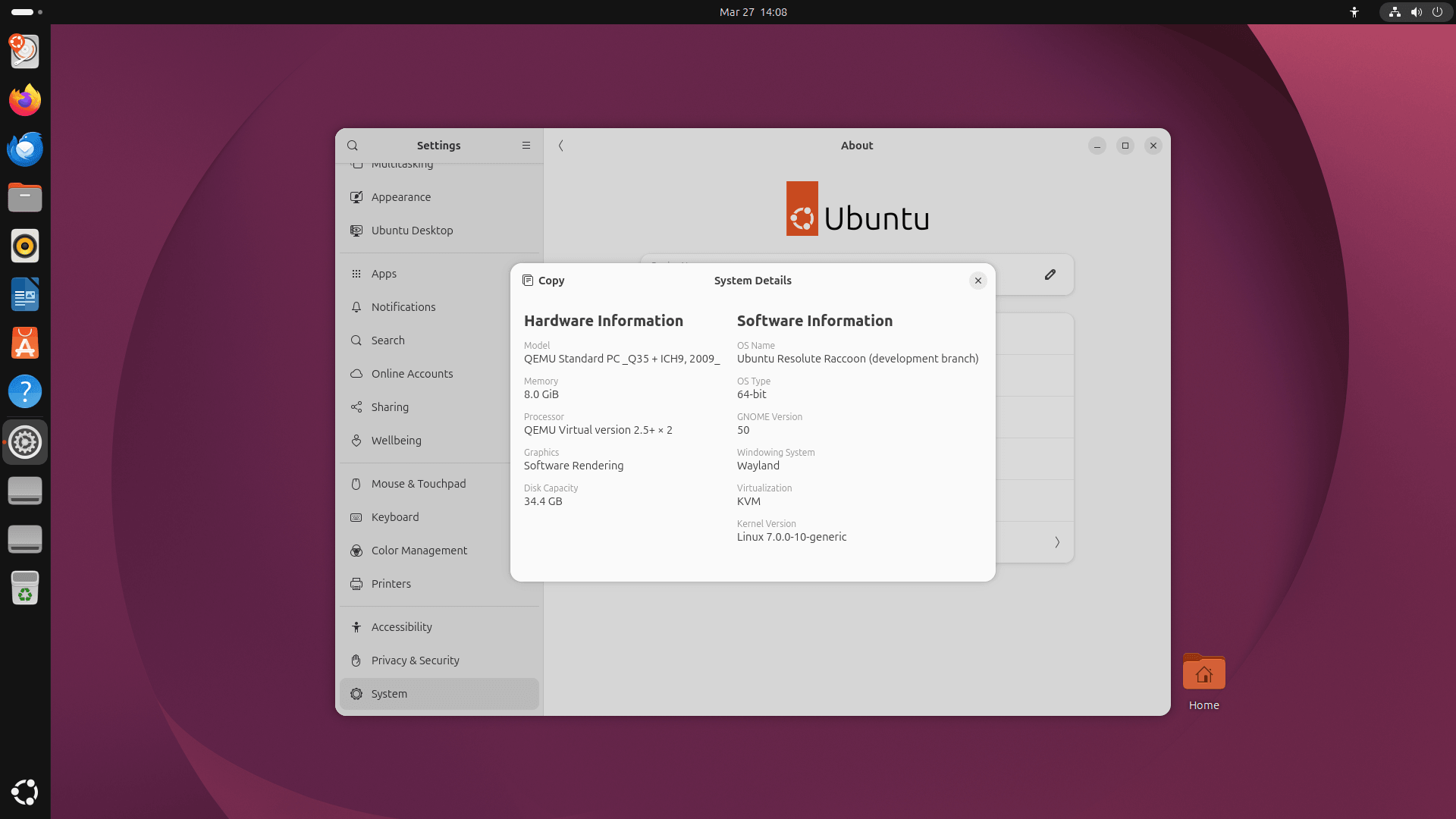
The Ubuntu 26.04 LTS "Resolute Raccoon" runs on Linux Kernel 7.0.
One of the biggest technical shifts in this cycle is something developers call "Oxidation", which is the process of replacing C-based system tools with Rust.
Yes, Canonical is replacing old, security-sensitive parts of the system with Rust, a programming language that prevents many common memory bugs. Because of this:
sudo-rsis now the default implementation of thesudocommand.rust-coreutilsprovides the core system utilities, which improves speed for tools likebase64.
Security as a Lifecycle
In the past, you made security choices during installation and rarely looked at them again. Ubuntu 26.04 changes that. Security is now a "lifecycle responsibility."
The New Security Center
A brand-new Security Center app acts as your control plane. It makes your protections visible and easy to manage.
- TPM-backed Full Disk Encryption: This feature is now ready for everyone. You can add or remove a PIN or passphrase after you have already installed the OS.
- Modern Authentication: A new framework called
authdlets you log in using cloud identity providers like Google or Microsoft. This supports multi-factor authentication (MFA) right at the login screen.
A Refined Desktop Experience
The desktop gets a major upgrade with GNOME 50. You will notice a "vibe shift" that makes the interface feel modern and high-contrast.
Visual Changes
- New Folder Icons: These icons now adapt to your accent color. If you choose a blue theme, your folders vividly turn blue.
- Opaque Dock: The Ubuntu Dock is now opaque by default to improve contrast against your wallpaper.
- Characterful Animations: You will see a new boot spinner that uses the raccoon's tail as a sunburst.
Modern App Replacements
Several classic apps have been swapped for faster, modern versions:
- Showtime is the new default for watching videos, replacing Totem.
- Resources (written in Rust) replaces the old System Monitor.
- Ptyxis is the new default terminal emulator.
- Ghostty terminal is now available as preview in Ubuntu 26.04. You can install it from Universe repository.
Streamlined Maintenance
Ubuntu 26.04 aims to make updates less annoying. The massive "linux-firmware" package has been split into 17 smaller pieces.
In the past, you had to download a 600MB file even if you only needed one small update. Now, you only download the firmware for the hardware you actually own. This saves bandwidth and energy.
Centralized Software Management
Canonical is moving toward a single "software story". The App Center is now the primary place to handle all apps, including older .deb packages.
Because of this focus, the old "Software & Updates" window is no longer pre-installed. Developers felt its options were often too complex or dangerous for regular users. If you still want it, you can easily find it in the official repositories.
Terminal Traditions and Toggles
Even the terminal gets a user-friendly tweak. For the first time in 40 years, sudo will now show asterisks (`**`) while you type your password.
If you are in a public place and worry about "shoulder-snoopers" seeing your password length, there is an "escape hatch". You can simply press the Tab key during password entry to switch to "no echo" mode, which hides the asterisks instantly.
Risks and Limitations
Every major release has trade-offs and technical requirements.
- Cgroup v1 Removal: Support for cgroup v1 is gone. If your container workloads or legacy scripts require cgroup v1, they will not run on this host.
- Hardware Sets: The minimum requirement for IBM Z has moved to generation z15. RISC-V hardware must now implement the RVA23S64 profile.
- Google Drive: GNOME Online Accounts no longer integrates with Google Drive in the Files app. You must use a web browser to access those files.
You cannot install or upgrade to Ubuntu 26.04 LTS on IBM Z generation z14 or older hardware. The system will block the upgrade to prevent a total failure.
Check the following link to read the detailed breakdown of Ubuntu 26.04 LTS new features:
Conclusion
The Ubuntu 26.04 LTS "Resolute Raccoon" combines the safety of memory-safe code with a more accessible, modern desktop. With Ubuntu Pro enabled, this release provides a rock-solid foundation for the next several years.
