
Plasma 6.2, the latest version of the KDE desktop environment, has been released. KDE Plasma 6.2 focuses on making Plasma a more accessible and user-friendly environment for both digital artists and general users, with several improvements to accessibility, power management, and system updating. The release also includes various visual and UI changes and an emphasis on Wayland protocol support.
Let's explore the key highlights of KDE Plasma 6.2.
Table of Contents
A Boon for Digital Artists
Plasma 6.2 introduces a range of features designed specifically for users of drawing tablets. Navigate to System Settings > Drawing Tablet to access these new tools. Notable additions include:
- Tablet Calibration Wizard and Test Mode: Fine-tune your tablet's accuracy and responsiveness with ease.
- Customizable Tablet Area: Define the active area of your screen that corresponds to your tablet's surface, allowing for greater flexibility and precision.
- Remappable Pen Buttons: Assign different mouse click functions to your tablet's pen buttons, streamlining your workflow.
Plasma 6.2 aims to make the desktop environment more artist-friendly by integrating these features directly, eliminating the need for external drivers or software from device manufacturers.
The update also brings comprehensive support for the Wayland color management protocol, enabled by default for consistent colours across multiple monitors.
Additional enhancements include improved brightness handling for HDR and ICC profiles, along with better HDR performance. These refinements promise a superior visual experience for graphic designers, gamers, and video enthusiasts alike.
The introduction of a new tone mapping feature in Plasma's KWin compositor further enhances the visual fidelity of images. This feature addresses the "blown out" look often seen in images with high brightness or a wide colour gamut that exceeds the display's capabilities.
Power Management Reinvented
Plasma 6.2 introduces refined power management features, granting users more control over energy consumption.
A notable addition is the ability to override applications that prevent the system from sleeping or locking the screen, thereby saving power.
Users can also adjust the brightness of each connected monitor individually. Yes, this is one of the best features introduced in Plasma 6.2. More details are found in the link below:
The Power and Battery widget receives a handy update, allowing users to cycle through power profiles by holding the Meta (Windows) key and pressing B.
Visual cues have also been added: a leaf badge on the battery icon indicates power save mode, while a rocket signifies performance mode.
Discover, Updates, and Accessibility Improvements
Plasma's built-in software management tool, Discover, boasts new features including:
- Support for PostmarketOS packages for mobile devices.
- Enhanced review writing capabilities.
- More accurate app license information.
The system update process now offers the option to shut down the system after applying offline updates, in addition to the existing restart option.
Accessibility remains a key focus in Plasma 6.2. Improvements include:
- An overhauled Accessibility page in System Settings.
- The addition of colour blindness filters.
- Full "sticky keys" support on Wayland.
UI/Visual Design and Additional Enhancements
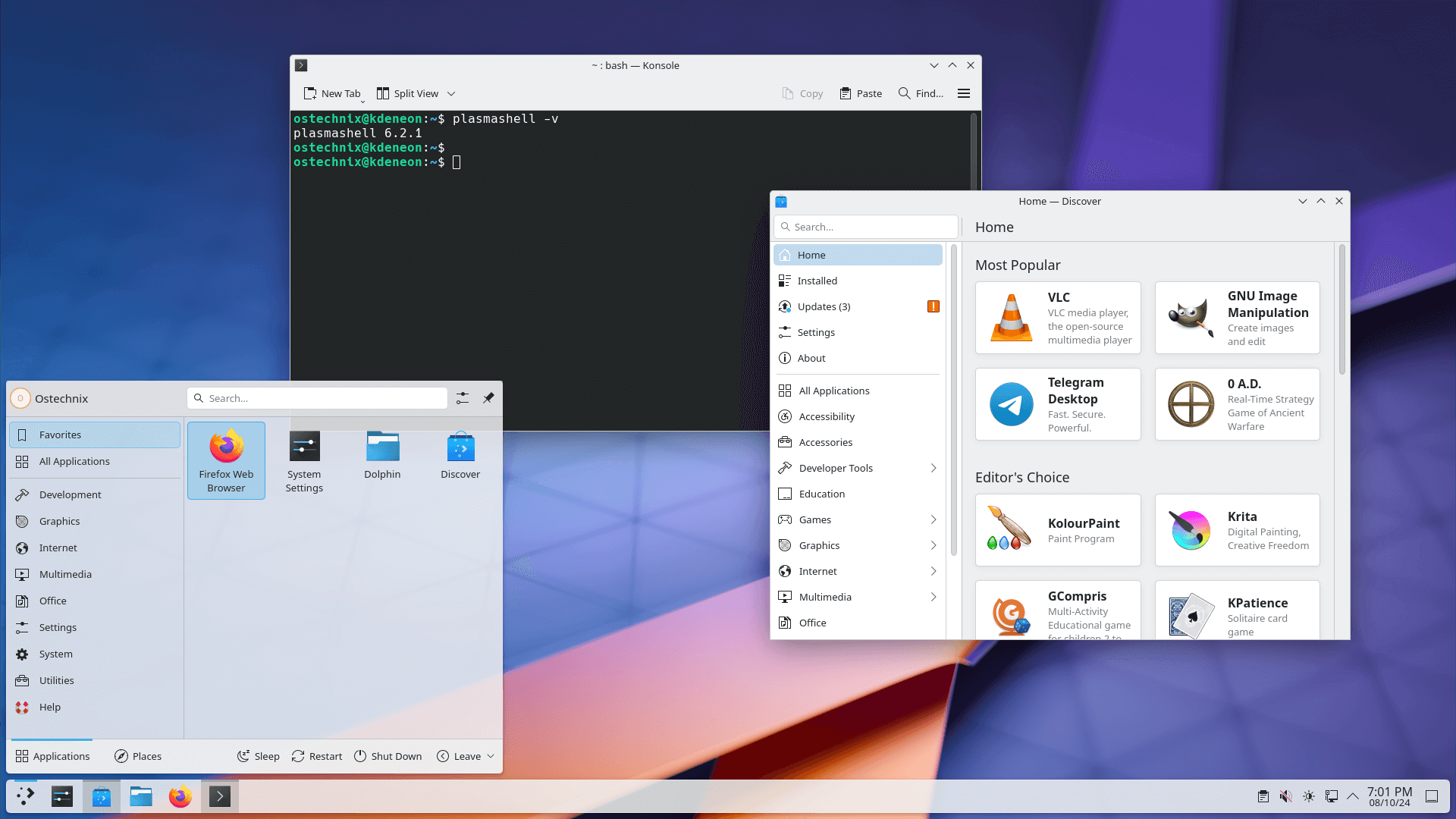
Plasma 6.2 brings subtle yet impactful visual refinements, including:
- Tweaked accent colours and a refined System Tray.
- A redesigned Widget Explorer.
- A unified look for dialogs and pop-ups.
- Improvements to the Welcome Center, sound effects, and actions.
Additional noteworthy changes include:
- Weather Report widget now displays "feels like" temperatures, more detailed BBC forecasts, and other improvements.
- Option to disable window borders in the Pager widget.
- Minimize All widget now only minimizes windows on the active virtual desktop and activity.
- Ability to assign custom names to custom shortcuts.
- Integrated cropping tool for setting user avatars.
- Introduction of a once-a-year donation request notification.
Plasma 6.2 also includes a plethora of stability and performance improvements, smaller visual enhancements, support for more Wayland protocols, and much more. For a comprehensive list of changes, refer to the official changelog for Plasma 6.2.
Trying Out Plasma 6.2
Live images and Docker images offer convenient ways to experience Plasma 6.2 firsthand. Alternatively, users can install Plasma directly from source or refer to the package download wiki page for distribution-specific packages. Note that packages might not be immediately available for all distributions upon the release announcement.
For Arch-based distributions, the kde-unstable repository hosts the Plasma 6.2. Please note that using unstable repositories can introduce system instability, so it's recommended for users who are comfortable troubleshooting potential issues.
KDE Neon users can try out the Plasma 6.2 by using the Neon Testing edition. This edition is designed for testing upcoming releases and may not be suitable for everyday use.
Resource:
