
Table of Contents
Quick Summary
- Plasma Bigscreen is an open-source user interface designed for TVs, Home Theatre PCs (HTPCs), and set-top boxes.
- Built on the KDE Plasma and Wayland, it allows users to control their media centers using TV remotes (via CEC), game controllers, or smartphones via KDE Connect.
- It provides a customizable experience with access to standard Linux applications via Flathub and specialized platforms like Steam, Kodi, and YouTube.
- Currently, it can be tested via KDE Neon (for x86-64 PCs) or the postmarketOS nightly repositories for supported mobile and SBC hardware.
- Plasma Bigscreen is scheduled to join the official Plasma release cycle starting with Plasma 6.7 in June 2026.
Introduction
Most smart TVs today act like spies. They track what you watch and sell your data to strangers. Because these "walled gardens" lack trust, the KDE community created a better way.
Plasma Bigscreen is a free, open-source interface that turns your television into a private media center. It gives you total control over your living room without sacrificing your privacy.
What is Plasma Bigscreen?
Plasma Bigscreen is a user interface (Desktop Environment) designed specifically for large screens, such as TVs and set-top boxes. It runs on a modern Linux stack using Wayland and PipeWire to keep everything smooth.
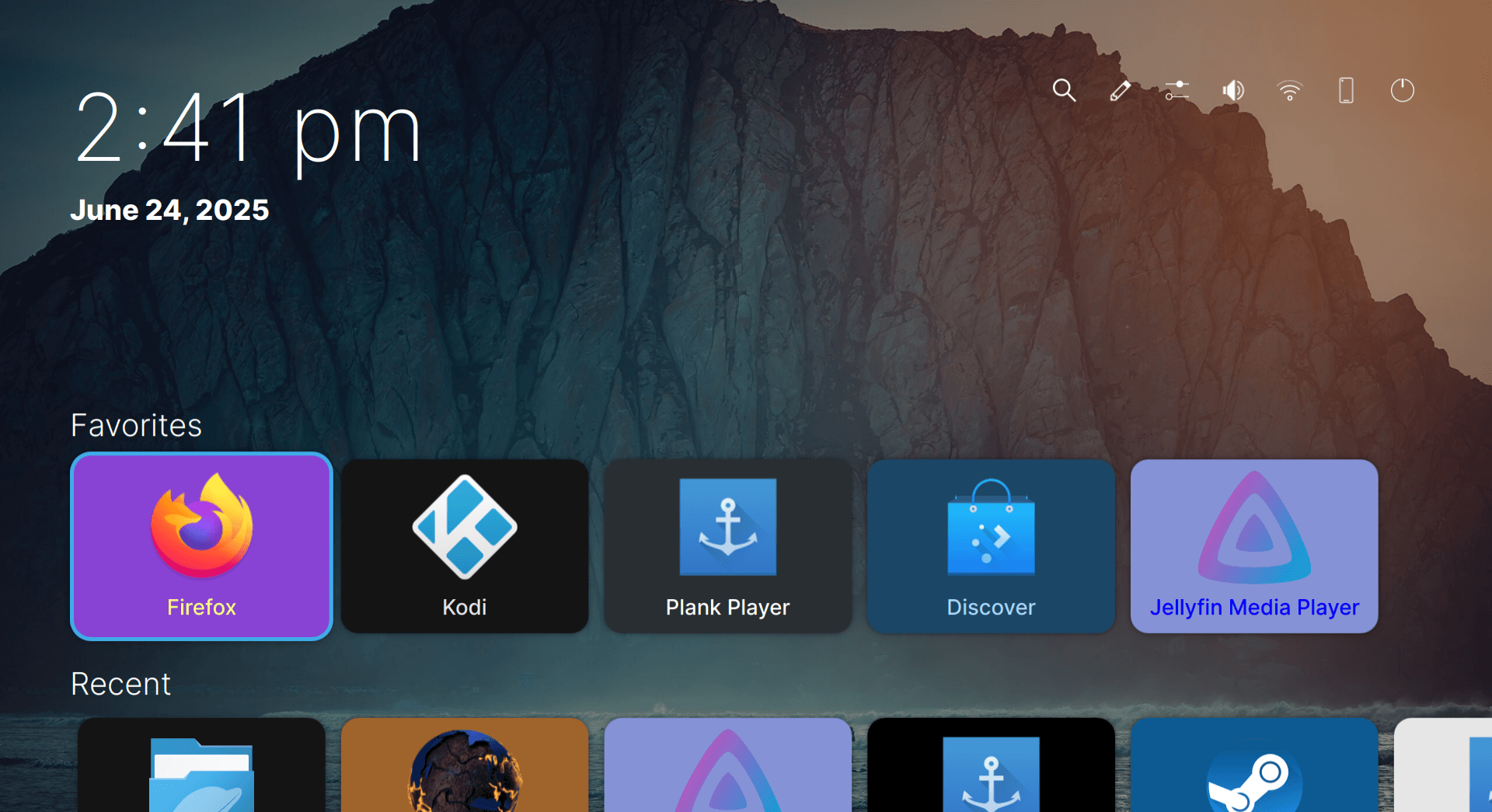
The interface is optimized for a "10-foot experience." Meaning - you can read text and click icons clearly while sitting on your couch.
It also features a clever Home Overlay. You can press the home button at any time to pull up a sidebar.
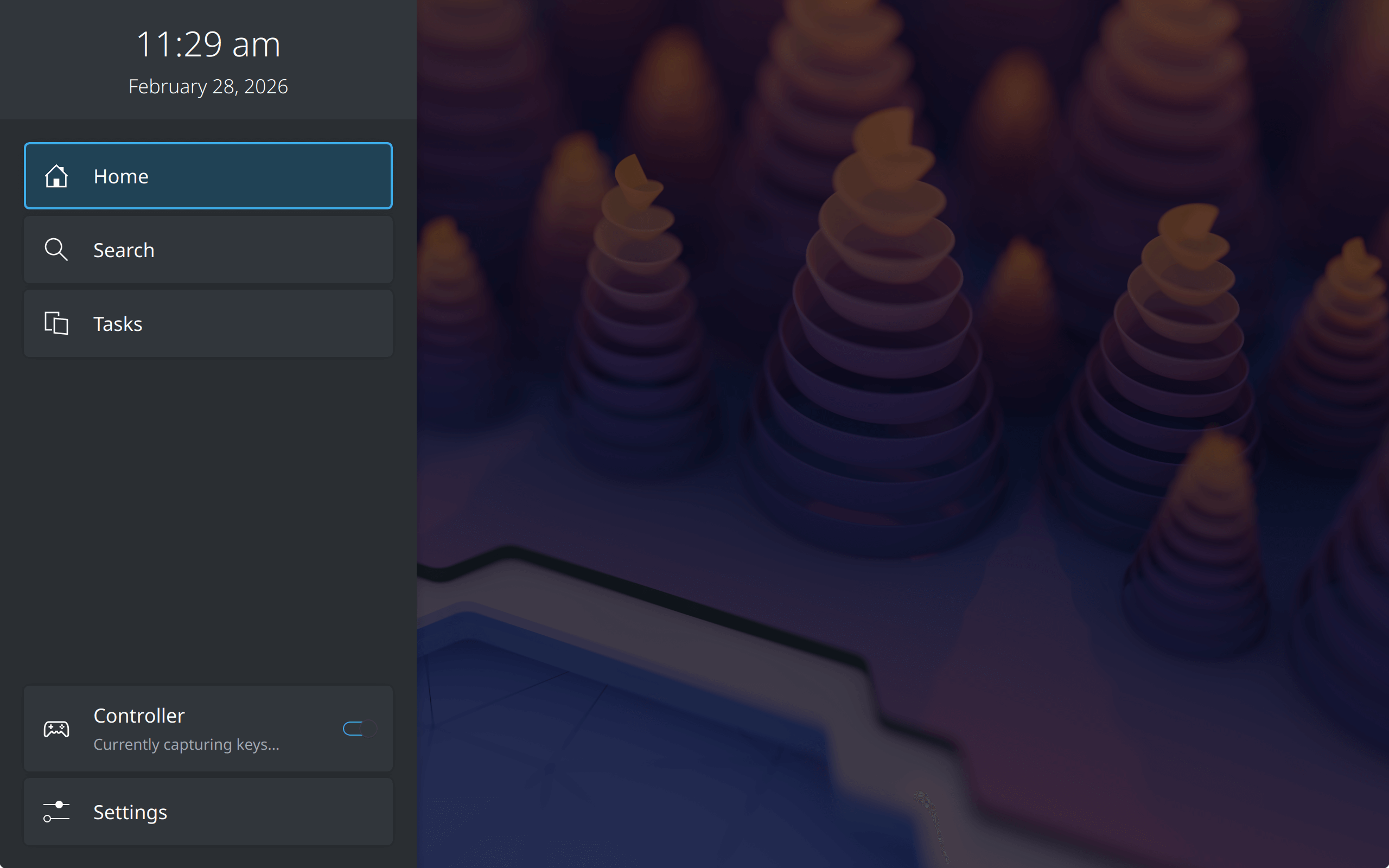
This sidebar lets you search for apps, change settings, or switch between tasks without stopping your video.
Plasma Bigscreen is Built with the Modern Linux Stack
Plasma Bigscreen is built on a sophisticated stack of open-source technologies that allow it to function as a full desktop environment rather than just a single application. Key components include:
- KDE Plasma & KWin: The core shell and Wayland compositor that provide the visual environment and window management.
- Wayland & PipeWire: Modern protocols for display handling and multimedia (audio/video) routing.
- KDE Frameworks & Qt: The foundational libraries used for application development and system logic.
- Kirigami: A responsive UI framework that allows applications to adapt their layout to different screen sizes, ensuring they look native on a TV.
Control Your TV Your Way
You do not need a special mouse or a bulky keyboard to use this system. Instead, you can choose the control method that fits your style:
- Your Current Remote: Because the system supports HDMI-CEC, you can use your regular TV remote to move through menus.
- Game Controllers: You can plug in a controller to navigate the UI and jump straight into your favorite games.
- Your Smartphone: The KDE Connect app is the most powerful tool in the kit. It turns your phone into a virtual trackpad or a presentation remote. You can even use your phone to type out search terms or pause movies from another room.
Thousands of Apps at Your Fingertips
Plasma Bigscreen does not limit you to a few pre-installed apps. Because it is built on Linux, you can access thousands of applications using flatpak through Flathub.
For example, you can use Jellyfin to stream your personal movie and music collection. If you enjoy gaming, you can launch Steam directly on your TV.
For YouTube fans, an app called VacuumTube provides a specialized TV interface that even includes a built-in adblocker.
Unlike other platforms, you can even run a full web browser like Firefox to view any site you want.
Why Privacy is the Real Winner
The biggest reason to switch is trust. Proprietary TV brands often record your viewing habits and "phone home" with your data.
Plasma Bigscreen is different. It is developed by open-source volunteers who believe in protecting user privacy.
There are no hidden tracking codes or central servers collecting your information.
How to Get Started
The project is "fairly old" and has been growing since 2019. It is currently in active development, but you can test it today:
- On a PC: Use KDE Neon to turn any standard computer into a high-end media center.
- On Mobile Devices: Use postmarketOS to run the interface on gadgets like the PinePhone or the OnePlus 6.
- On Handhelds: Some users are even testing it on the Steam Deck because the button layout fits the interface perfectly.
Release Date
The Plasma Bigscreen dev team plans to join the official Plasma release schedule in June with the launch of Plasma 6.7. This update will make it even easier for everyone to install and use.
Common Misconceptions about Plasma Bigscreen
1. Plasma Bigscreen is a brand-new project
A common misconception is that Plasma Bigscreen is a recent product announcement. In reality, it is a fairly old project that was officially created on October 25, 2019.
While it has seen a recent "uptick" in development activity and interest, it has been maintained by a small group of volunteers for several years.
2. It is a piece of hardware (a "Plasma TV")
Because of the name "Plasma," some users initially mistake the project for the launch of a new physical plasma television. It is actually a free and open-source software interface (a "shell") designed to run on top of a Linux operating system.
The name "Plasma" refers to the broader KDE desktop environment ecosystem it is built upon.
3. It is just a "media center" app like Kodi
It is often compared to Kodi, leading to the belief that it is simply a media player application. However, Plasma Bigscreen is a full desktop environment.
Unlike Kodi, which is limited to its own ecosystem and add-ons, Bigscreen allows users to run any regular desktop application, including web browsers for streaming, Steam for gaming, and even Kodi itself as an app within the interface.
4. It is only for televisions and single-board computers
While designed for TVs and set-top boxes, it is not restricted to those devices. It can be installed on standard x86-64 computers and HTPCs (Home Theatre PCs).
Furthermore, there is community discussion about its potential for handheld gaming consoles, as the button layouts on handhelds are similar to the remote control inputs Bigscreen was designed to handle.
5. It is a finished, mainstream-ready product
Because it is a KDE project, some assume it is already widely available and polished. Please be mindful that it is still in development and is not yet "Kodi-level" in terms of ease of use for the average person.
Bigscreen is currently only available through development repositories like KDE Neon or postmarketOS. It is not expected to join the official, stable Plasma release schedule until June 2026 (with Plasma 6.7).
6. It is the primary focus of the KDE community
Some users may assume this is a major strategic pivot for KDE. However, KDE developers have clarified that while it is a valued project, it is not a key focus of the entire KDE community and is primarily driven by a dedicated but relatively small group of volunteers.
Final Thoughts
Plasma Bigscreen puts you back in charge of your television. It is fast, customizable, and respects your data. If you want a smart TV that is actually smart about privacy, this is the solution you have been waiting for.
Stop letting your TV watch you and start watching your TV your way.
For more details, check the official website:
