
Learning the Linux kernel internals can feel overwhelming. The codebase grows every year, the folder structure looks complex, and most books start with heavy theory. Because of this, many beginners give up early.
Fortunately, Linux Kernel Explorer site offers a much easier way to start. It turns the kernel into a clear and friendly learning path. The site guides you chapter by chapter, which helps you understand how the kernel works without confusion.
Table of Contents
What is Linux Kernel Explorer?
Linux Kernel Explorer is a free website that helps you explore the Linux kernel in a simple and structured way. You do not search randomly through thousands of C files. Instead, the tool shows you what to read first and why it matters.
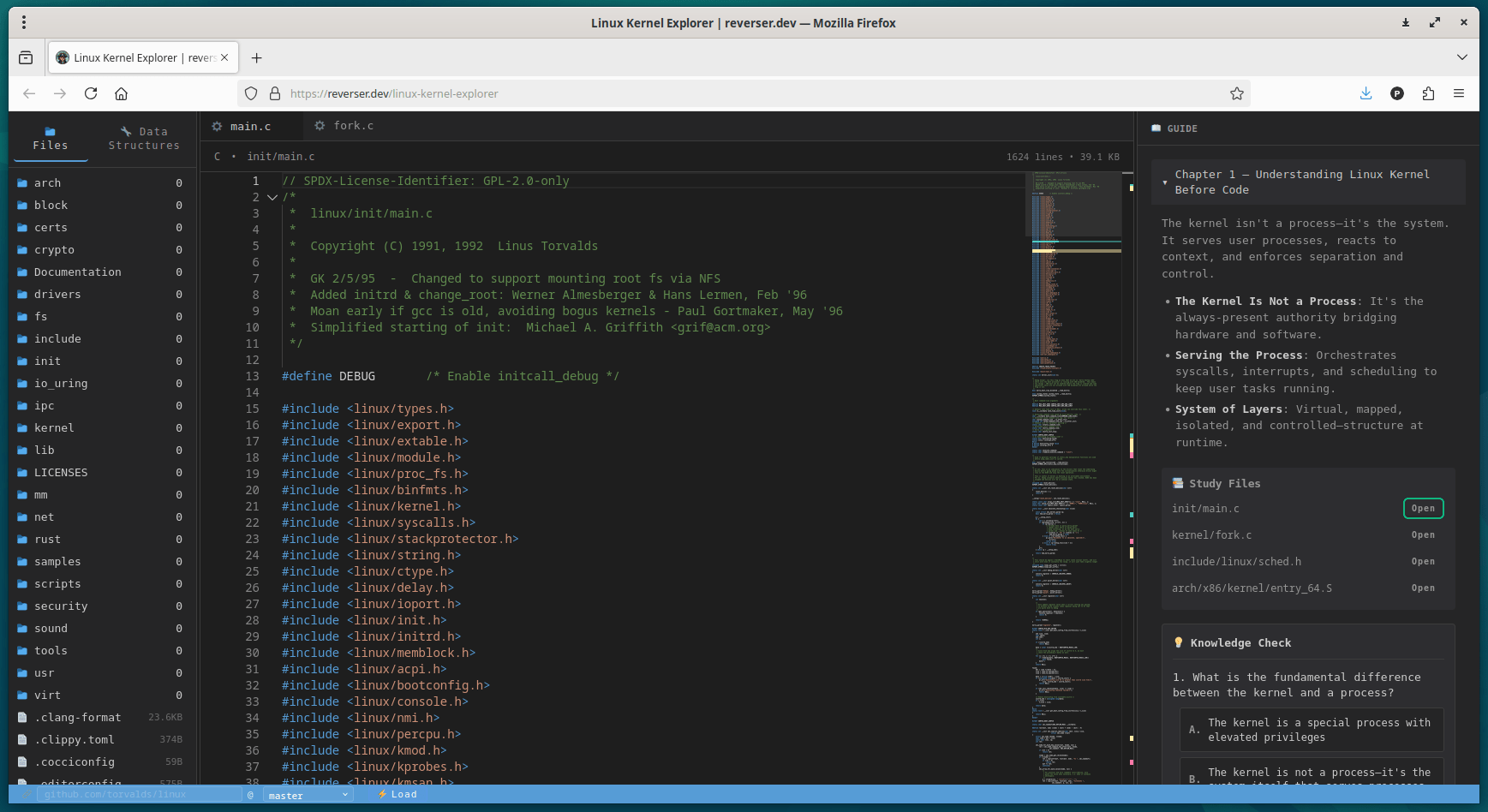
Using Linux Kernel Explorer, you learn important Kernel concepts like:
- how the kernel starts
- how memory works
- how syscalls and interrupts work
- how processes run
- how the kernel handles I/O
- how virtualization works
Each chapter includes short questions and answers to reinforce the ideas. This makes learning smooth and enjoyable.
This site also includes example Kernel study files. You can explore the files in real-time and how a sample kernel file actually looks like.
Why Understanding the Kernel Matters
The kernel controls everything that happens on a Linux system. It talks to hardware, runs processes, manages memory, and handles I/O. Every app you use depends on it.
Linux Kernel Explorer helps you understand this core layer without feeling lost. You see the right files, follow the right order, and build a strong foundation.
What You Learn in Each Chapter
The Linux Kernel Explorer site organizes kernel concepts into nine clear chapters. Each one builds on the last.
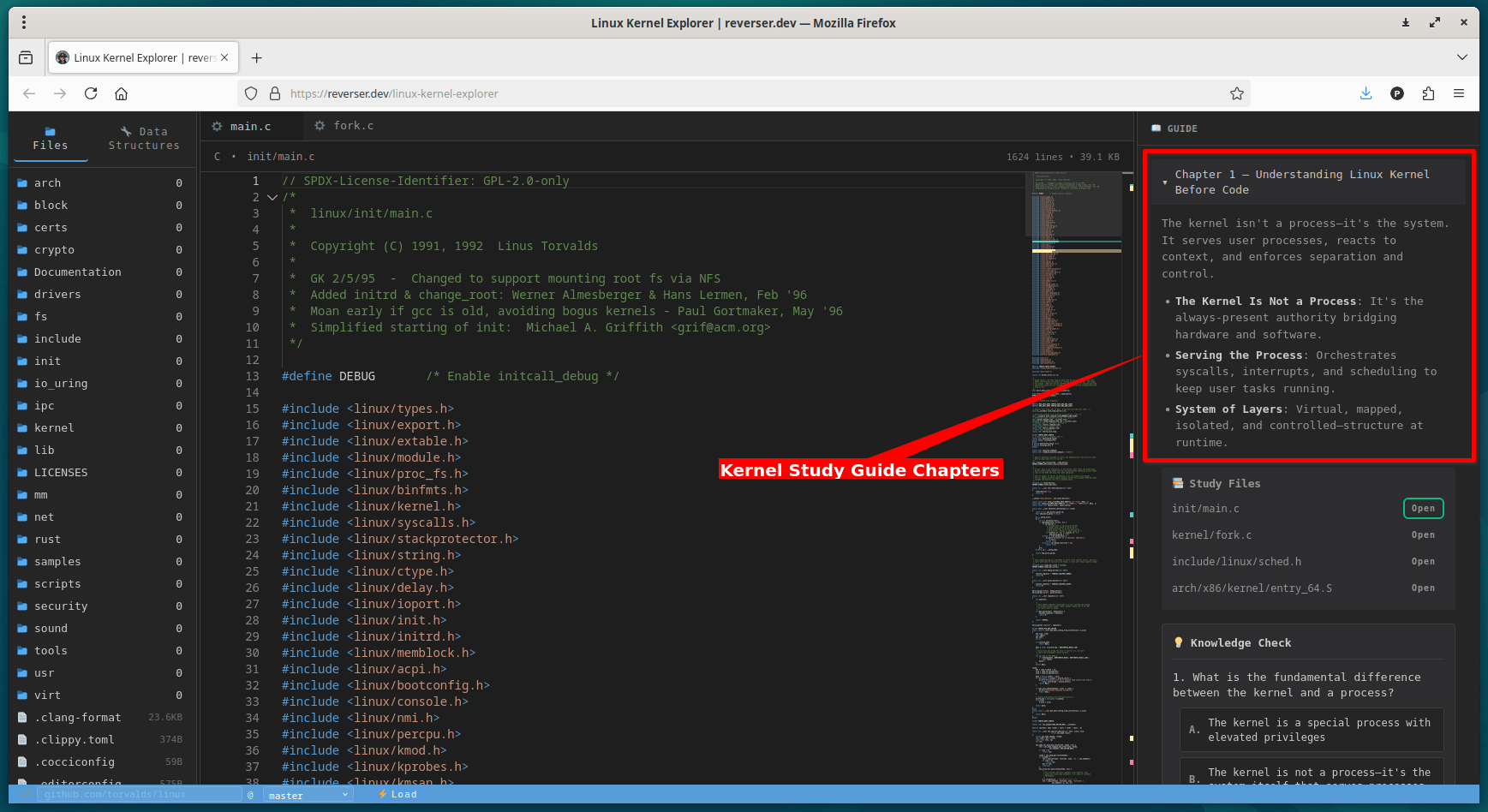
Chapter 1: What the Kernel Really Is
You learn that the kernel is not a normal process. It stays mapped in memory and manages all system activity. It reacts to syscalls, interrupts, and faults. This chapter gives you a strong starting point.
Explore the sample Kernel study files given in each chapter and get to know what actually they do.
Chapter 2: Kernel Architecture and Core Structures
Linux uses a monolithic but modular structure. You meet important kernel objects like:
task_structinode- message queues
- RCU
- device classes
This chapter shows how subsystems fit together.
Chapter 3: Memory, Isolation, and Safety
Here you learn about NUMA nodes, memory zones, pages, and PFNs. You also understand the memory lifecycle and how the kernel shares code while keeping private state for each process.
Chapter 4: Boot Flow and Early Initialization
The chapter explains how Linux enters start_kernel(), sets up core systems, and then launches userspace. You also learn what happens when you run a program.
Chapter 5: How Programs Enter the Kernel
The kernel accepts work through three paths:
- syscalls
- interrupts
- exceptions
You also see how virtualization traps events with VMEXIT.
Chapter 6: Execution and Context Switching
This chapter explains how the CPU executes tasks while the kernel manages the real process state. You also learn how interrupt handlers use top-half and bottom-half steps.
Chapter 7: Communication Inside the Kernel
The kernel uses wait queues, softirqs, and workqueues to coordinate work. Modules use exported symbols. Userspace communicates through syscalls, /proc, ioctl(), mmap(), and eBPF.
Chapter 8: Scheduling, File I/O, and Virtualization
You follow the full I/O path:
VFS → filesystem → block layer → driver
You also learn how DMA transfers data and how event systems evolved from select to io_uring.
Chapter 9: Concluding Insights
You discover why the kernel stays always mapped, why C still fits kernel design, and why correct behavior depends on aligning intent, code, and runtime action.
Why Linux Kernel Explorer Helps You Learn Faster
You get three big advantages:
- You know where to start: The site gives you a clean entry point and a clear path.
- You learn in small steps: Each chapter introduces one idea at a time with simple words.
- You read real kernel code: You open important files like
init/main.candkernel/fork.cright from the guide.
This makes the learning curve smooth and predictable.
Who Should Use Linux Kernel Explorer?
This tool works well for almost anyone who wants to learn Kernel internal structure and how Kernel works under the hood:
- Students
- New developers
- Security researchers
- Linux enthusiasts
- Developers who want to read kernel code
- Anyone preparing for kernel interviews
You learn faster without getting stuck on details.
Frequently Asked Questions (FAQ)
A: Linux Kernel Explorer helps you learn the Linux kernel with guided chapters, clear examples, and links to real kernel source files.
A: Yes. Its simple structure makes kernel internals less intimidating, so beginners learn faster with fewer distractions.
A: No. Linux Kernel Explorer highlights the important files so you focus on the 20% of code that teaches 80% of the core concepts.
A: Yes. It links directly to real files like init/main.c, kernel/fork.c, and architecture-specific entry code.
A: Yes. It stays mapped in memory, protected, and ready to enter through syscalls, interrupts, and exceptions.
Start Learning Linux Kernel Internals in a Structured Way
Linux Kernel Explorer offers one of the easiest ways to learn Linux kernel internals. The chapters flow naturally. The examples stay simple. And the tool links each idea to real kernel files.
If you want to understand how Linux works under the hood, start exploring this site today. Open the first chapter, follow the path, and watch your understanding grow with each step.
Good luck!
