
The Mint Team officially released the final, stable version of Linux Mint 22.2, code named "Zara". The final ISOs for Linux Mint 22.2 are now available to download, and also the official upgrade path is open for users of previous versions. This is fantastic news for everyone in the Mint community!
Linux Mint 22.2 is built upon the solid foundation of Ubuntu 24.04 LTS with Linux kernel 6.14 version to deliver an even more comfortable and refined desktop experience.

This release is a long-term support (LTS) version. This means it will get security updates all the way until 2029. Plus, the team will focus on this code base until 2026, which makes future upgrades super easy.
I have been running the Linux Mint 22.2 "Zara" BETA since it first came out on August 12, 2025. I have to say, it was incredibly stable for a test version. But now, the moment we've all been waiting for is here.
Table of Contents
My Favourite New Features in Linux Mint 22.2
Linux Mint 22.2 zara is packed with great improvements that make the desktop experience even better. Here are a few of the new features that I think you will love.
A Fresh New Look
Right away, you will notice the desktop feels more modern. The Mint-Y theme now has a little bit of blue in its grey colours.
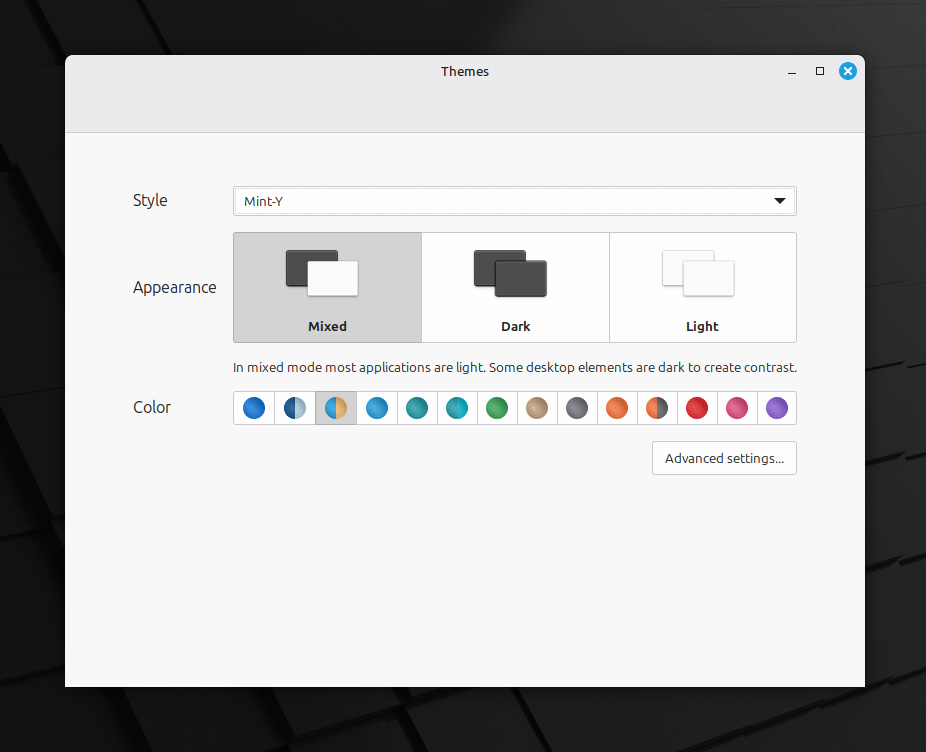
This simple change makes the dark theme, especially, feel softer and easier on the eyes. It also helps apps from Flathub look more at home on your desktop.
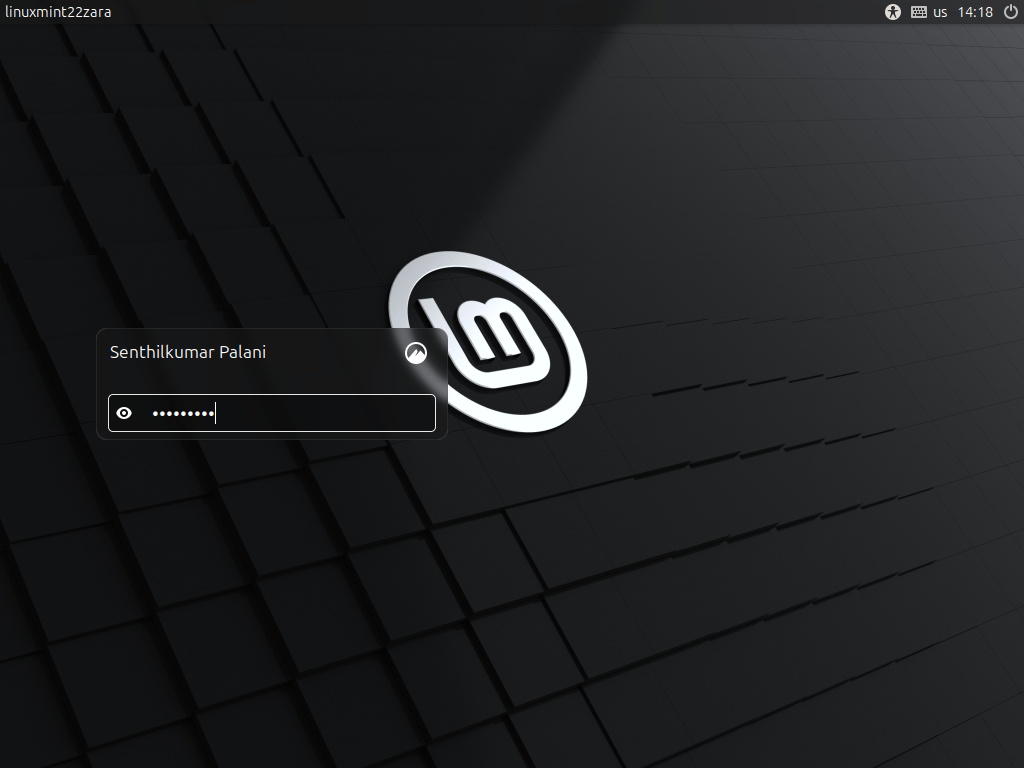
Even the login screen looks better with a new blur effect and support for user avatars.
Fingwit: Easy Fingerprint Login
Linux Mint 22.2 comes with a brand-new app called Fingwit.
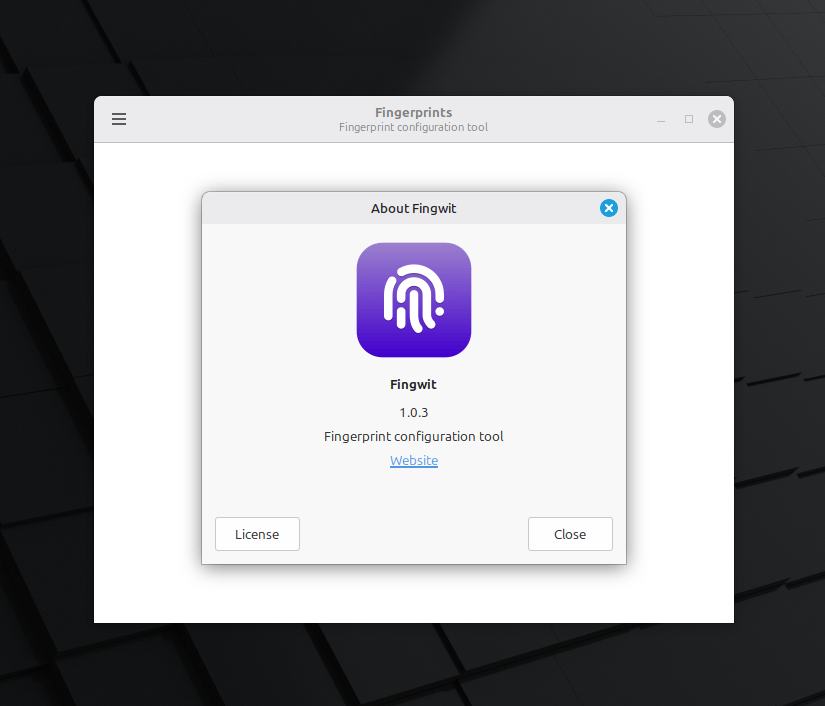
If your computer has a fingerprint reader, this app lets you set it up easily. After that, you can use your fingerprint to unlock your screensaver or approve sudo commands.
It's a fantastic and secure convenience.
Better TV and Notes
I love using Hypnotix to watch TV, and it got some great updates.
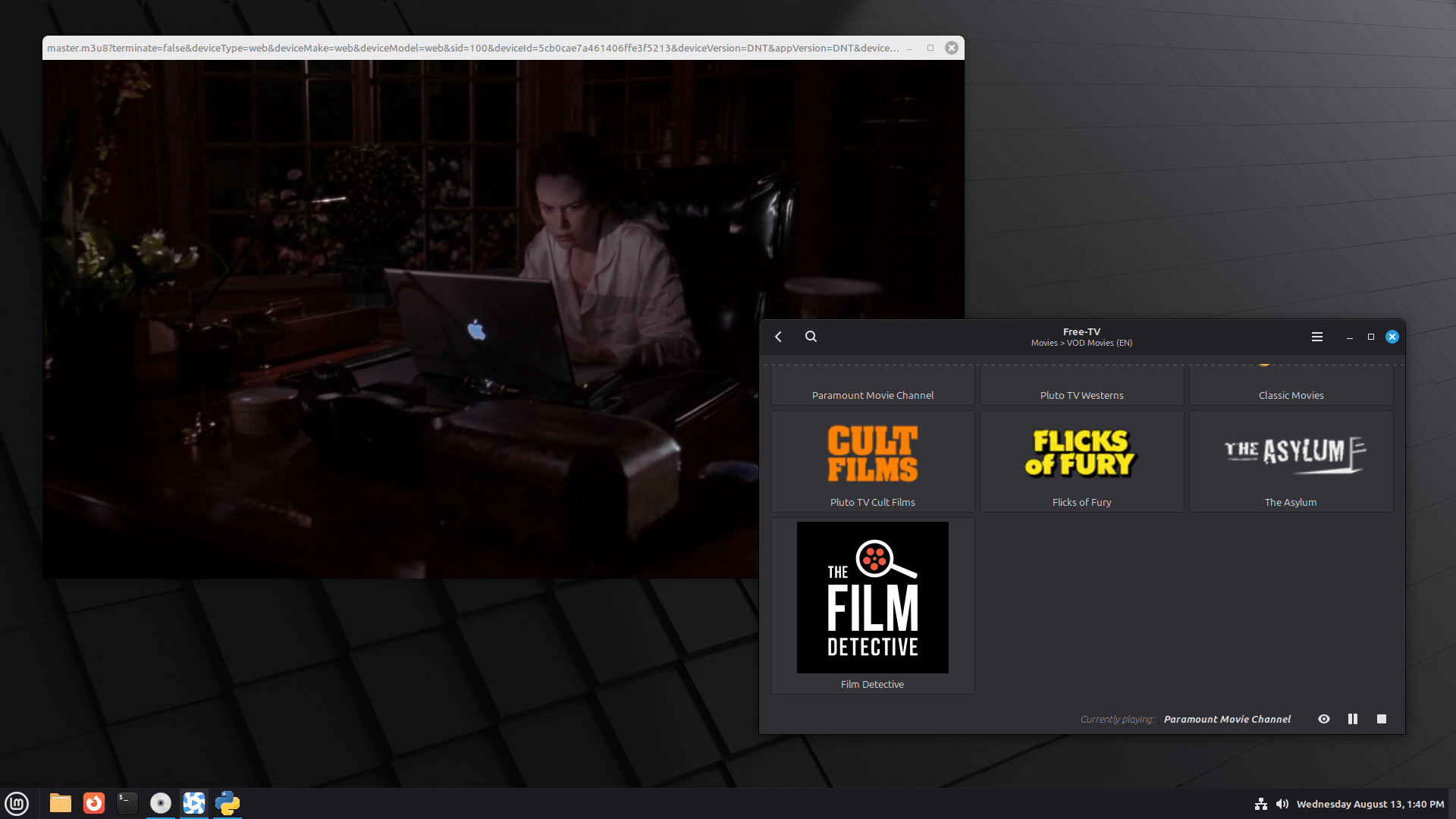
It now has a "Theater Mode" and a "Borderless Mode" to hide the controls and window borders, which is perfect for watching shows. Plus, it starts up faster now.
The Sticky notes app also got some nice touches. The notes now have rounded corners and work with Wayland.
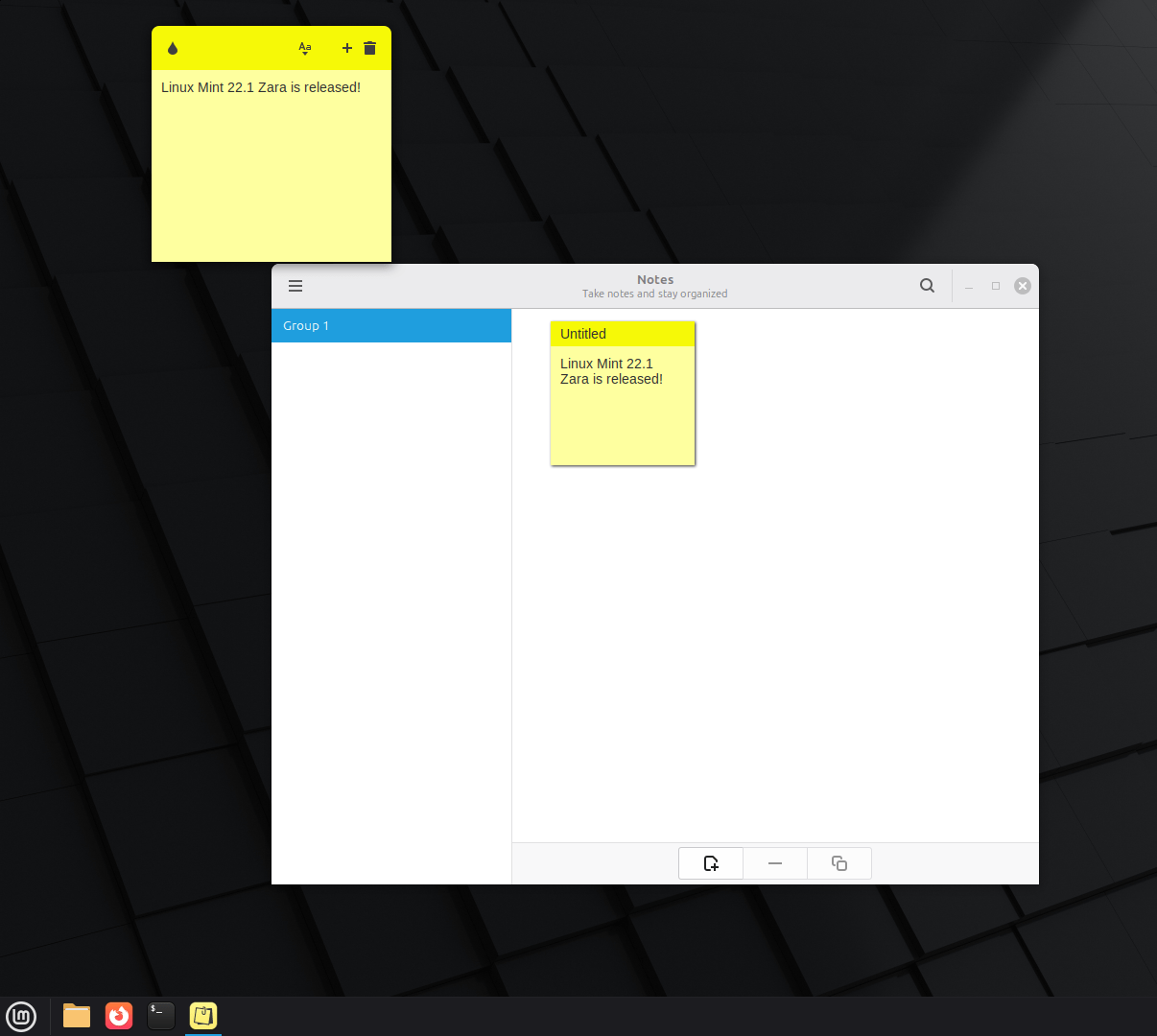
There is even an Android app called StyncyNotes, so you can sync your notes between your computer and your phone.
Small Changes That Make a Big Difference
The team improved many other parts of the system, too.
In the bulk file renamer, you can now add leading zeros and choose the starting number when you are numbering files.
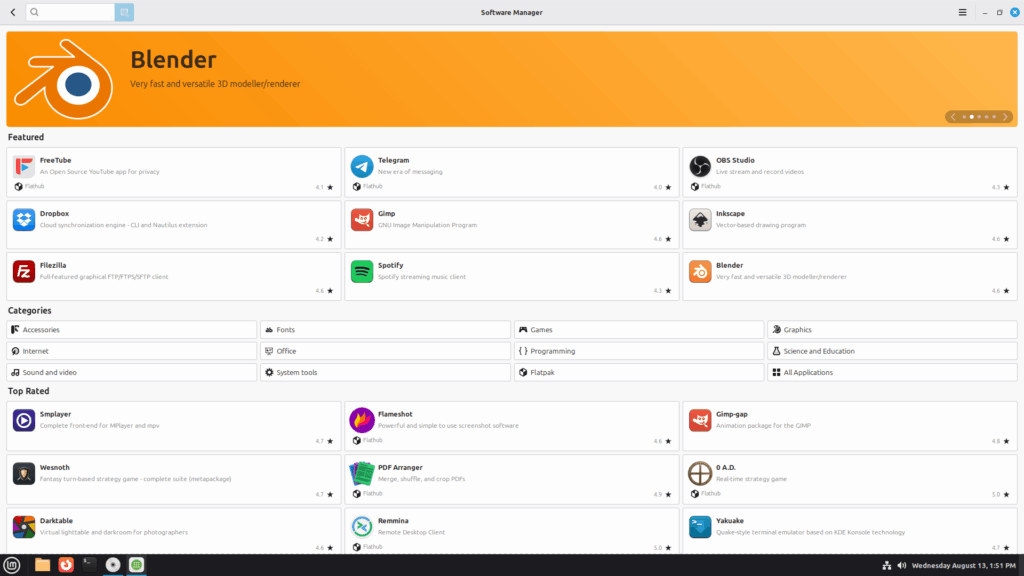
The Software Manager has a better welcome screen and now explains the difference between Flatpak and system packages.
The Update Manager will now show a handy "reboot" button when an update needs one.
In short, Linux Mint 22.2 "Zara" is a polished and comfortable release. If you are a Mint user, I highly recommend you upgrade and enjoy all these great new features.
How to Upgrade to Linux Mint 22.2 'Zara' Final Version
I know you might be wondering how to get this new version. Well, the good news is that it is very simple.
If You Are on the BETA Version (Like Me!)
If you are already using the BETA release, you have the easiest job of all. You do not need to do a big upgrade.
All you have to do is open your Update Manager and apply all the available updates. After you do that, you will be running the final, stable version. It’s that simple!
If You Are on Linux Mint 22 or 22.1
For those on older versions, the upgrade is also quite easy. Here’s a quick guide:
1. First, make a system snapshot.
Use the Timeshift tool to back up your system. This is very important. If anything goes wrong, you can easily go back to how things were.
2. Next, prepare your system.
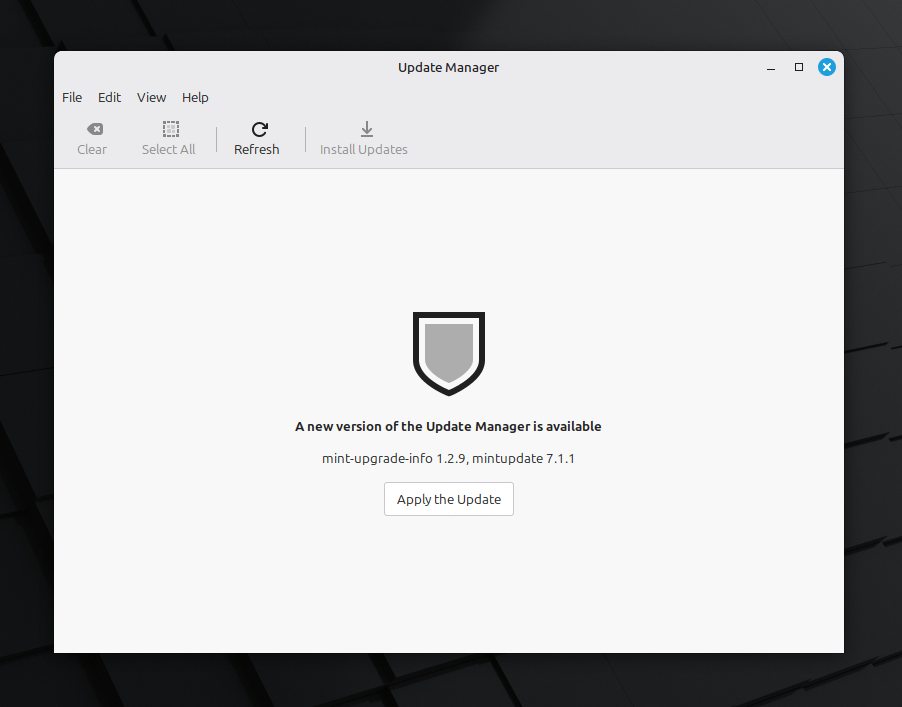
Open your Update Manager and click the "Refresh" button. Then, install any updates it shows for mintupdate or mint-upgrade-info.
3. Finally, start the upgrade.
In the Update Manager menu, go to "Edit" and then click on "Upgrade to Linux Mint 22.2 Zara".
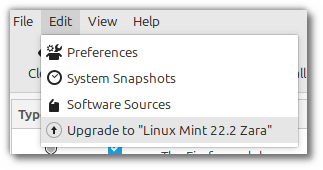
Just follow the instructions on the screen, and when it asks, choose to replace any configuration files. After it finishes, just reboot your computer, and you are all set.
Where to Download Linux Mint 22.2 'Zara'
If you're looking to do a fresh installation, you can download Linux Mint 22.2 'Zara' in three different "flavours" or editions, depending on your preference for the desktop environment.
The available editions are:
- Cinnamon Edition: This is the most popular version of Linux Mint. It is described as sleek, modern, and innovative, developed primarily for Linux Mint.
- Xfce Edition: This is a lightweight desktop environment. While it may not have as many features as Cinnamon, it uses fewer system resources.
- MATE Edition: This is a classic, traditional desktop environment that continues the legacy of GNOME 2, which was Mint's default desktop from 2006 to 2011.
Each edition can be downloaded directly via a torrent link or from a wide variety of official mirror websites located around the world.
Torrent Links:
Direct Download Links:
It is highly recommended that after downloading an image, you should verify its integrity and authenticity to ensure you have an official, unmodified version.
- Link to the sums: sha256sum.txt
- Link to the signed sums: sha256sum.txt.gpg
The Mint team stresses that anyone can produce fake ISO images, so it is your responsibility to check the download.
System Requirements
The system requirements for installing and running Linux Mint 22.2 are quite modest.
- RAM: A minimum of 2GB of RAM is required, but 4GB is recommended for comfortable usage.
- Disk Space: A minimum of 20GB of disk space is needed, with 100GB being recommended.
- Resolution: A screen resolution of 1024×768 is required. For resolutions lower than this, you can press the
ALTkey to drag windows with the mouse if they don't fit on the screen.
Happy Minting!
Resource:

1 comment
No secure boot? No party!