
Table of Contents
Quick Summary
- Micasa is an open-source, keyboard-driven TUI designed for comprehensive home management and maintenance tracking.
- Operating entirely locally via a single SQLite file, the tool requires no cloud subscriptions or external accounts.
- Users can manage diverse household records, including appliance warranties, service histories, vendor quotes, and active renovation projects.
- The software features Vim-style modal navigation and allows for the attachment of digital documents like manuals or invoices directly to records.
- Users can integrate Micasa with local LLMs to query your home data using natural language.
- Micasa is written in Pure Go and is compatible with Linux, macOS, and Windows.
What is Micasa?
Your house might be quietly plotting to break while you sleep, but you don't have to stay in the dark.
Most homeowners manage their property with a messy "shoebox of receipts" or a sticky note on the fridge. micasa changes that.
Micasa is a modal Terminal User Interface (TUI) that lets you track everything about your home—from furnace filters to kitchen renovations—all from the terminal you already have open.
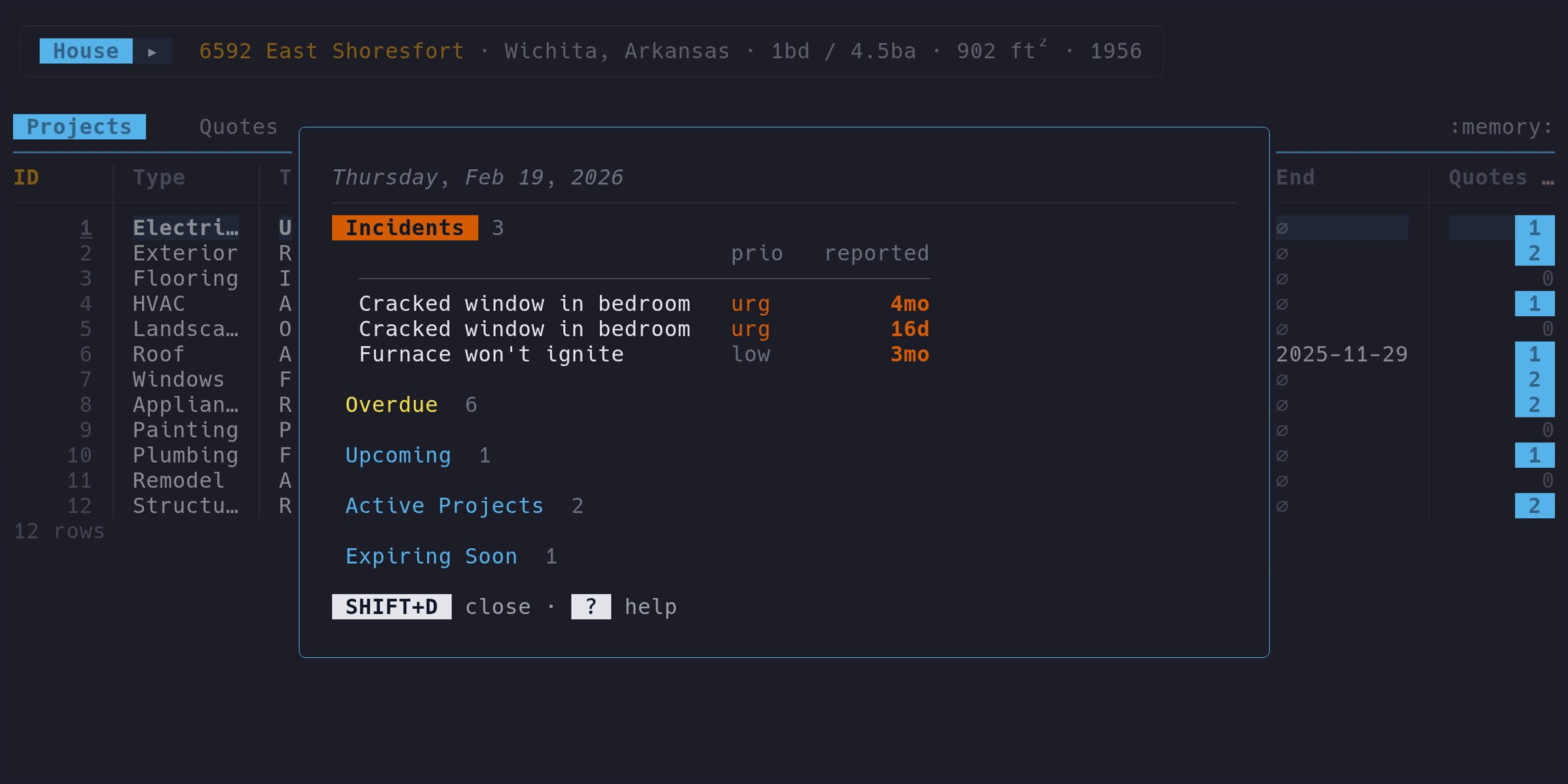
A Local-First Approach to Your Data
Micasa stores everything in a single SQLite file on your machine. This file contains your maintenance history, project notes, and even your document attachments like manuals or invoices, which are stored as BLOBs.
Because everything lives in one file, backing up your entire household history is as simple as using the cp command or the built-in micasa backup tool.
There is no cloud, no account, and no subscription.
Vim-style Modal Keys
If you enjoy using keyboard-driven tools like Vim or VisiData, you will feel right at home. Micasa uses Vim-style modal keys to help you move fast:
- Nav Mode: Use this to browse your records, sort any column, or hide the data you don't need. You can even use fuzzy search to jump straight to the column you want.
- Edit Mode: Switch to this mode when you need to change values or add new information.
This keyboard-centric design allows you to "drill into" related records without ever touching your mouse.
From Napkin Sketches to Major Repairs
Micasa isn't just a list; it is a relational database for your life. It covers several core areas of home management:
- Maintenance & Upkeep: The tool tracks recurring tasks and auto-computes due dates based on your service history.
- Project Management: You can track home improvements from the "napkin sketch" phase all the way to completion.
- Appliance Tracking: Keep tabs on purchase dates and warranty status so you know exactly if that broken dishwasher is still covered.
- Vendor & Quote Management: You can compare vendor quotes side-by-side to make better financial decisions.
- Incident Logging: When the basement leaks, you can log the event with a severity level and link it directly to the responsible appliance or vendor.
Chat with Your House Using Local AI
Perhaps the most surprising feature is the local LLM chat. By pressing the @ key, you can ask plain-English questions like, "How much have I spent on plumbing?".
The technical magic happens behind the scenes: micasa connects to a local Ollama server or an OpenAI-compatible API. The AI reads your database schema, translates your question into SQL, and runs the query against your local data. It then summarizes the results for you—all without your private data ever leaving your machine.
Getting Started with Micasa Home Management TUI
Micasa is a single static binary written in Pure Go, meaning it has no runtime dependencies. It works seamlessly on Linux, macOS, and Windows.
To get started, you can install it via Go 1.25+ with a single command:
go install github.com/cpcloud/micasa/cmd/micasa@latest
If you want to see what it looks like before entering your own data, simply run the following command to explore a pre-loaded sample house:
micasa --demo
Conclusion
Micasa provides a streamlined, developer-friendly alternative to traditional paper files or complex property management software.
It is a powerful, private, and efficient way to ensure your home stays in good shape.
For more details, check Micasa project's official website and GitHub Repository.
