
Peppermint OS has always focused on speed and simplicity. The team recently released their 2026 development updates to make the system even better.
Today let us discuss the latest updates, new tools, and the future of this lightweight Linux distro.
Table of Contents
Building Custom Tools for Better Control
For a long time, Peppermint OS used standard Debian livebuild tools to create its images. But, the team recently decided to move in a different direction. They found the old tools too restrictive for their vision.
Now, the developers are building their own custom "spin tools". These new tools fit the team's workflow much better and offer more flexibility.
While the late 2025 "Trixie" release was the last one to use the old methods, all future versions will benefit from this new, custom-built foundation.
The "Devuan Difference"
If you want more control over how your computer starts up, you can give PepDevuan a try.
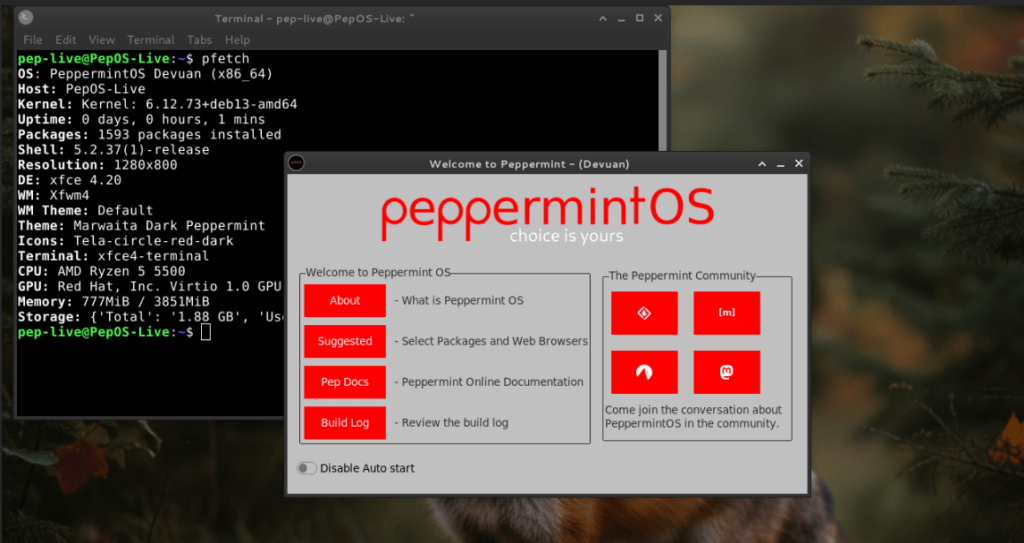
This version looks and feels exactly like the standard Debian-based Peppermint OS. The main difference lies under the hood.
It gives you the "Devuan difference," which means you have the freedom to choose your own init system. You might have heard about the recent systemd age verification fuzz. If you don't like it, you can choose a different init system of your choice.
The team is currently finishing a leaner version of PepDevuan that they expect to release soon.
Exploring the New PepVoid Branch
The most significant update is the growth of PepVoid. This branch uses Void Linux as its base.
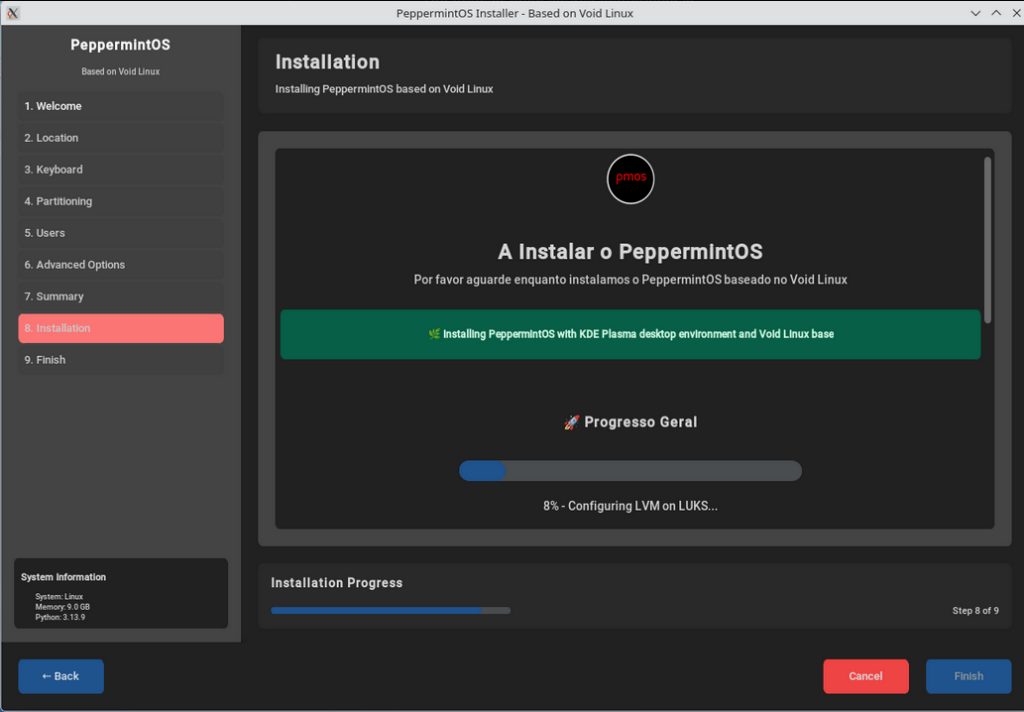
The team started this project because they wanted to build something that matched their internal goals.
Because Void Linux can be tricky for some users, the team is making it more accessible.
They are building a suite of custom Python and Tkinter-based apps to help you manage the system. These tools will mature in the Void environment first.
Once they are stable, the developers will move them over to the Debian side so everyone gets a consistent experience.
What's New in the App Drawer?
The 2026 updates bring a few useful graphical tools to PepVoid. These tools make system management much easier for the average user:
- A Custom Installer: A new way to install the OS, inspired by Calamares.
- Welcome Screen: A friendly starting point for new users.
- Software Center: A central hub that now includes Flatpak support.
- Kumo: The signature Site Specific Browser (SSB) manager for web apps.
- System Tools: New GUIs for backups, updates, and even a visual version of pfetch.
Try the Latest PepVoid
If you want to help shape the future of the Peppermint OS project, test the new PepVoid builds and share your feedback on Discord or their community forums.
The team released fresh ISO images for the following types of hardware. You can currently find downloads for:
- x86_64 (Standard 64-bit PCs)
- i686 (Older 32-bit machines)
- aarch64 (ARM devices like the Raspberry Pi)
Download your preferred PepVoid edition from the link below:
Summary
The Peppermint team is now actively working to fix past issues and build a more stable, custom experience. By creating their own tools and expanding into the Void Linux ecosystem, they are ensuring that Peppermint remains a top choice for users who want a fast, "minimal hassle" operating system.
