
Table of Contents
Brief
- Ubuntu 26.10 plans to strip the signed GRUB bootloader of complex features like ZFS, Btrfs, LVM, and LUKS encryption to improve security.
- This change forces users to use a plain ext4
/bootpartition and removes the ability to have an encrypted boot partition while maintaining Secure Boot support. - The proposal is based on the technical philosophy that complex storage and encryption logic "categorically belongs in the initramfs" rather than the bootloader.
- By moving these features to the initramfs, Ubuntu can leverage the Linux kernel’s drivers, which receive significantly more security scrutiny and frequent updates than the implementations embedded within GRUB.
- If your current system uses ZFS or LVM for the boot partition, Ubuntu might disable the upgrade to 26.10 by default to prevent your system from becoming unbootable.
The Core Proposal
Ubuntu developers are proposing a major cleanup of the signed GRUB bootloader for the upcoming Ubuntu 26.10 release. The goal is to make the boot process more secure by stripping out features that aren't strictly necessary.
The new plan affects the signed GRUB builds that you need to run Secure Boot.
Why is GRUB Getting Slimmer?
You might wonder why Ubuntu is removing these helpful features. The main reason is security.
Every feature in GRUB requires a "parser", a piece of code that reads specific file types or disk formats. As the Ubuntu Community Hub discussion points out, these parsers have been a constant source of security vulnerabilities.
By removing them, Ubuntu significantly reduces the "attack surface," or the number of ways a hacker could potentially exploit the system before the operating system even starts.
The developers argue that "fancy" storage tech belongs in the initramfs (the temporary root filesystem loaded into memory), where drivers are updated more often and receive much more security scrutiny than the code inside GRUB.
What is Leaving the "Signed" GRUB in Ubuntu 26.10?
For the version of GRUB that works with Secure Boot, developers plan to remove several "extra" features directly from the bootloader.
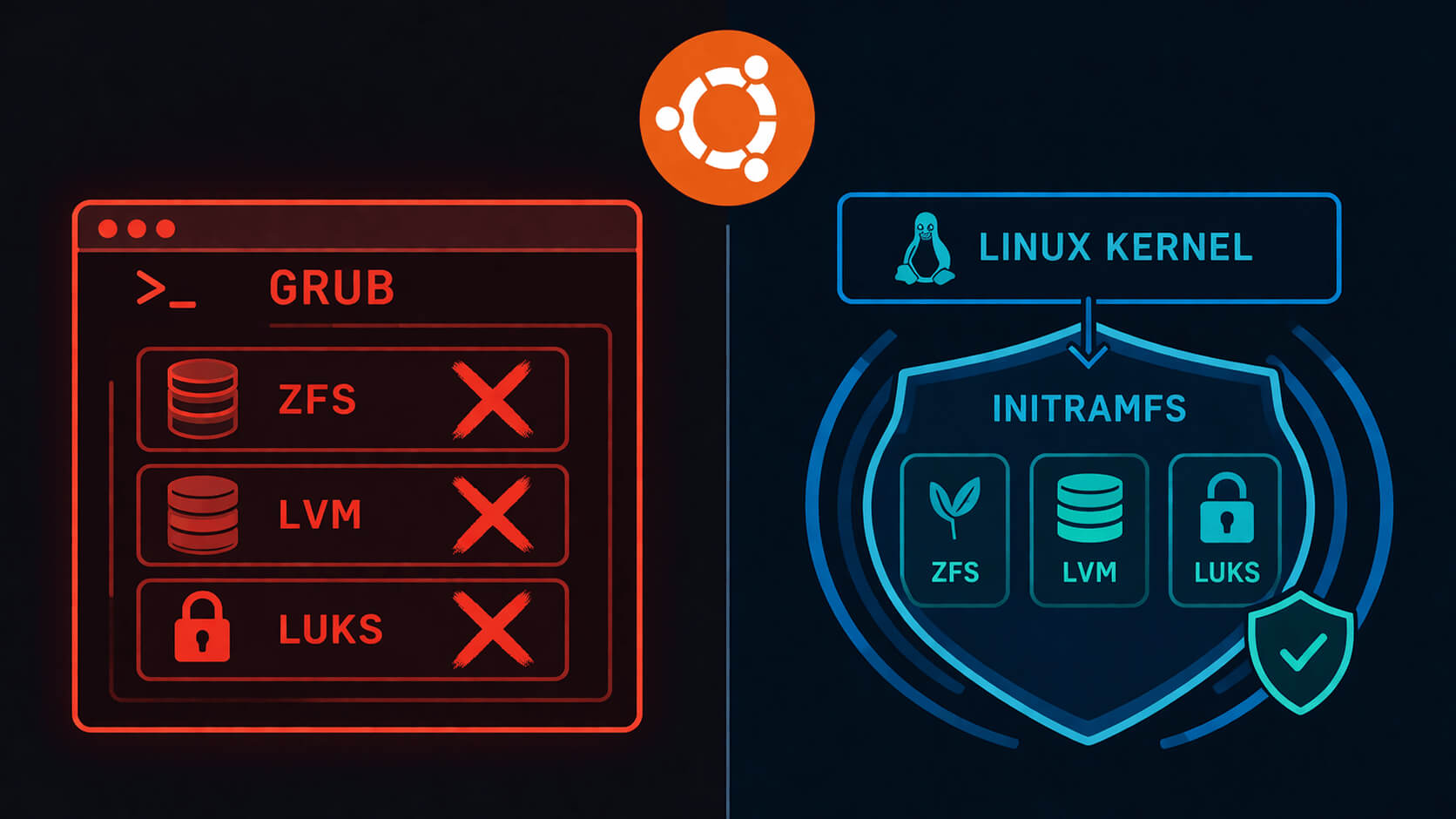
If you use the default settings, you might not notice a change. However, for power users, there are a few popular features are leaving:
- The
/bootPartition: You will be required to have your/bootfolder on a raw ext4 partition. - No Encrypted Boot: You can no longer have a Luks-encrypted
/bootpartition if you want to keep Secure Boot active. While your main data can still be encrypted, the boot files themselves must be unencrypted so the simplified GRUB can read them. - Advanced Filesystems: Support for ZFS, Btrfs, and XFS will be removed.
- Disk Management: Support for LVM and most RAID setups (except RAID1) will be removed.
- Visual Themes: Support for JPEG and PNG images is going away, meaning no more custom background images during boot.
Community Reaction
Not everyone is happy about the "Great GRUB Diet." There are two main concerns:
1. Legal Requirements:
In several parts of Europe, full-disk encryption is a mandatory legal requirement for security conformity. Because this change removes the ability to encrypt the /boot partition, some professional users might find themselves unable to meet these legal standards while using a signed version of Ubuntu.
2. Feature Loss:
Power users often use Btrfs boot-to-snapshot features to roll back their systems if an update goes wrong. Without Btrfs support in GRUB, these setups become much harder to manage.
Will This Break My Current System?
The short answer is no. Ubuntu developers have planned a safety net. If your current system uses ZFS or LVM on your boot partition, the ubuntu-release-upgrader will likely disable the upgrade to 26.10 by default.
You will stay on the stable 24.04 LTS release until you choose to manually change your partition layout.
What are the Alternatives?
Because these changes are controversial, the community is debating other options:
- systemd-boot: A much simpler bootloader that many prefer over GRUB. However, it only works on UEFI systems, and Ubuntu still needs to support older BIOS hardware and different types of processors.
- Unified Kernel Images (UKIs): These bundle the kernel and boot settings into a single file that your motherboard can boot directly, potentially skipping GRUB entirely.
- Unsigned GRUB: If you absolutely need features like an encrypted
/bootor ZFS, you can still use a version of GRUB that hasn't been "signed" by Ubuntu, but you will have to turn off Secure Boot.
Conclusion
Ubuntu is choosing security over features. By slimming down GRUB, they are making the "front door" of your computer much harder to pick. While this requires a more traditional disk setup, it follows the modern Linux path of letting the kernel handle the hard work.
As this is currently a proposal for a non-LTS release, the community has plenty of time to test these changes before they become the new standard.
