
FreeBSD 10.3-RELEASE is available for download. This is the third release of FreeBSD 10 series, and it is available for the amd64, i386, ia64, powerpc, powerpc64, sparc64, and armv6 architectures.
You can download this release from the following link.
After downloading the ISO, create a bootable USB or DVD, and install fresh FreeBSD OS as described in the following link.
What's new in FreeBSD 10.3?
FreeBSD 10.3-RELEASE release brings some new and updated features.
Here is what's new in FreeBSD 10.3:
- Improved UEFI bootloader ;
- ZFS boot capability is added to UEFI ;
- Supports multiple boot ZFS boot environments ;
- Supports Intel® Skylake generation and newer chipsets ;
- Supports 16 Gbps Fibre Channel adapters ;
- Allows root filesystem to be mounted from a temporary source file system without having to reboot the system ;
- Updated bsdinstall utility ;
- GNOME 3.16.2 ;
- Xorg-Server 1.17.4 ;
- and more..
For complete details, refer the official release notes from the link given below.
Upgrade to FreeBSD 10.3
If you have FreeBSD 10.2, and want to upgrade to FreeBSD 10.3 version, follow the steps given below.
Note: Backup your important files and folders before upgrading to the new version.
First, let us check the installed FreeBSD version using command:
freebsd-version -k
Sample output:
10.2-RELEASE-p14
Or, you can use the following command to find out the installed version.
uname -mrs
Sample output:
FreeBSD 10.2-RELEASE-p9 amd64
As you see above, the installed version is FreeBSD 10.2-RELEASE. Let us upgrade to the latest available version.
To do so, first update FreeBSD 10.2 using the following commands as root user:
freebsd-update fetch
freebsd-update install
Then, run the following command to upgrade to FreeBSD 10.3-RELEASE from FreeBSD 10.2.
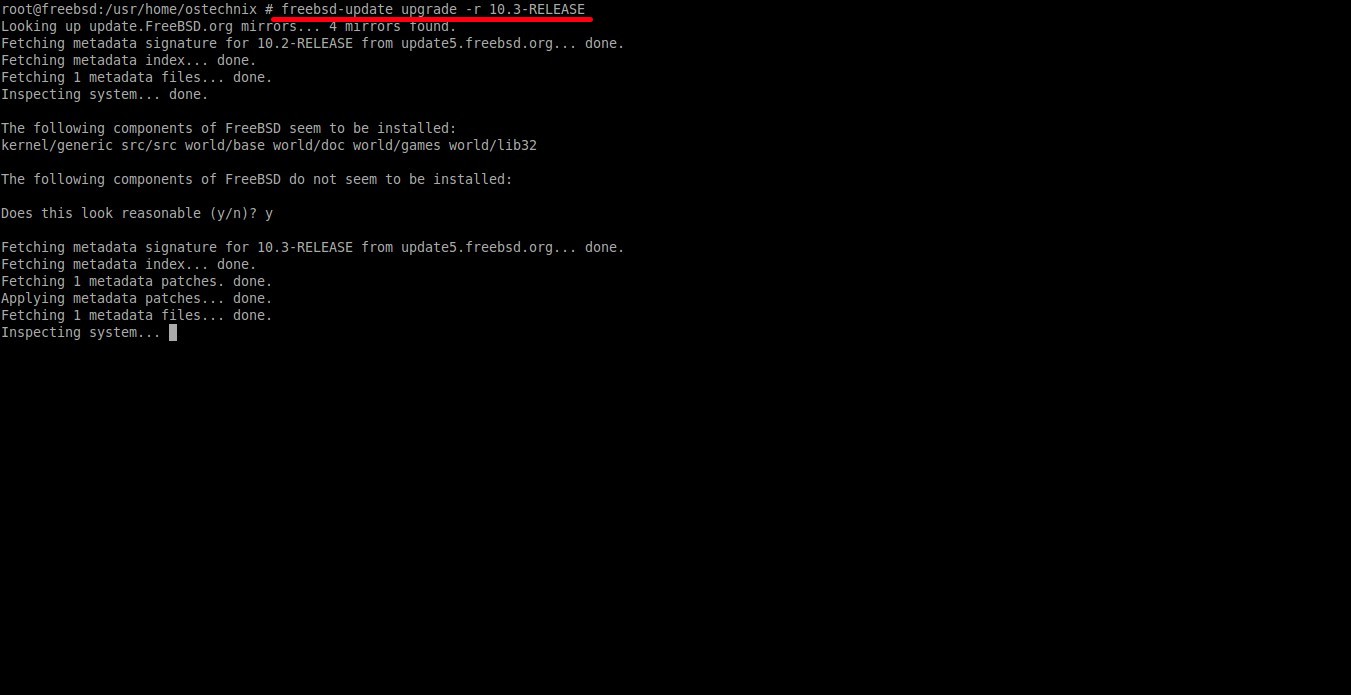
freebsd-update upgrade -r 10.3-RELEASE
Sample output:
Looking up update.FreeBSD.org mirrors... 4 mirrors found.
Fetching metadata signature for 10.2-RELEASE from update5.freebsd.org... done.
Fetching metadata index... done.
Fetching 1 metadata files... done.
Inspecting system... done.

The following components of FreeBSD seem to be installed:
kernel/generic src/src world/base world/doc world/games world/lib32

The following components of FreeBSD do not seem to be installed:

Does this look reasonable (y/n)? y ## Press Y to continue

Fetching metadata signature for 10.3-RELEASE from update5.freebsd.org... done.
Fetching metadata index... done.
Fetching 1 metadata patches. done.
Applying metadata patches... done.
Fetching 1 metadata files... done.
Inspecting system...
Sit back and relax. It will take a while depending upon the speed of your Internet connection.
Once the upgrade completed, run the following command to install the downloaded upgrades:
freebsd-update install
Reboot your system to use the new Kernel.
shutdown -r now
After rebooting, you must again run the following command to finish installing updates.
freebsd-update install
Finally, reboot your system and log in to the newly upgraded FreeBSD 10.3-RELEASE.
shutdown -r now
Let us check whether FreeBSD is upgraded to 10.3. To do so, run:
freebsd-version -k
Or, simply run:
uname -mrs
Sample output:
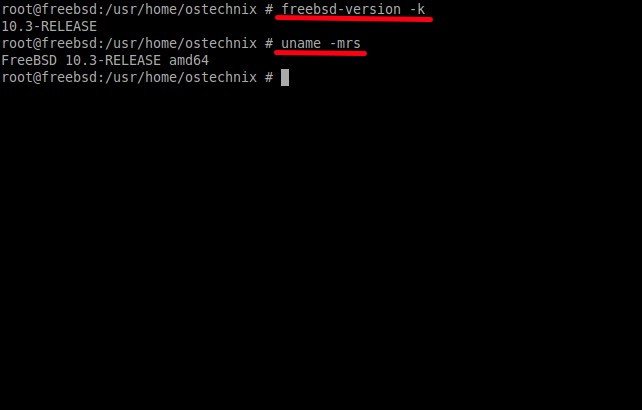
That's it. We have successfully upgraded FreeBSD 10.2 to 10.3.
After upgrading to FreeBSD 10.3 version, You might want to install different desktop environments in FreeBSD 10.3 version. If so, check the following links.
- Install MATE Desktop in FreeBSD
- Install GNOME Desktop Environment in FreeBSD
- How to install KDE in FreeBSD
For additional help, refer the following FreeBSD links:
That's all for now. If you find this tutorial helpful, please share it on your social networks and support OSTechNix.
Cheers!
