
Table of Contents
Quick Summary
- Zorin OS 17 users (Core, Pro, and Education) can now perform a seamless, in-place upgrade to Zorin OS 18 using the Upgrade Zorin OS app, which preserves existing files, apps, and settings.
- To ensure successful upgrade, users must first back up all important data and install all pending software updates before starting the process.
Introduction
Zorin OS 18 upgrade path is open a few days ago! Yes, you can now upgrade from Zorin OS 17 to version 18. This new Zorin OS 18 is very polished and works impressively well, even on older computers.
The best part is that you can keep all your files, apps, and settings during the move.
Who Can Upgrade Today?
The upgrade is currently open to everyone using Zorin OS 17 Core, Pro, and Education editions. If you use the Lite version, please wait a few more weeks for your update to arrive.
How to Upgrade to Zorin OS 18 from 17
This detailed guide will show you how to upgrade safely in three simple steps.
Important Note: The success of an "in-place" upgrade is highly dependent on the integrity of the core system.
If you have heavily customized your Zorin OS—such as by adding third-party repositories, manually editing system files, or running unofficial scripts—the upgrade is likely to fail.
In these instances, I strongly recommend you to perform a clean Zorin OS installation (overwriting the current system) rather than using the upgrade tool.
Step 1: Backup Your Files
First, you must back up your data to stay safe. We suggest you follow the 3-2-1 backup rule to prevent data loss. This means you should keep three copies of your files. Store two copies at home on a USB drive or a second hard drive. Then, put one copy "off-site" in a cloud service like Google Drive.
To do this easily, use the Backups app found in the Zorin Menu. This tool is straightforward and can even run automatically on a schedule.
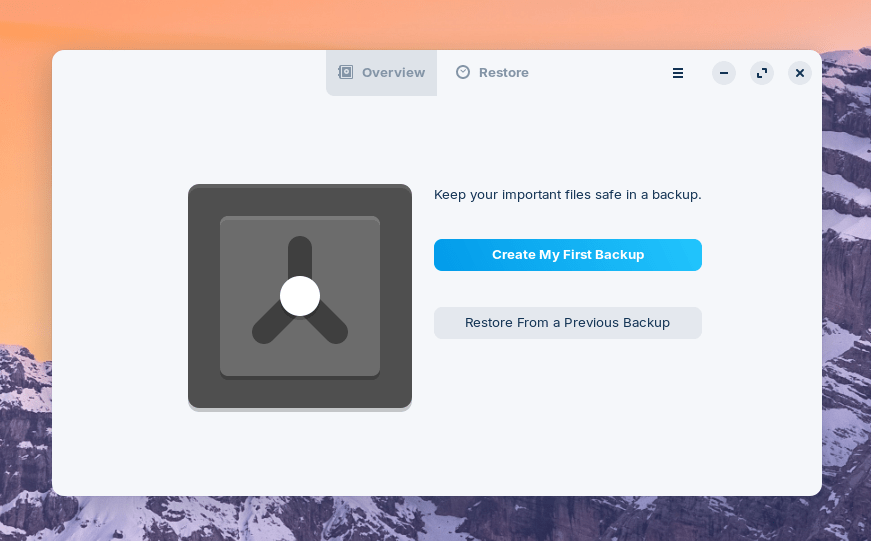
If you use cloud storage, you can also use the Archive Manager app to create password-protected files for extra privacy.
Note: While Google Drive does not have a native Linux application, Zorin OS provides built-in support for it. This allows users to automatically sync their local file backups to Google's cloud storage directly through the integrated Backups app without needing a third-party client.
Step 2: Update Your Current Software
Next, you need to make sure your current system is ready for the change. Open the Software Updater from your Zorin Menu.
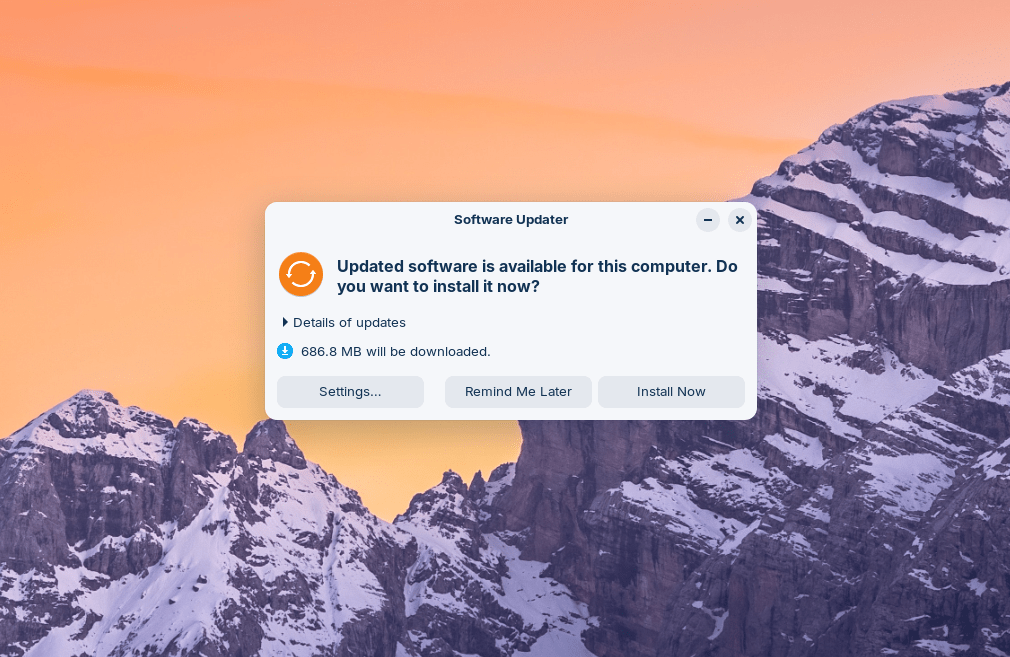
Install every update you see on the screen. If the app asks you to restart your computer, please do so before you start the upgrade.
Step 3: Start the Zorin OS 18 Upgrade Process
Now you are ready for the big move! Open the Upgrade Zorin OS app from the System Tools section of your menu.
Click the "Upgrade" button of relevant edition (E.g. Core, Pro or Education) to upgrade to Zorin OS 18:
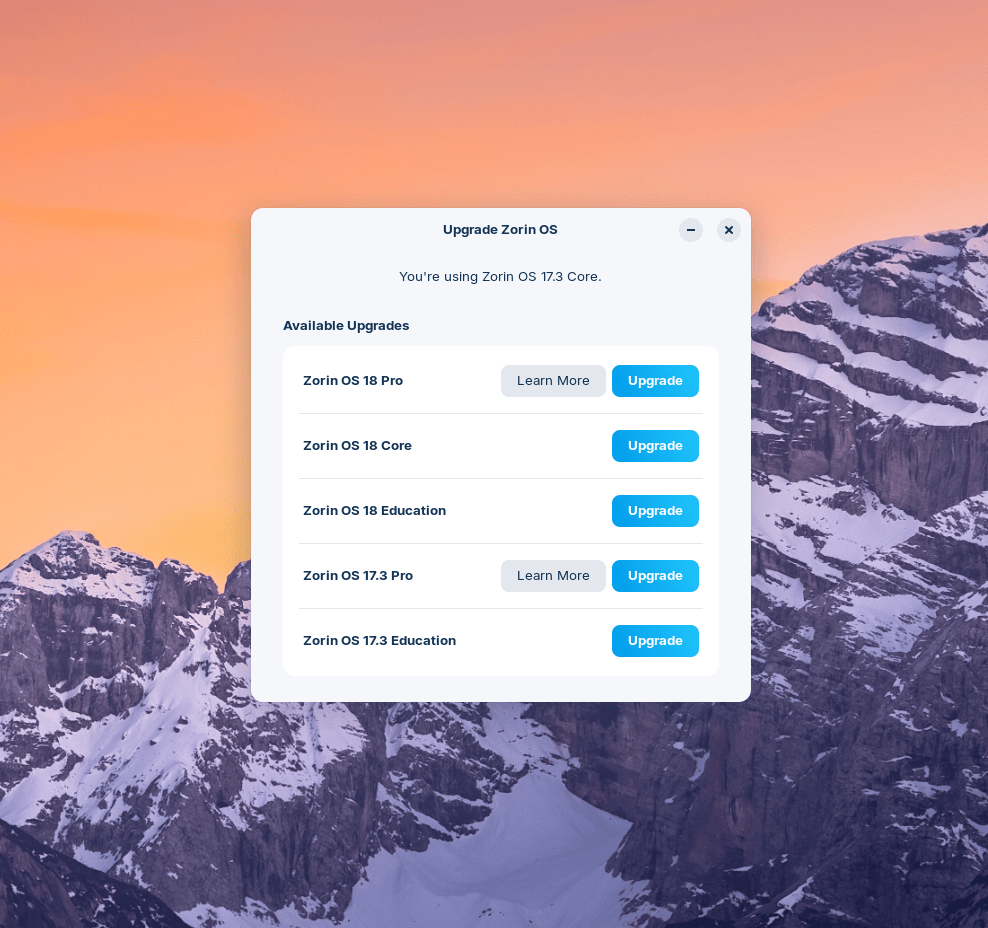
If you use Zorin OS Pro, you are eligible for a discount on the new version. To get this discount, choose the "Zorin OS 18 Pro" option and enter your email and your Support Code. You can find this code in your original purchase email or on your download page.
The app will check your computer to see if it meets the requirements for the new version.
Now, click the "Upgrade" button to upgrade to Zorin OS 18 from 17:
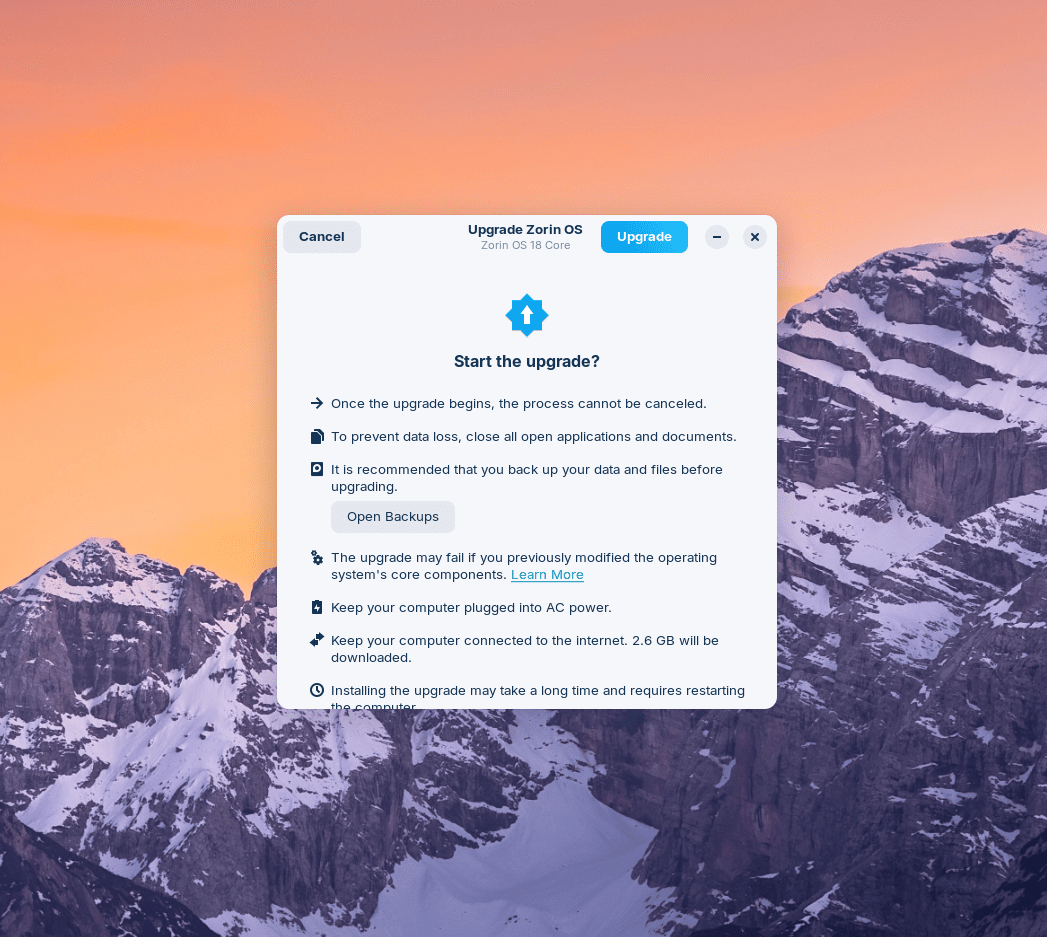
Wait for the process to finish. Once it ends, restart your computer to enjoy your newly upgraded Zorin OS 18 system.
Important Warnings for Power Users
Most users will have a smooth experience. However, the upgrade might fail if you have modified core parts of the system. This often happens if you:
- Added third-party software repositories,
- Manually edited system files,
- Installed unofficial hardware drivers.
If you made these changes, we suggest you perform a "clean installation" instead. This means you should back up your files and install Zorin OS 18 from scratch to avoid errors.
Benefits of Zorin OS Pro
Upgrading to or using Zorin OS Pro offers several advantages:
- Support for the Project: Every purchase directly supports the development of Zorin OS and the Open Source ecosystem, which benefits all users.
- Discounts for Returning Customers: Existing Zorin OS Pro users are eligible for a discount when moving to a new major version, such as from Zorin OS 17 Pro to Zorin OS 18 Pro.
- Seamless In-Place Upgrades: Pro users can upgrade to newer versions (like Zorin OS 18) directly via the Upgrade Zorin OS app, allowing them to keep their files, applications, and settings without needing to re-install everything from scratch.
- Polished User Experience: The Pro edition is described as "very polished" and an excellent choice for those migrating from Windows, providing a high-quality interface that can even make older hardware feel capable again.
- Authentication and Support: The provided support code acts as a way to verify your purchase and access the benefits associated with the Pro edition.
Restoring Data Using the Backups App
For those who performed a clean Zorin OS installation instead of an in-place upgrade, you can restore your data from the backup after reinstalling the system.
If you have used the built-in Backups app (found in the Zorin Menu → Utilities → Backups) to backup your files, you can restore them by following these steps:
- Open the Backups app.
- Select the "Overview" page from the sidebar.
- Click the "Restore…" button.
- Select the location where your backup folder is stored.
- The app will then copy the data from your most recent backup back to its original location on your computer.
What's New in Zorin OS 18?
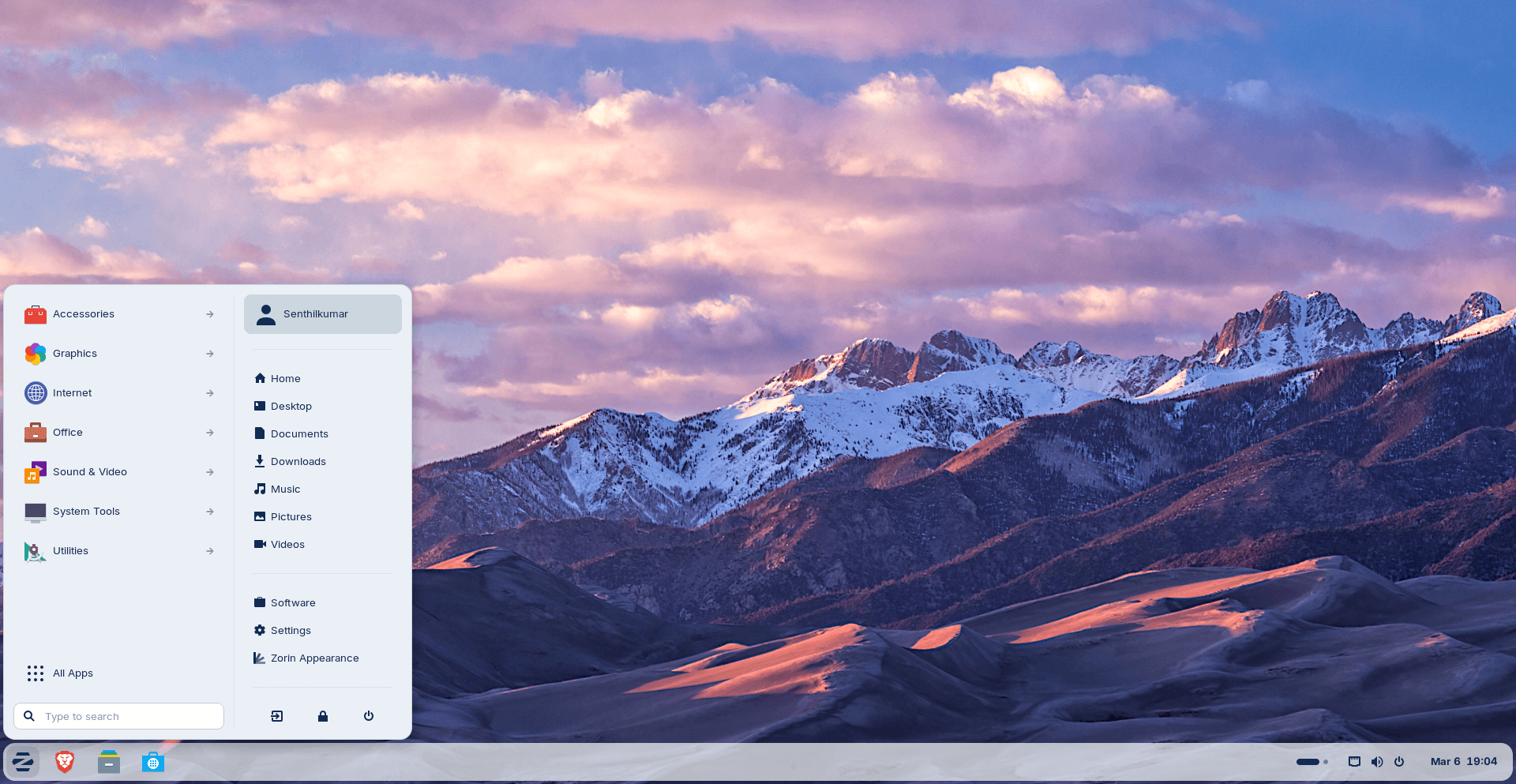
Zorin OS 18 is packed with many features updates.
- Zorin OS 18 is based on Ubuntu 24.04.3 LTS.
- Powered by Linux Kernel 6.17.
- A new rounded default theme.
- Updated sidebar in Files manager.
- Improved and redesigned Settings app.
- Zorin OS 18 introduces a powerful new default window tiling manager.
- New built-in Web Apps tool that allows you turn any website into a desktop app.
- OneDrive File integration to the Online Accounts feature.
- And more.
Please check the following guide for detailed overview.
Conclusion
Zorin OS 18 is a standout choice that feels familiar to Windows users while offering the power of Linux. It might even save you from buying a new computer! Enjoy your upgraded desktop.
Resource:
