
Zorin OS 18 officially released on 14 October 2025, the very day Windows 10 reached its end of life, providing users with a perfect replacement operating system.
For those who don't know, Windows 10 officially reached its end of life (EOL) on 14 October 2025. Millions of computer users now face a big choice. They can buy an expensive new computer for Windows 11, or they can switch to a modern, supported operating system.
Fortunately, Zorin OS 18 Final arrived at the perfect time for those seeking a reliable and familiar alternative to Windows. This major new release reimagines your PC experience. It is packed with improvements to make your computer more powerful, easy, and enjoyable to use.
Table of Contents
Zorin OS Runs Fast on 15-Year-Old Hardware
An estimated 240 million computers will get left behind because they do not meet Windows 11's strict hardware requirements. People may use these out-of-date machines, which creates a serious security risk.
You do not need to throw away working devices. Zorin OS is built to be the ideal Windows replacement. It gives your current computer a new, fast life. Zorin OS works fast on computers as old as 15 years. Therefore, you can extend your PC’s lifespan and reduce e-waste.
Since Zorin OS is built on advanced Linux security features, it is resistant to PC viruses and malware. Also, Zorin OS does not collect your personal data. This helps give you back control of your digital life from Big Tech.
In a recent post on Twitter, Zorin OS shared impressive download numbers, a clear sign that Windows 10's EOL is driving many users to make the switch to Linux.

Enough about praising Zorin OS. Let’s look at some of the notable features in Zorin OS 18.
What's New in Zorin OS 18
Based on Ubuntu 24.04 LTS
Zorin OS 18 is based on Ubuntu 24.04.3 LTS, powered by the Linux 6.14 kernel, and features a heavily customized version of GNOME Shell 46.
As you might have guessed, Zorin OS 18 is a Long-Term Support release. It will receive software updates and security patches until at least June 2029. This means you get a modern, reliable system for years to come.
A Stunning New Look
First, you will notice the beautiful, redesigned desktop in Zorin OS 18. The Zorin OS team kept the great look of Zorin OS but enhanced the overall appearance. The default theme now looks more rounded. This provides a sleek and inviting feel.
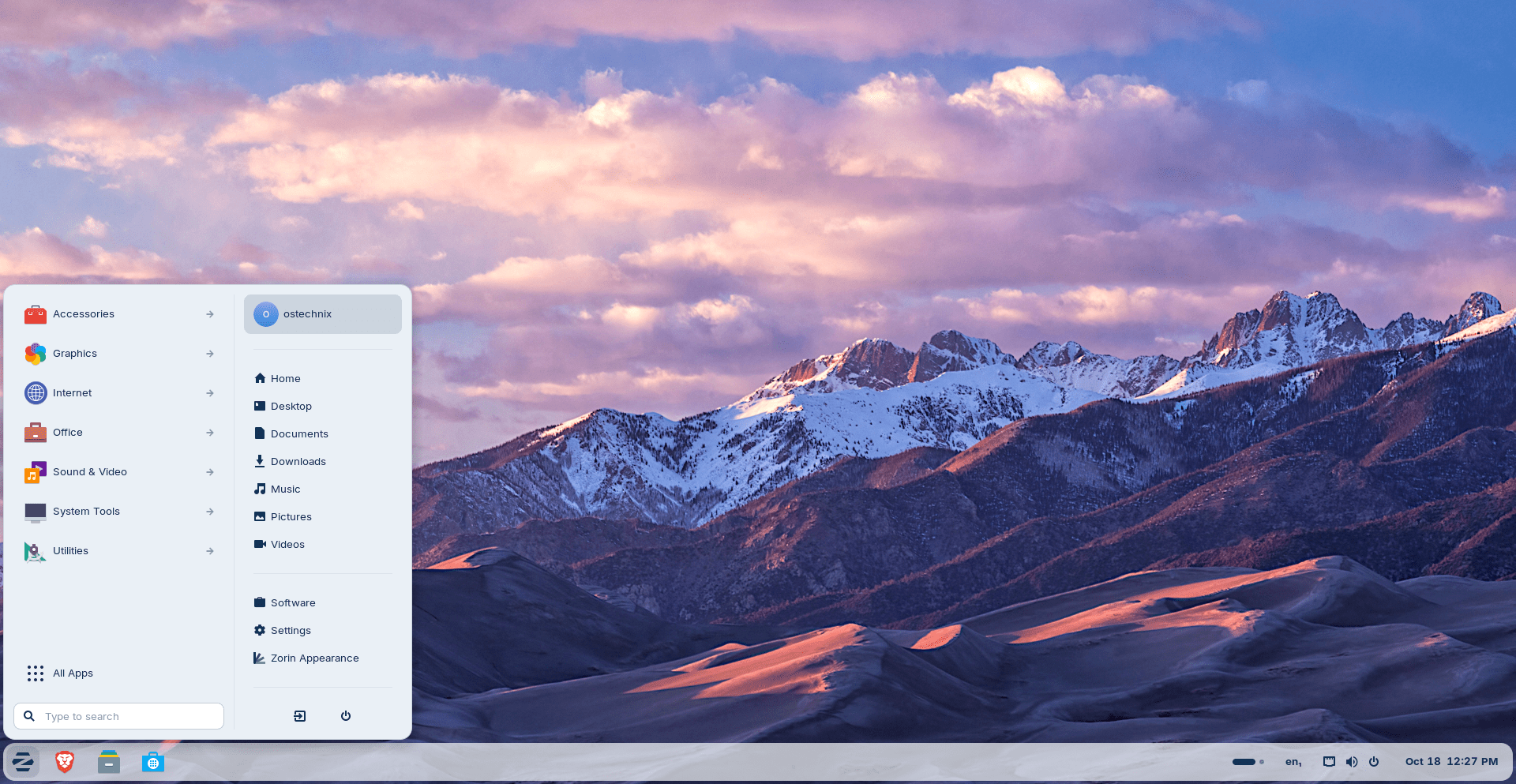
Furthermore, the panel now has a floating, rounded style by default. The activities overview button also evolved into a reactive workspace indicator. This offers visual feedback to help you navigate between tasks easily.

They also made design tweaks inside the apps you use every day. For example, the Files app has an updated sidebar.
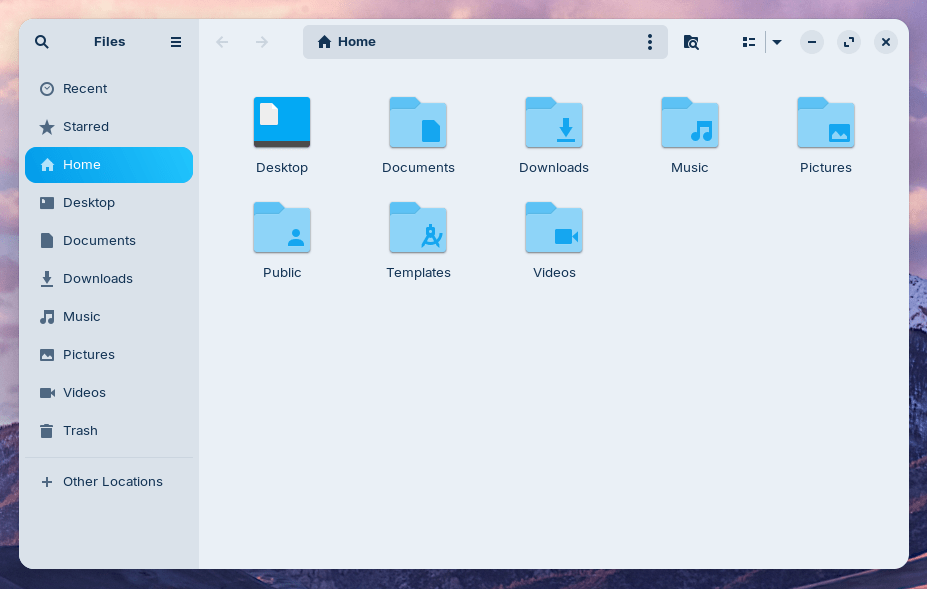
Similarly, the Settings app includes redesigned panels that are simpler to navigate.
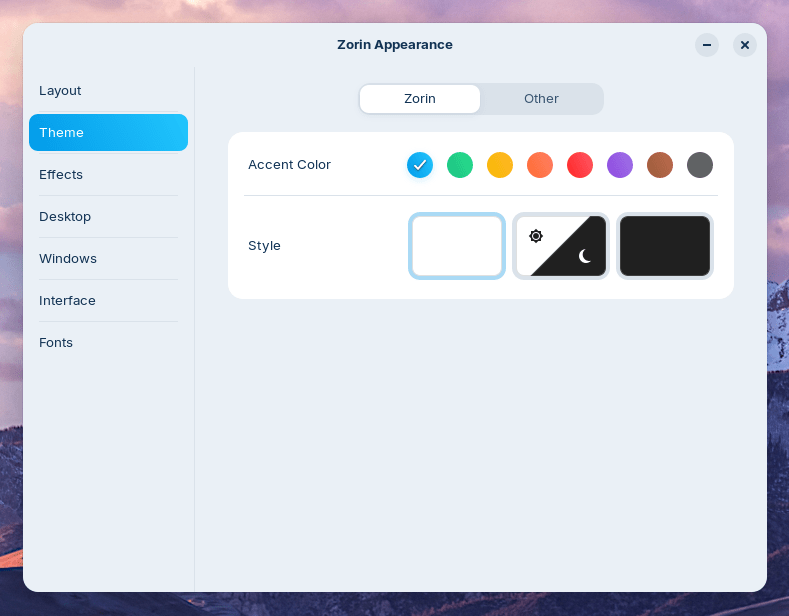
Finally, the team heard users' feedback and introduced two new theme colours: Yellow and Brown. You can choose these new accent colours in both light and dark variants within the Zorin Appearance app.
Work Smarter with New Tools
Multitasking just got better. Zorin OS 18 introduces a powerful new default window tiling manager. It is simple to use for everyone.
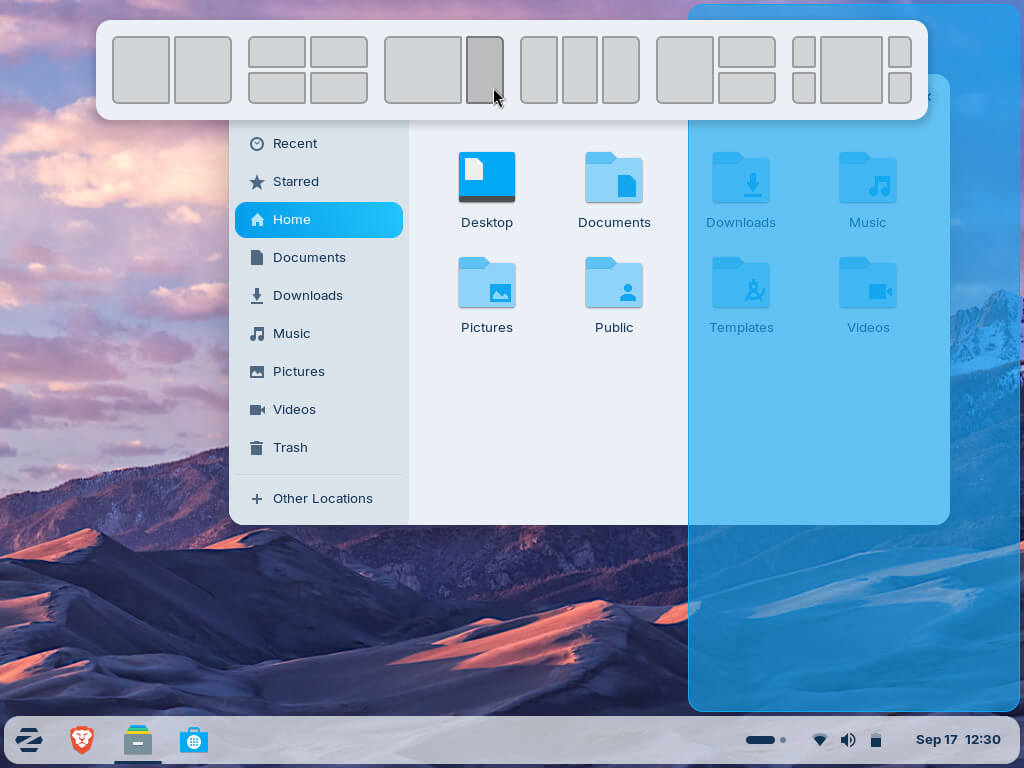
You can efficiently arrange your windows by dragging a window to the top of the screen. Then, a pop-up appears where you can drop it onto a predefined layout. This is easy, so you do not need to memorise complex keyboard shortcuts. You can also enable optional auto tiling and smart window suggestions.
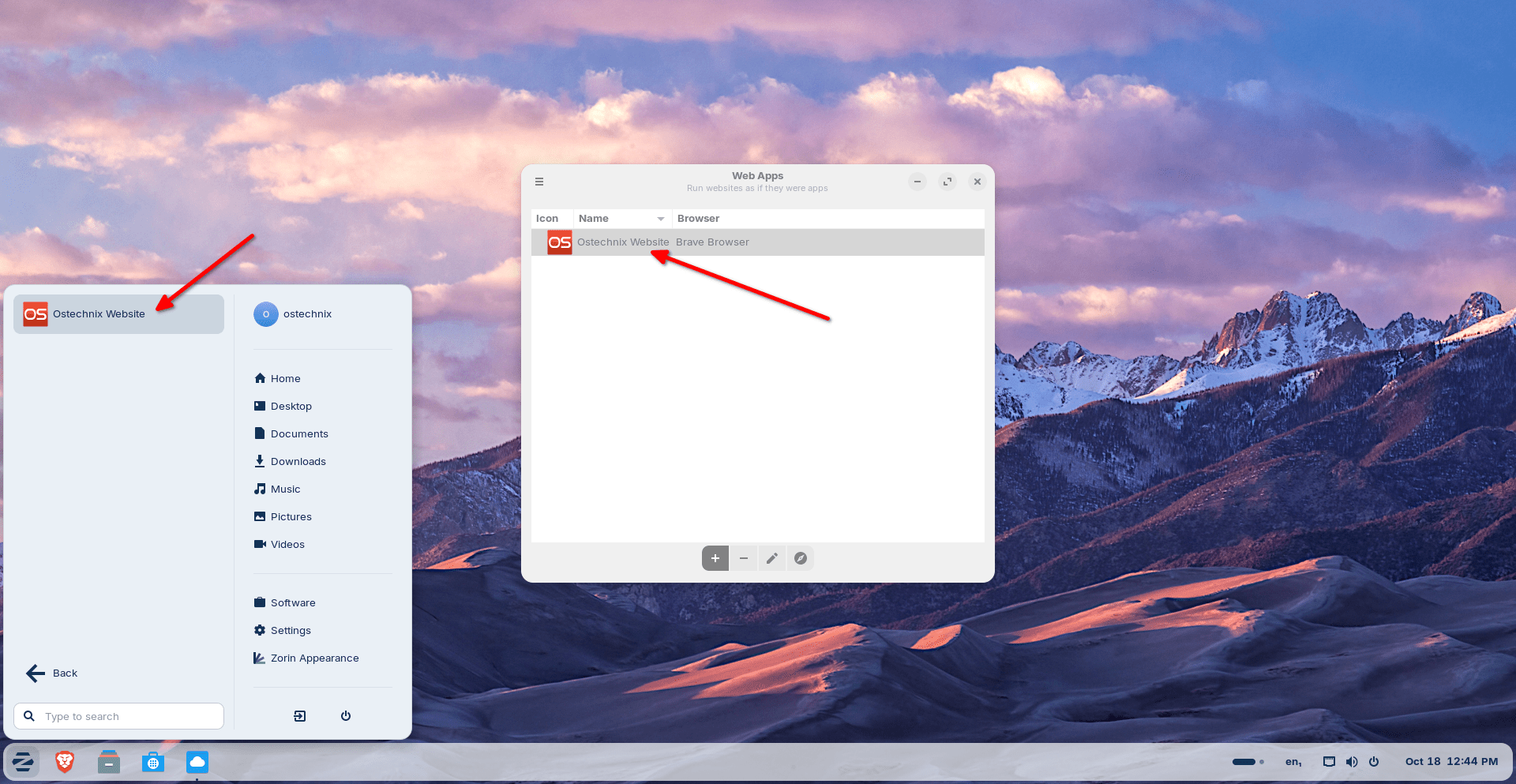
Next, Zorin OS 18 seamlessly runs your favorite cloud programs. The new built-in Web Apps tool lets you turn any website into a desktop app. Therefore, popular cloud apps like Microsoft Office/365, Teams, Google Docs, and Adobe Photoshop run right from your desktop.
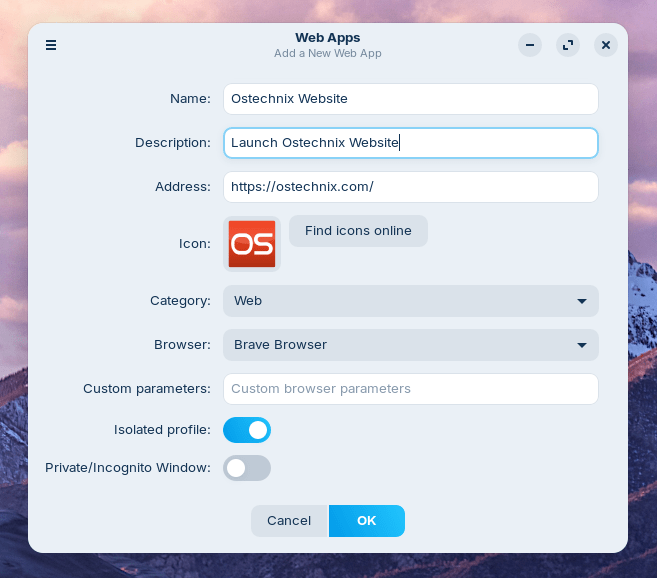
They will even appear in your start menu just like native applications.
Related Read: Turn Your Favorite Websites Into Desktop Apps Using Linux Mint’s Webapp Manager
Also, accessing cloud files is important for people switching from Windows. That is why Zorin OS 18 adds OneDrive file integration to the Online Accounts feature.
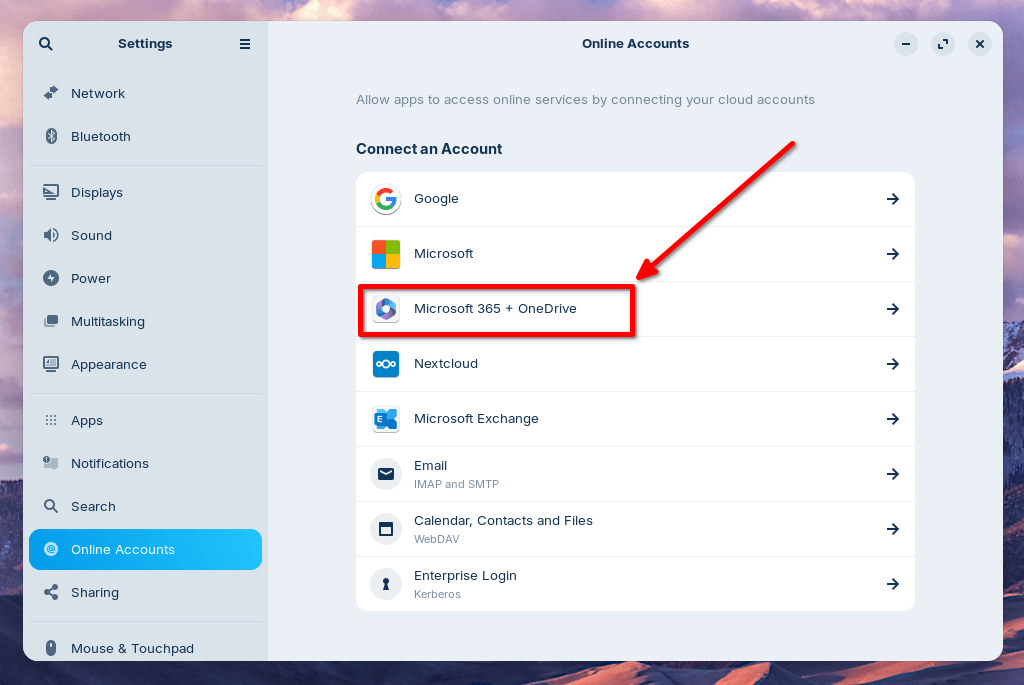
Now you can manage your OneDrive files directly from the sidebar in the Files app.
Switching from Windows is Easier Than Ever
Zorin OS team wanted to make the move from Windows effortless. So, they expanded their built-in database to detect installer files for popular Windows apps. This database now supports over 170 apps.
For instance, if you launch a Windows installer for an app like Microsoft Office, Zorin OS displays tailored guidance. It directs you to the best way to use that app, maybe as a web app or its native Linux version.
The system even suggests the closest native alternatives for many Windows-only apps. This guidance makes Zorin OS the ideal choice for Windows 10 users making the switch to a modern operating system.
Ready to Upgrade?
You can download Zorin OS 18 Core from the Zorin official download page. This version is free forever. You can also buy a Laptop pre-installed with Zorin OS to support them financially.
If you were a Zorin OS 18 Core Beta user, you can upgrade to the stable release by simply installing the latest updates from the Software Updater today.
Update:
Resource:
