
The Zorin team released Zorin OS 18.1, the first "point release" that builds on the foundation of Zorin OS 18. This update arrives only six months after the initial launch of version 18. Since then, people have downloaded this version over 3.3 million times.
The new Zorin OS 18.1 version adds more polish and makes your computer feel faster and easier to use.
Table of Contents
Helping You Leave Windows
If you are moving from Windows, this update makes your life much easier.
The team expanded the built-in database by 40%. It now supports more than 240 apps. When you try to run a Windows file, the system suggests a great Linux alternative. For example, it might suggest Evolution Mail instead of Microsoft Outlook.
This will help you find the most compatible apps for your daily work.
A Smoother Desktop Experience
The desktop feels better than ever because of several smart changes.
First, the team improved the window tiling feature. You can now bring all tiled windows to the front at once when you switch apps.
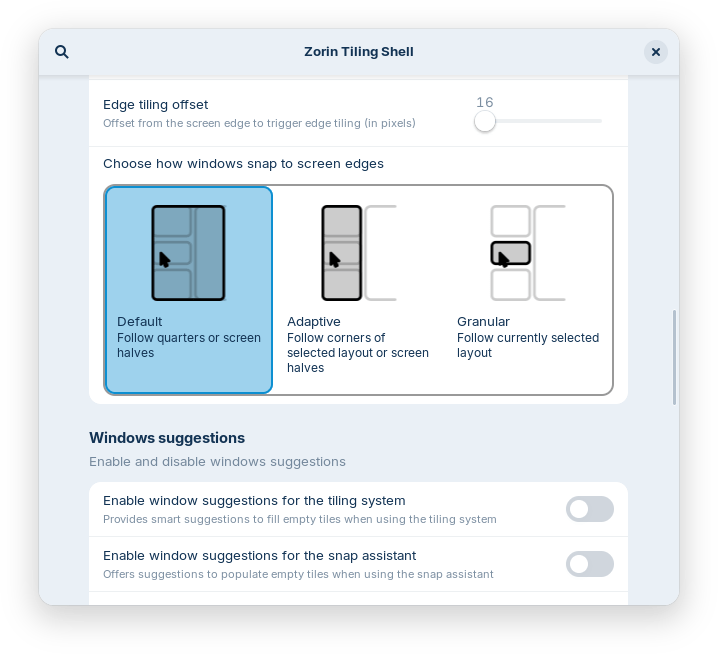
Second, the panel now works perfectly with right-to-left languages like Arabic or Hebrew. You can also control which icons show up in your system tray through the settings menu.
Additionally, the system feels snappier because the developers included many performance fixes.
Better Tools for Work
Zorin OS 18.1 includes latest LibreOffice 26.2 version. This suite works much better with Microsoft Office files and adds support for Markdown. It also runs faster than before, which helps you stay productive.
Since many pre-installed apps are now up to date, you will also spend less time waiting for downloads after you first install the system.
New Life for Old Computers
The Zorin OS Lite edition is now part of the 18 series. This version works great on old or low-power computers. It uses the XFCE 4.20 desktop and has a sleek, new File Manager.
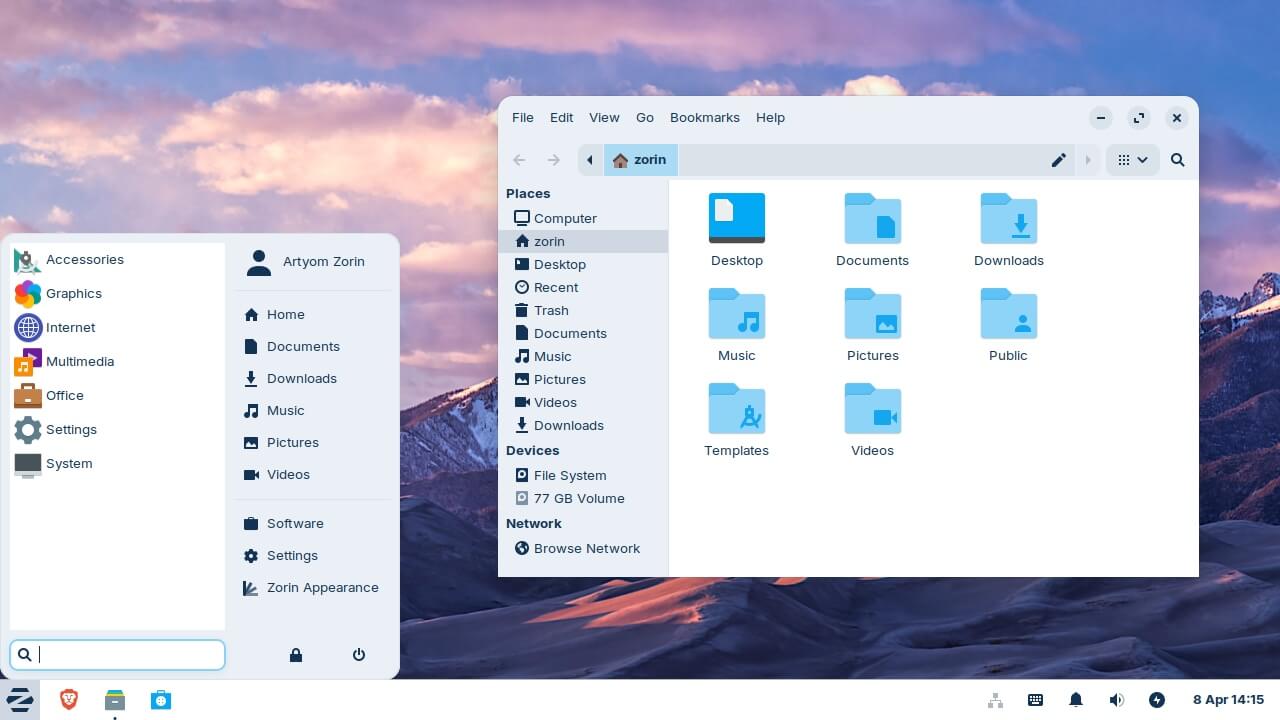
It even supports fingerprint readers and allows you to turn websites into desktop apps. This means your older computer can feel like a brand-new machine again.
Powerful Hardware Support
Under the hood, Zorin OS 18.1 uses the new Linux kernel 6.17. This means it works with the latest hardware parts. It includes better drivers for NVIDIA cards and Intel Xe3 graphics.
It also supports modern gaming handhelds like the ASUS ROG Ally and Lenovo Legion Go.
Finally, the system includes the latest security patches to keep your data safe from threats.
For more details, read the Zorin OS 18.1 official release notes.
How to Get Zorin OS 18.1 Update
Getting the update is simple and free for current users.
If you use Zorin OS 18:
Just open the Software Updater and install the latest updates.
If you use Zorin OS 17:
You can use the Upgrade Zorin OS app to switch without losing your files or apps. We have already published a detailed guide on how to upgrade Zorin OS 17 to 18 topic. Please go through this guide, follow the exact steps, and you will be fine!
For Pro users:
If you bought the Pro version, you can find a new download link in your original purchase email.
Zorin OS 18 release is a LTS edition. It will receive support and security patches until June 2029. Enjoy your faster and more secure desktop computer!
