
Since Conda is a language-agnostic package and virtual environment manager, we can easily create virtual environments for different programming languages. We already knew how to create Nodejs virtual environments and Rust virtual environments. Today, we will see how to create Golang virtual environments using Conda in Linux.
Table of Contents
Create Golang virtual environments using Conda in Linux
Go, also referred as Golang, is an opensource programming language to build simple, reliable, and efficient software. It was developed at Google and syntactically similar to C language. Go is actively being used in many Google servers as well other popular tech companies like Dropbox, CoreOS, CloudFlare etc.
Go is available in the default channel maintained by the developers of Anaconda distribution. Even though, the packages in the default channel are stable and well tested, they might be bit outdated. If you want latest Go version, install it from Conda-forge repository.
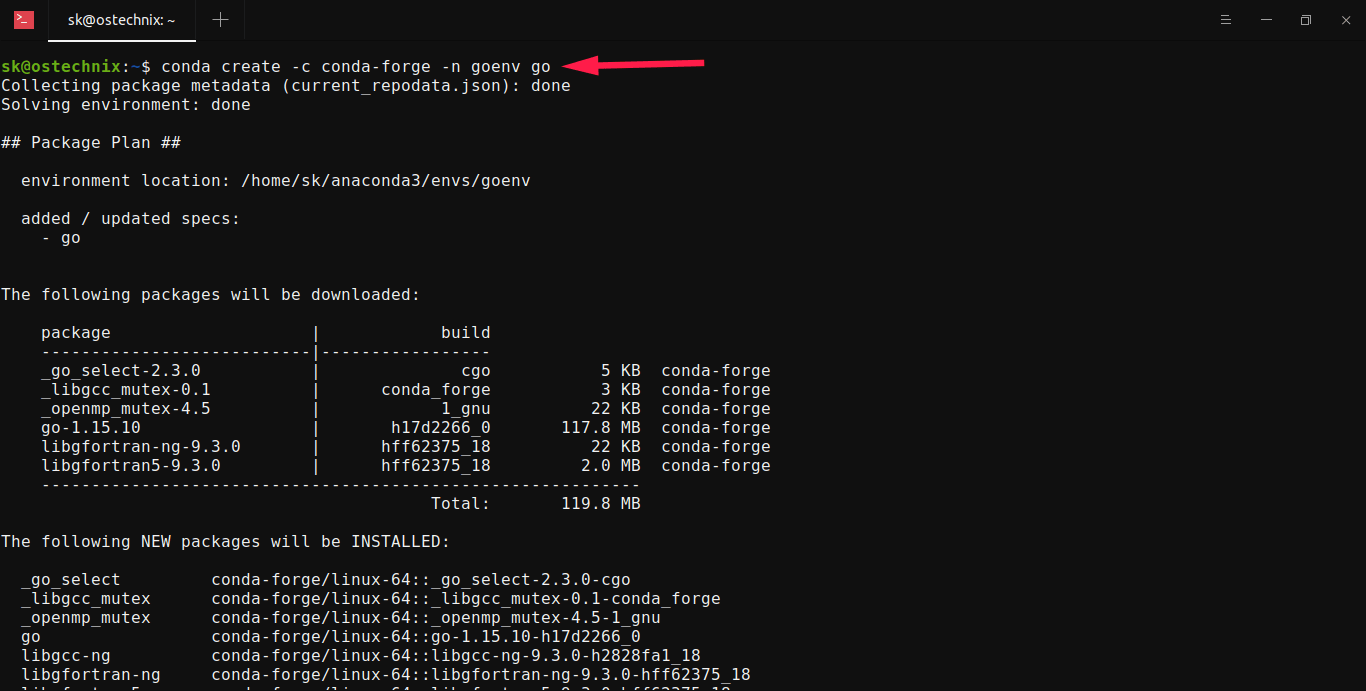
To install Go from Conda-forge using Conda package manager, run:
$ conda create -c conda-forge -n goenv goThe above command will create a new Conda environment named goenv and install Go language and other required dependencies inside the environment.
Collecting package metadata (current_repodata.json): done
Solving environment: done

## Package Plan ##

  environment location: /home/sk/anaconda3/envs/goenv

  added / updated specs:
    - go


The following packages will be downloaded:

    package                    |            build
    ---------------------------|-----------------
    _go_select-2.3.0           |              cgo           5 KB  conda-forge
    _libgcc_mutex-0.1          |      conda_forge           3 KB  conda-forge
    _openmp_mutex-4.5          |            1_gnu          22 KB  conda-forge
    go-1.15.10                 |       h17d2266_0       117.8 MB  conda-forge
    libgfortran-ng-9.3.0       |      hff62375_18          22 KB  conda-forge
    libgfortran5-9.3.0         |      hff62375_18         2.0 MB  conda-forge
    ------------------------------------------------------------
                                           Total:       119.8 MB

The following NEW packages will be INSTALLED:

  _go_select         conda-forge/linux-64::_go_select-2.3.0-cgo
  _libgcc_mutex      conda-forge/linux-64::_libgcc_mutex-0.1-conda_forge
  _openmp_mutex      conda-forge/linux-64::_openmp_mutex-4.5-1_gnu
  go                 conda-forge/linux-64::go-1.15.10-h17d2266_0
  libgcc-ng          conda-forge/linux-64::libgcc-ng-9.3.0-h2828fa1_18
  libgfortran-ng     conda-forge/linux-64::libgfortran-ng-9.3.0-hff62375_18
  libgfortran5       conda-forge/linux-64::libgfortran5-9.3.0-hff62375_18
  libgomp            conda-forge/linux-64::libgomp-9.3.0-h2828fa1_18
  libstdcxx-ng       conda-forge/linux-64::libstdcxx-ng-9.3.0-h6de172a_18

Proceed ([y]/n)? y

Downloading and Extracting Packages
_libgcc_mutex-0.1    | 3 KB      | ############################################################################################# | 100%
_go_select-2.3.0     | 5 KB      | ############################################################################################# | 100%
go-1.15.10           | 117.8 MB  | ############################################################################################# | 100%
_openmp_mutex-4.5    | 22 KB     | ############################################################################################# | 100%
libgfortran-ng-9.3.0 | 22 KB     | ############################################################################################# | 100%
libgfortran5-9.3.0   | 2.0 MB    | ############################################################################################# | 100%
Preparing transaction: done
Verifying transaction: done
Executing transaction: done
#
# To activate this environment, use
#
#     $ conda activate goenv
#
# To deactivate an active environment, use
#
#     $ conda deactivate
That's it. We just create a Go virtual environment. You can verify if the Go environment is created by listing the available Conda environments using command:
$ conda info --envsAs you can see in the below output, I have three environments namely base, goenv (Golang environment), and rustenv (Rust environment).
# conda environments:
#
base                  *  /home/sk/anaconda3
goenv                    /home/sk/anaconda3/envs/goenv
rustenv                  /home/sk/anaconda3/envs/rustenv
Let us go ahead and activate the newly create Golang environment:
$ conda activate goenvYou will now see the name of the go environment in your Bash prompt:
(goenv) sk@ostechnix:~$ It means we are inside the Golang virtual environment!
Check the installed Go version:
$ go version
go version go1.15.10 linux/amd64
The currently installed Go version is 1.15.10. Start building and testing your Golang applications.
Deactivate Golang virtual environment
After testing and building the o applications, simply deactivate the Go virtual environment using command:
$ conda deactivateDelete Golang virtual environment
First, make sure you've deactivated the Go environment with command:
$ conda deactivateThen, delete the Go environment with command:
$ conda env remove -n goenvJust in case you don't know the exact name of the environment, simply list all available environments using conda info --envs command and finally remove the correct environment.
