
Have you ever wished your phone could be your only computer? Just plug it in, and boom - a full desktop appears! Many users are still hoping for true Phone‑to‑PC convergence. If you're one of them, Maru OS might interest you. It is a clever software that transforms your Android smart phone into a full Linux desktop computer.
It’s not just an app you download. Maru is special software, called firmware, that takes the place of the Android system already on your phone. This means you will need to save all your personal photos and files first. Your phone will be wiped clean when you put Maru on it.
The smart thing about Maru is that it gives you two ways to use your phone. When you are out and about, it works like a normal Android phone. But when you get to a desk, something really cool happens.
As of writing this, Maru officially supports only a few phones. These include the Nexus 5, Nexus 5X, Nexus 6P, and Google Pixel. And also a few other Pixel models and the Samsung S9+ are supported.
Table of Contents
What Exactly is Maru OS?
Maru OS is a unique operating system designed to transform your smartphone into a full-fledged personal computer.
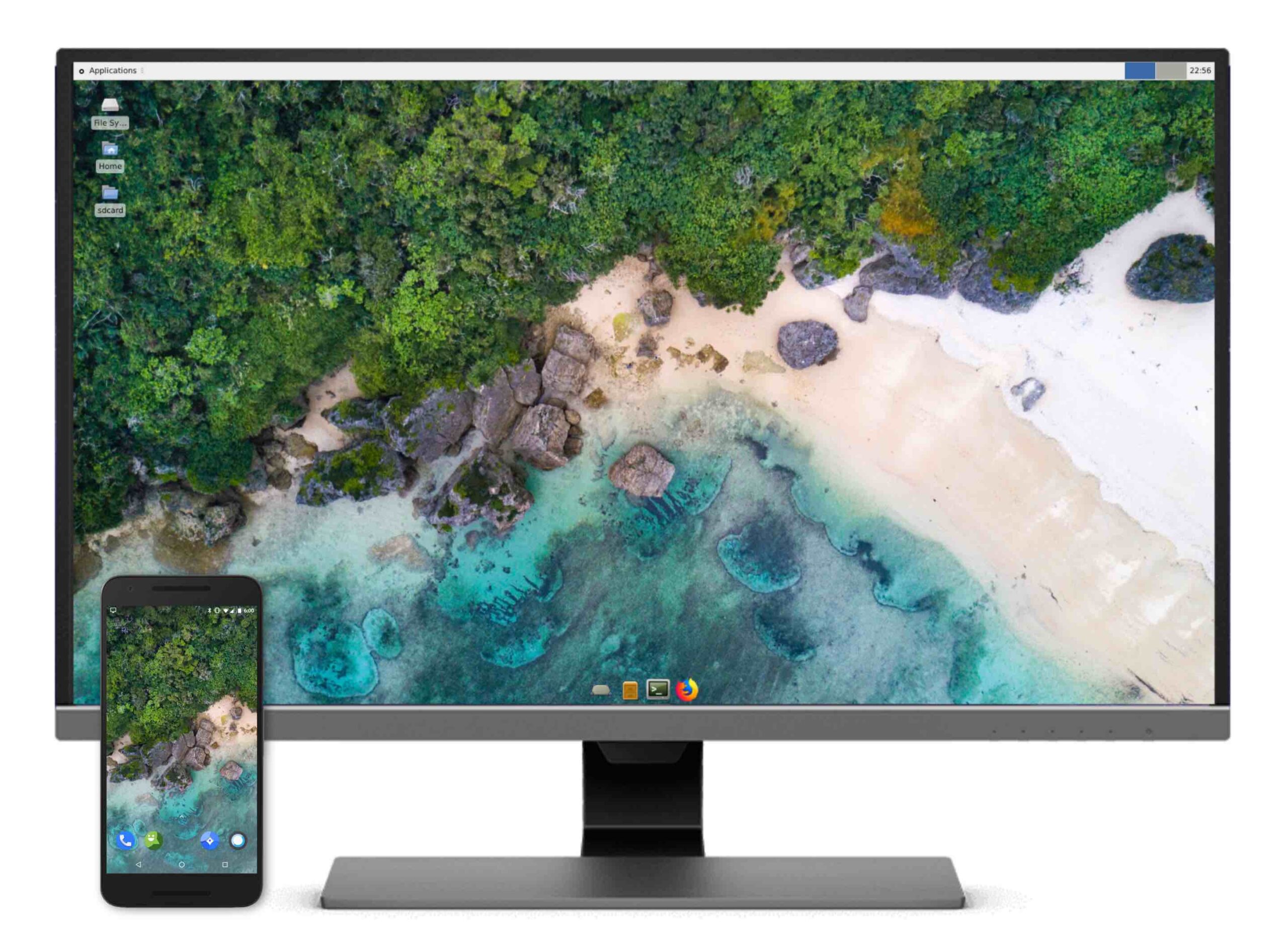
It offers a "context-aware" experience, meaning it functions as a regular Android phone when you're mobile, but becomes a desktop PC when connected to an external display.
Maru OS is a Firmware, Not Just an App
Maru OS is firmware that replaces your device's existing Android OS. This means it's more complex to install than a typical app, and your device will need a factory reset. So you must back up your personal data beforehand.
Dual-Mode Functionality
1. Mobile Mode:
When you're "on the go", Maru operates as a minimal Android smartphone environment, including essential apps like Browser, Calculator, Camera, Contacts, and Settings.
It ships with "zero bloatware" to keep your phone snappy and free up space.
2. Desktop Mode:
When you're "at your desk", Maru becomes a desktop computer. You simply plug your phone into an HDMI screen, connect a Bluetooth keyboard and mouse, and a desktop environment appears in under 5 seconds.
Powered by Debian with XFCE
The desktop portion of Maru OS is built on Debian 9 Stretch and uses Xfce as its desktop environment. This provides a "true multitasking" and "desktop productivity" experience.
It includes essential tools like Terminal and Firefox out of the box, and you can install more apps like LibreOffice using apt-get.
The default sudo password is "maru", though it's strongly recommended to change it for security.
Shared Resources
A key benefit is that your phone's capabilities are shared across both mobile and desktop modes.
- Shared Storage: Data on your SD card, such as camera photos and downloads, is shared seamlessly between modes.
- Shared Connectivity: Your network connection (Wi-Fi or cellular) is also shared, eliminating the need for tethering hotspots.
Open Source
Maru OS is an open-source project. Its code is openly available for inspection, building, porting, and modification.
The project team encourages community involvement, including testing new devices and reporting bugs, and can be supported financially.
Supported Devices
Maru officially supports a limited range of devices, particularly those with hardware HDMI support via SlimPort or MHL, as these are prioritised for the best desktop experience.
- Official 0.6 Supported Devices: Nexus 5 (hammerhead), Nexus 5X (bullhead), Nexus 6P (angler), and Google Pixel (sailfish).
- Other Listed Devices: Nexus 6P (angler), Pixel 3a XL (bonito), Nexus 5X (bullhead), Nexus 5 (hammerhead), Pixel XL (marlin), Pixel (sailfish), Pixel 3a (sargo), and Samsung S9+ (star2lte) are also supported.
- Maru has moved from AOSP to LineageOS as its base, which broadens potential hardware support, but new device support depends on community access and testing.
For the best desktop view, your phone should be able to send video directly through HDMI, using things like SlimPort or MHL.
Connectivity and Accessories
- To connect a SlimPort device to an HDMI screen, you need a SlimPort USB-to-HDMI cable with a USB charging dongle to ensure your device can charge while in desktop mode.
- Any Android-compatible Bluetooth keyboard or mouse should work, though official and unofficial lists of supported accessories are available. If the cursor lags initially, toggling Bluetooth off and on can resolve it.
- For devices without HDMI support, options include wireless display streaming (officially tested with Chromecast) or DisplayLink over USB, which requires a DisplayLink dock and app.
How Does It Work? It's Very Simple!
Using your phone as a desktop with Maru is super easy. Just follow these steps:
- Plug your phone into any HDMI screen. Maru knows right away when a screen is connected. Your desktop then starts up in under 5 seconds.
- Connect a Bluetooth keyboard and mouse. Most keyboards and mice that work with Android will work with Maru.
- Start working on your desktop! Need to leave? Just unplug your phone. Maru remembers what you were doing on the desktop, so you can pick up where you left off later.
Your Phone Becomes a Full Computer!
As I stated earlier, Maru is not a simple mobile app; it's a real desktop experience.
For the desktop part, Maru uses Debian Linux. This means you get a real computer feel.
You can open many apps at once and do lots of work. Think about writing documents, making spreadsheets, or using a full internet browser like Firefox.
A huge plus is that your phone’s storage and internet are shared between both the phone and desktop modes. So, your pictures and downloads are there for you to use on the desktop.
You do not need to bother with separate Wi-Fi connections or phone hotspots. It makes everything work very smoothly. You can truly get a lot done.
Maru is an Interesting (Outdated) Project
While the core concept of Maru OS is "still so fascinating", it's bit outdated. Maru is built on Android Oreo (version 8.0), which dates back to 2017.
It's Desktop OS version (i.e Debian 9) is also outdated. We are expecting Debian 13 in a few days.
The last major updates to Maru OS came out in 2019, and the project now seems to be in maintenance mode.
Even though today’s phones and laptops are far more powerful, I think the main idea behind Maru is still super cool.
It remains an example of the "convergence" idea, where a single device serves both mobile and desktop computing needs, a concept also explored by projects like Ubuntu Phone and Samsung DeX.
Many users still hope for this "one device to rule them all" future. Maru OS offers a glimpse of that vision by letting you run a full Linux desktop on your phone.
It uses only about 2GB more space than a basic Android system, which is not much for a whole desktop!
Maru OS Brings the "One Device for Everything" Vision Closer
Phone‑to‑PC Convergence is real with Maru OS. Maru OS is a very clever idea that helps you to run a full Linux Desktop on your smart phone. In my opinion, it is a great example of trying to make phones and PCs work together.
It reminds us that our phones are strong little computers. With the right software, they can do much more than we usually think.
If you have one of the older phones Maru supports, it might be a fun project to try out. You can see the "phone as PC" dream come true!
Resources:

2 comments
Don’t forget to tell them about all the android functions that won’t work – eg. Wallet. No cards, no tickets…
We have something like this now, with a more recent Debian (currently v10–Buster). It’s the Purism Librem 5 phone, running PureOS. And yes, it is a very good idea.