
KDE Plasma users, get ready for some of the cool new features and improvements that are coming your way. The new features are primarily coming in Plasma 6.3 and 6.4.
These changes will make Plasma easier and more fun to use. Let's take a look!
Table of Contents
Discover Gets Smarter in Plasma 6.3
The Discover app store has also received a new feature. It can now open flatpak URLs. This means that if you click on a link that starts with "flatpak:/", Discover will open and handle it. This makes it easier to install apps from Flatpak.
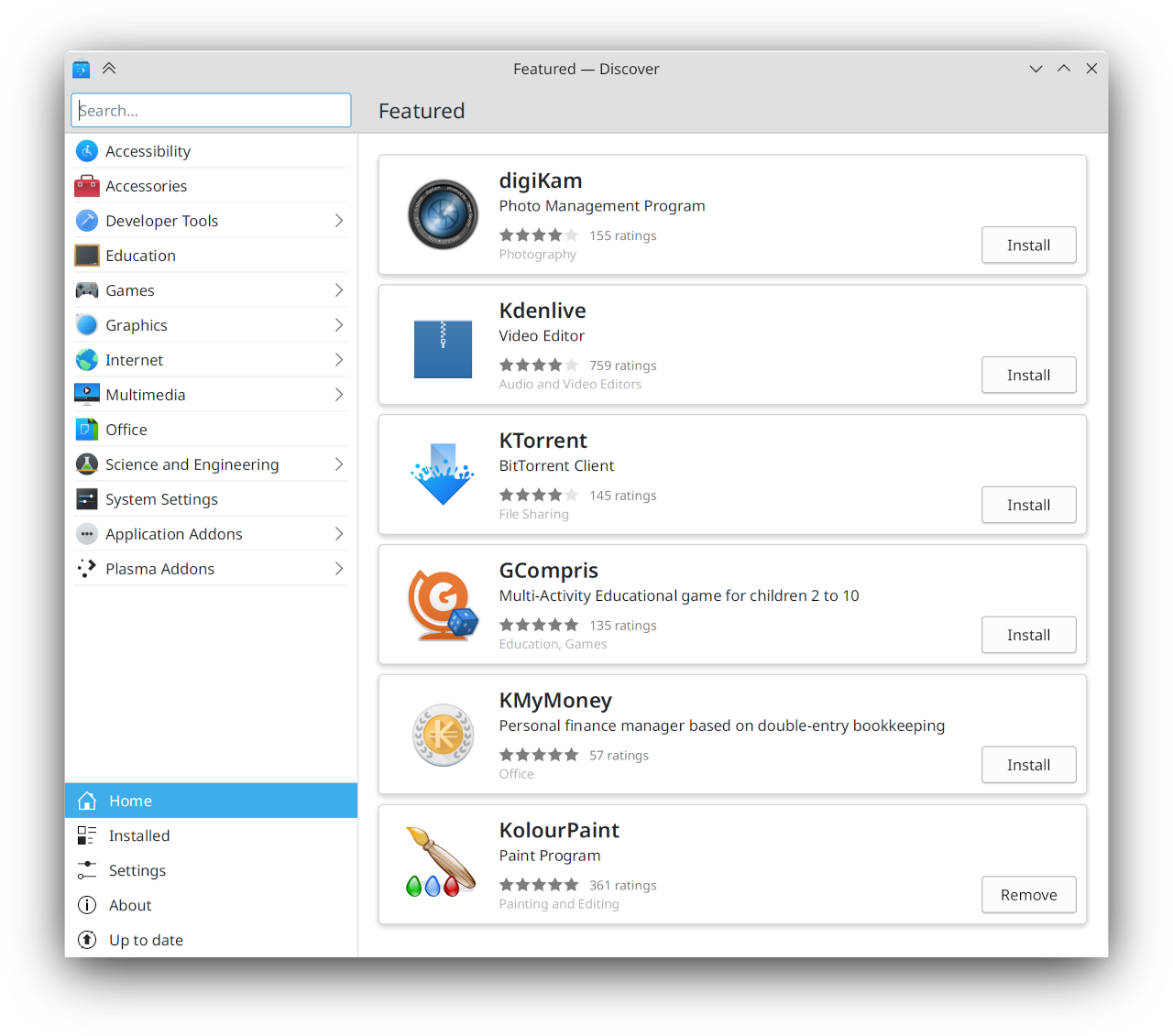
The ability for Discover to open flatpak:/ URLs is a Plasma 6.3 feature.
Time Zone Selection Made Easy in Plasma 6.4
One of the biggest changes is how you pick your time zone. Forget about confusing lists! Now, you get a world map to choose your time zone. This is available in System Settings on the Date & Time page and in the Digital Clock widget's settings.
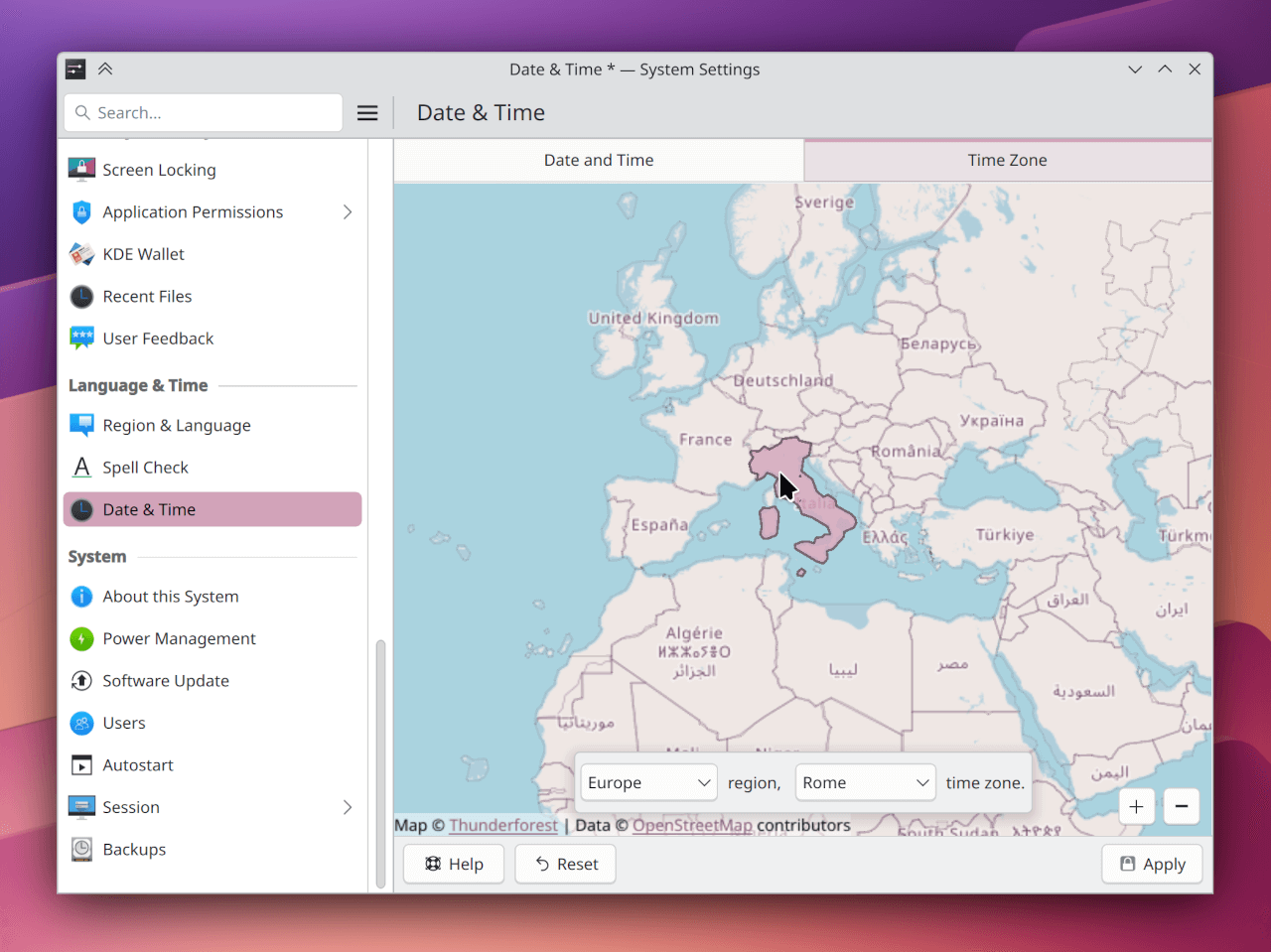
- Visual Map: You can see all the time zones on a map and just click the one you want. This is much more intuitive than reading a long list.
- Offline Maps: The map works even if you don't have internet. It uses map data from OpenStreetMap.
- Combobox Option: If you prefer, there is still a dropdown menu to select time zones, including ones that may not be visible on the map. This is handy for time zones like "UTC+04".
- System and Clock Use: This new time zone picker is used both for setting your system's time zone and for adding time zones to your digital clock.
This new feature makes it much easier to select time zones!
The upgraded time zone choosers with a world map UI will be available in Plasma 6.4.
Many of the UI improvements and bug fixes, including those related to avatars, system tray, panel animations, media player, task manager, audio volume, and Spectacle, are also in Plasma 6.4.
Other Cool Changes
Besides the major updates, there are lots of smaller changes that make Plasma better:
- Avatar Images: The dialog box for choosing your avatar picture is now better sized and the cropping tool now doesn't crop square images by default.
- System Tray: The System Tray settings now use alternating row colors to make it easier to see.
- Panel Animations: The way panels show up and disappear now has new animations.
- Media Player Widget: You can now scroll on the seek slider to move it, instead of only dragging.
- Task Manager: You can no longer switch between tasks by scrolling on the Task Manager (but you can turn that back on if you want).
- Audio Volume: The Audio Volume widget now has a menu button if it is not inside the system tray.
- Spectacle: The tooltips for Spectacle’s buttons show how to use keyboard shortcuts with the buttons.
Bug Fixes and Performance
There are also many bug fixes that improve how Plasma works:
- Crashes: Several crashes have been fixed including ones related to screen arrangements and KWin.
- System Settings: Issues with the Desktop Session page have been fixed.
- Kickoff: You can now drag files to Kickoff's favorites again.
- Alt+Tab: Apps that open dialogs will now show up correctly in the Alt+Tab switcher.
- Copy/Paste: Copy and paste now works correctly on the desktop.
- Memory Leaks: Memory leaks in KScreen have been fixed.
For more details, please visit the KDE Weekly news announcement.
Stay tuned to get the latest news and features about KDE Plasma.

2 comments
Did they ever fix the Discover bug where it segfaults if you try to start the application without being connected to the Internet?
I am not sure. Please file bug report in KDE bug tracker.